

UI Studio: Building the Search Entry Point
Learn how to configure the Search Bar component with Typeahead, map it to a Fusion query profile, and customize its placeholder text and styling.
Basic usage
Add a search bar component to your UI Studio page to enable search capability. To build a minimal search component, you must set values for the Name and Datastore fields.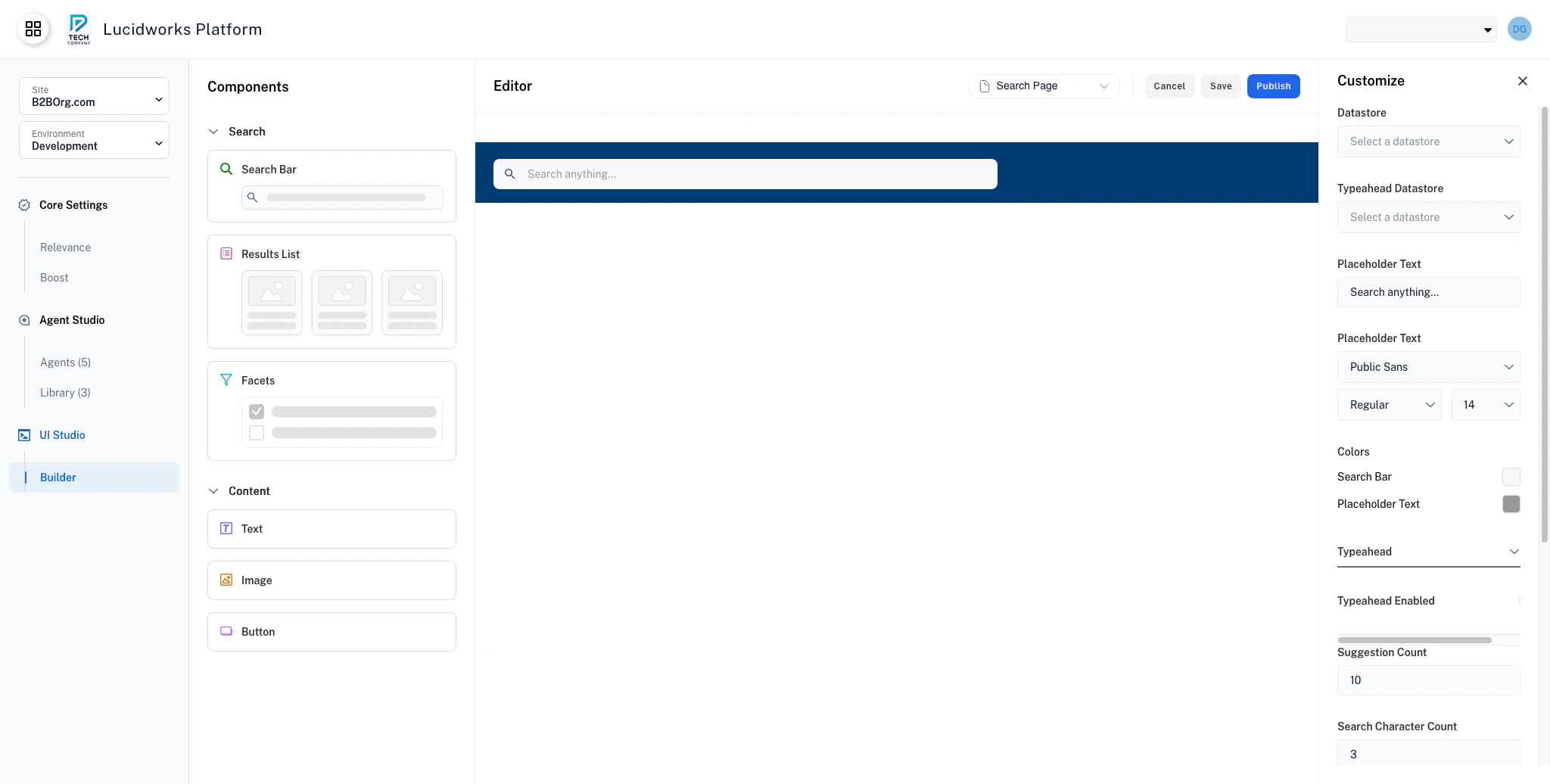
Search Bar component dropped into the header section
UI Studio: Data Integration & Customization
Learn how to link UI Studio components to Fusion datastores for live data, then use preview mode to validate the experience.
Typeahead
You can enable autocomplete suggestions that appear as users type. When typeahead is enabled, the search bar displays a dropdown of suggested queries as users type. Users can:- Click a suggestion to search for it.
- Use arrow keys to navigate suggestions.
- Press Enter to search the highlighted suggestion.
- Press Escape to close the dropdown.
Typeahead suggestions improve discoverability and reduce typos, but they also add complexity. Turn the typeahead setting off for simple search scenarios or when your dataset is small.
Suggestion count
Set the maximum number of typeahead suggestions to display in the Suggestion Count field. Enter a number in the Suggestion Count field, for example, 5, 10, or 15. The default value is 10 suggestions. Keep suggestion counts between 5 and 10 to balance performance and suggestion variety. Too few suggestions limit discovery, while too many suggestions can overwhelm users.Search character count
Set the minimum number of characters required before showing suggestions. Enter a number in the Search Character Count field, for example, 2, 3, or 4. Setting a higher number prevents typeahead from triggering on very short queries that would return too many broad suggestions. If you have a dataset with distinct terms, use a lower value.Higher character counts reduce the number of typeahead API calls, improving performance. However, higher character counts also delay when users see useful suggestions.
Configuration properties
string
required
Component identifier for organization and reference. The name does not display on your user-facing website.
dropdown
required
Primary data source for search queries. Must be configured in your UI Studio application.
dropdown
Data source for autocomplete suggestions. This datastore can be the same as the main datastore or a separate optimized source. If the endpoint is missing or unreachable, typeahead is automatically deactivated to prevent errors.
string
default:"Search anything..."
Hint text displayed when the search bar is empty. Should be concise and descriptive.
group
Typography settings for placeholder text.
group
Color scheme for the search bar.
group
Autocomplete suggestion settings.