The Indexes screen in Lucidworks Platform is where you can view your Fusion instances and perform promotions between environments. For Lucidworks Search clients, Lucidworks sets up and configure Fusion integrations for Lucidworks Platform. Self-hosted Fusion clients must set up Fusion integrations to view their Fusion instances here. Navigate to the megamenu and click Indexes to display the screen.Documentation Index
Fetch the complete documentation index at: https://doc.lucidworks.com/llms.txt
Use this file to discover all available pages before exploring further.
Fusion instances
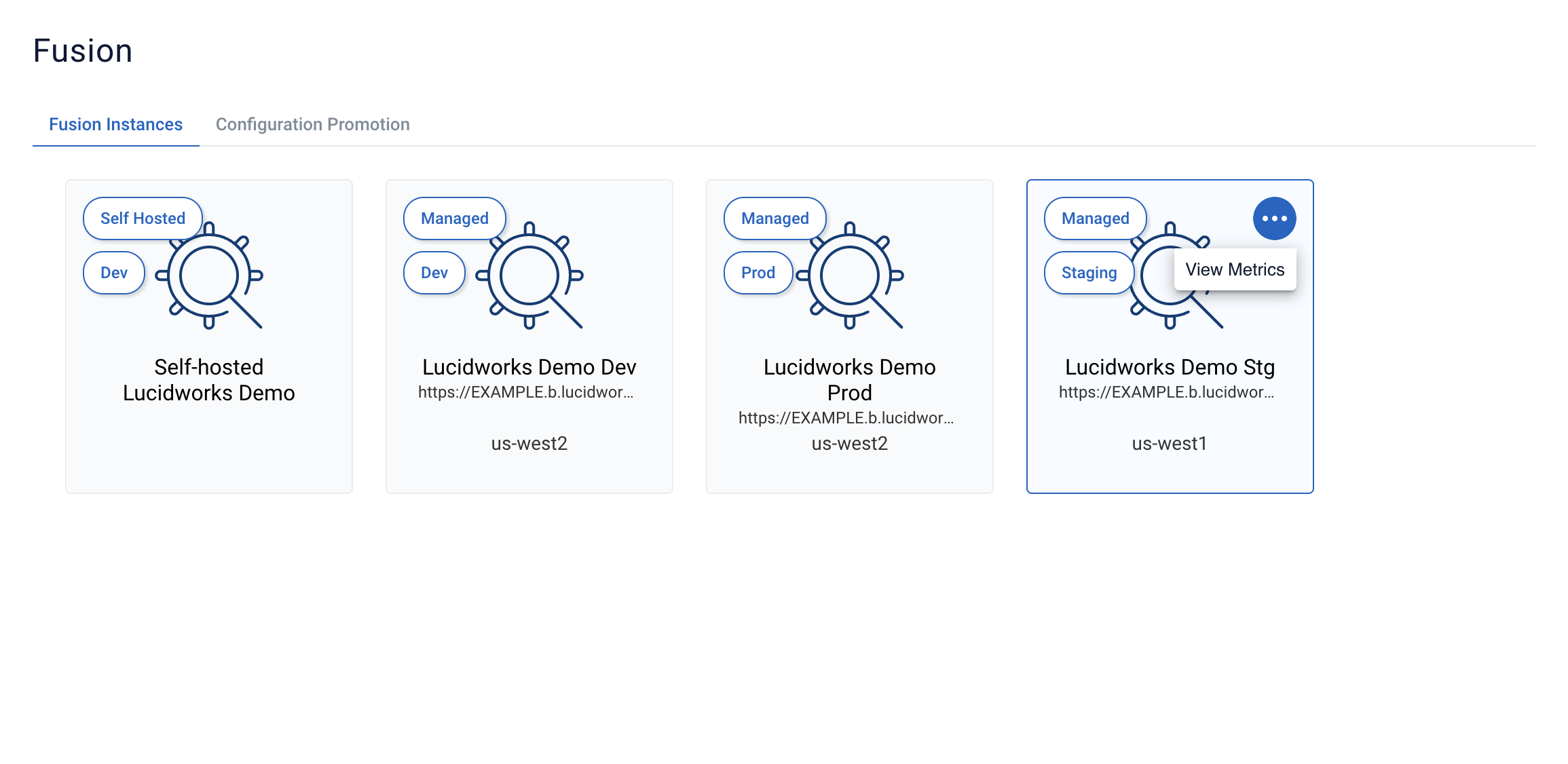
The Fusion Instances tab displays by default, indicating if the deployment is self-hosted or Lucidworks Search and the environment such as Dev, Staging, or Prod. If you have appropriate user permissions, you can click on an instance to sign in to Fusion. For Lucidworks Search only, you can click the three dots in the corner of your Fusion instance and then click View Metrics to display your Customer Dashboard. Using multiple Fusion environments lets you to try out new features, test configurations, and stage changes before pushing them into production. Making your changes in a Fusion environment for developers allows your team to test any changes thoroughly and make sure everything works as expected before promoting to an environment where more people, including your end users, can view the changes. These environments protect your website from a situation where a simple configuration error may affect your users, security, and operational goals.Configuration promotion
This feature is available to both self-hosted and Lucidworks Search clients using Fusion 5.9.8 or later. The Configuration Promotion tool uses a GitHub configuration for every Fusion instance you want to manage.To use this feature, self-hosted Fusion clients must set up
ConfigSync and complete all of the procedures described in the
Configuration Promotion tool integration with Fusion topic.
Create and manage promotions
To create and manage promotions, navigate to the Indexes screen and click the Configuration Promotion tab.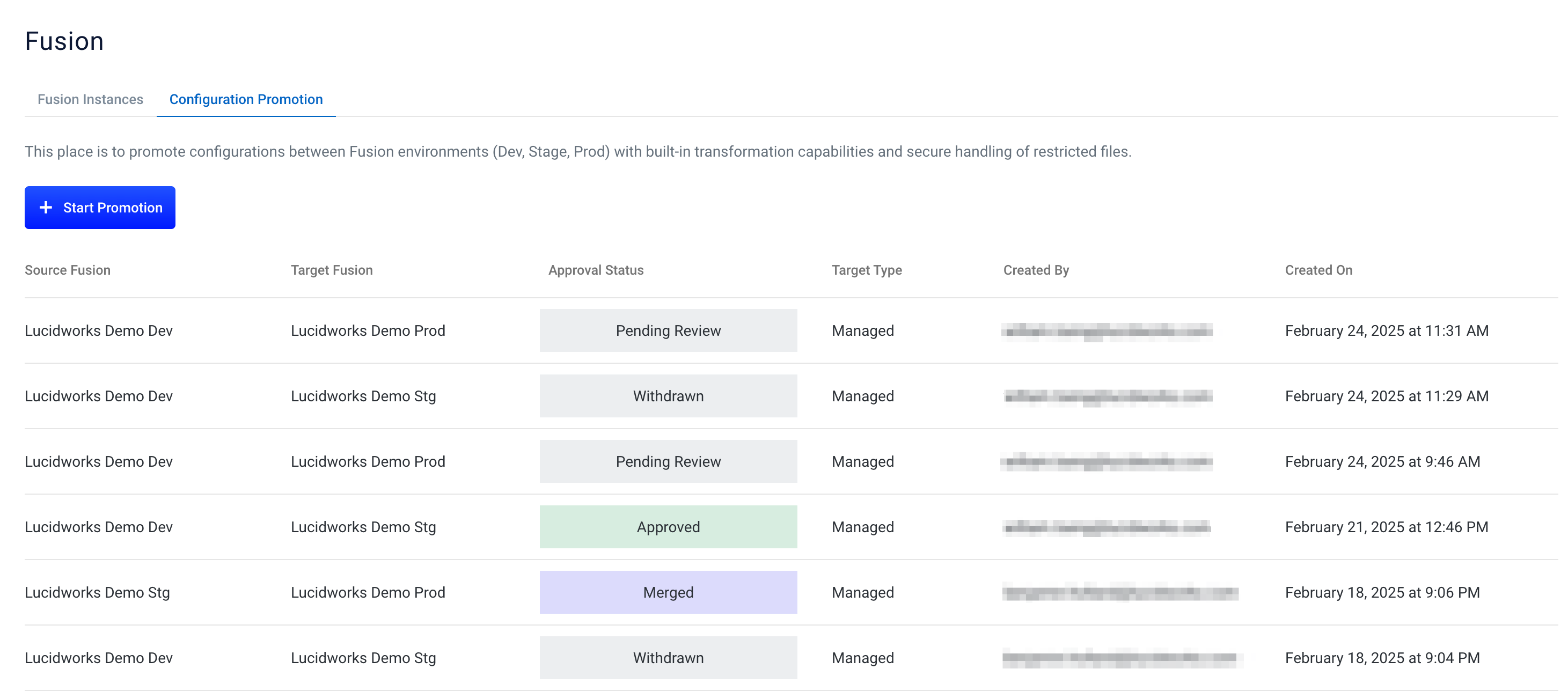
Promotion statuses
The Configuration Promotion table displays an Approval Status for each promotion request. The following statuses indicate the current state of a promotion:- Creating Pull Request: The system is generating the pull request for the promotion.
- Pending: The pull request has been created and is awaiting review.
- Approved: The promotion has been reviewed and approved for merging.
- Merged: The changes have been successfully applied to the target environment.
- Withdrawn: The promotion request has been canceled before merging.
- Broken: The promotion encountered an error and cannot proceed. Contact your administrator for assistance.
Start promotion
For Lucidworks Search clients, promotion requests are reviewed by Lucidworks. You can track the approval status in the Configuration Promotion table. To promote an instance, click Start Promotion.- In the Source section, select the Fusion instance that contains the changes you want to promote. For example, if you’re promoting changes to a Staging environment, select your Dev environment. A file tree appears in the Source section that represents all the Fusion objects within the selected system.
-
Select the checkboxes for the files you want to promote into the target instance.
Some files are restricted and cannot be selected for promotion.
-
In the Target section, select the Fusion instance where the changes will be promoted and then verify your selection.

-
Click Request Promotion.
On the Configuration Promotion page, a new promotion appears with an Approval Status of
Creating Pull Request. When the Approval Status changes toPending, the pull request has been created and is ready to be reviewed.
Withdraw promotion
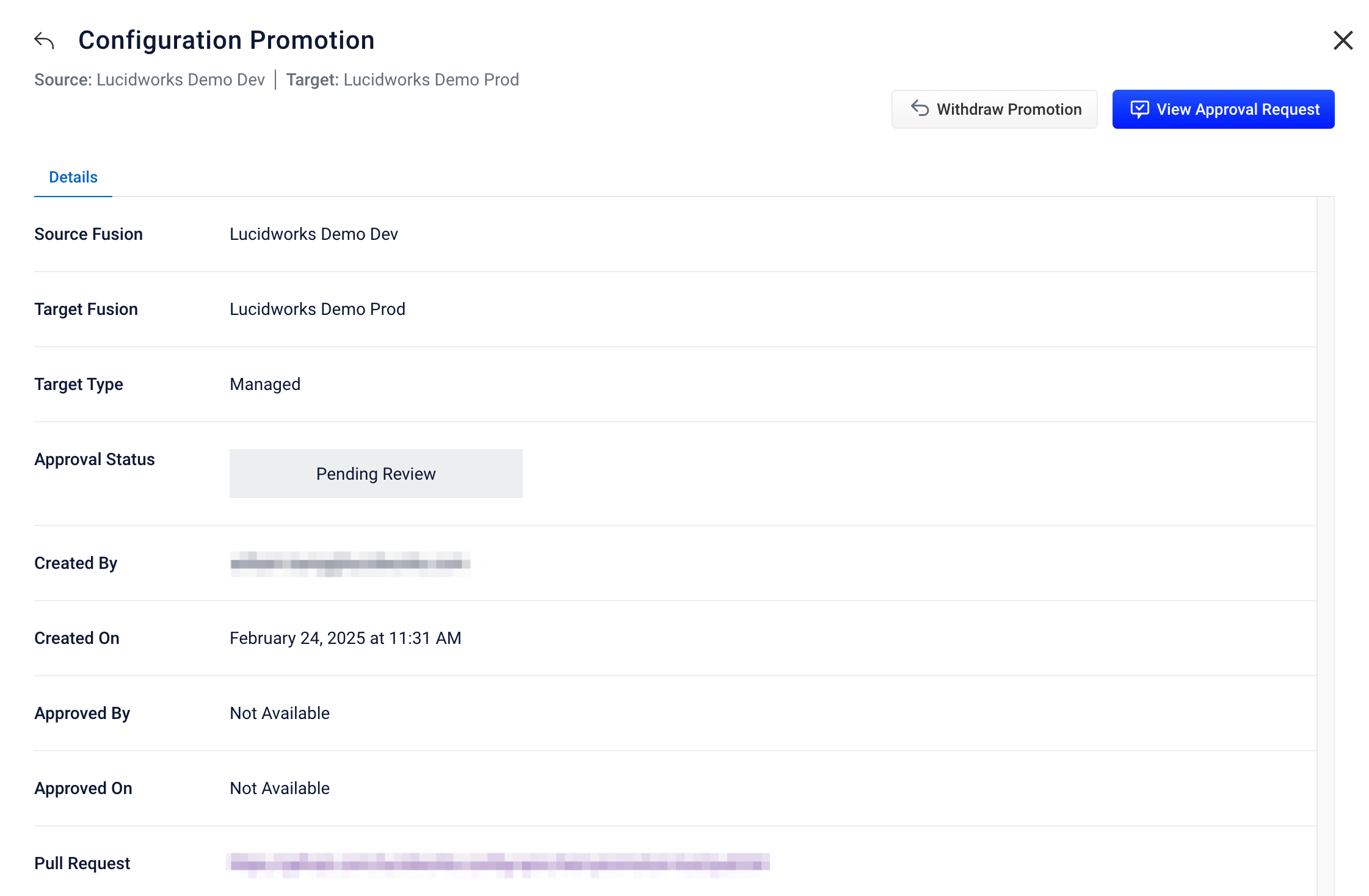
To cancel a promotion request that hasn’t been merged yet, click the request to display the Details screen and then click Withdraw Promotion.