

Prerequisites
To ensure a successful migration of your datasource data from the Solr V1 connector to the Solr Pro connector, verify that you have the following prerequisites:- Your Solr environment that you are using to index into Fusion is Solr 8 or later
- You are using Fusion 5.9.0 or later
Make a plan for removed fields in the Pro connector
The Solr Pro connector does not reproduce the field mapping settings from the V1 connector. In the V1 connector, these settings provided mapping of fields before the documents were sent to an index pipeline. These fields display in the Field Mapping section when the advanced settings are displayed. These fields and settings must be manually recreated as stages in your Fusion index pipeline. The following table displays the relevant fields in the V1 connector.
Two other fields have been removed from the Pro connector that require no action from you.
The Solr Commit on Finish field has been removed from the Solr Pro connector.
The Validate access field is built into the Solr Pro connector as a core feature. No action is required during the migration process.
New fields
There are two new fields available in the Solr Pro connector. You can find these new fields by toggling the Advanced Settings toggle. These new settings appear in the Advanced Query Settings section at the bottom of the settings.integer
default:"30000"
The individual query timeout, set in milliseconds. If you’re downloading large files, or if your network or firewall rules may cause slower connections to your Solr environment, consider setting this value higher to prevent query timeouts.
boolean
default:"true"
Enable or disable the cursor mark, which is used for pagination. This field is enabled by default and results in faster deep paging. If this field is not enabled, then offset-based pagination is used, which was built into the V1 connector.
Changes to connection settings
The Solr Pro connector has modified the connection settings. In the Pro connector, the default value for Connection Type isSOLRCLOUD, which is the recommended setting. If you are using a standalone Solr environment, you must explicitly select STANDALONE from the dropdown menu.
Regardless of your connection type, both the ZooKeeper hosts and Solr Base URL fields are visible. If you are using a Solr Cloud environment, the ZooKeeper hosts value is required. If you are using a standalone Solr environment, the Solr base URL field is required.
Additionally, advanced connection settings that were hard-coded into the V1 connector are now configurable. Click the Advanced toggle to expose these settings. Evaluate these values and determine if they make sense for your use case.

Solr Pro advanced connection settings
object
Fetch settings
Some fetch settings that were previously hardcoded into the V1 connector are now exposed and configurable in the Pro connector. These fetch settings provide configuration options at the system level to control fetch behavior and performance. Click the Advanced toggle to expose these settings. Then select the checkbox next to Core Properties, and select the checkbox next to Fetch Settings.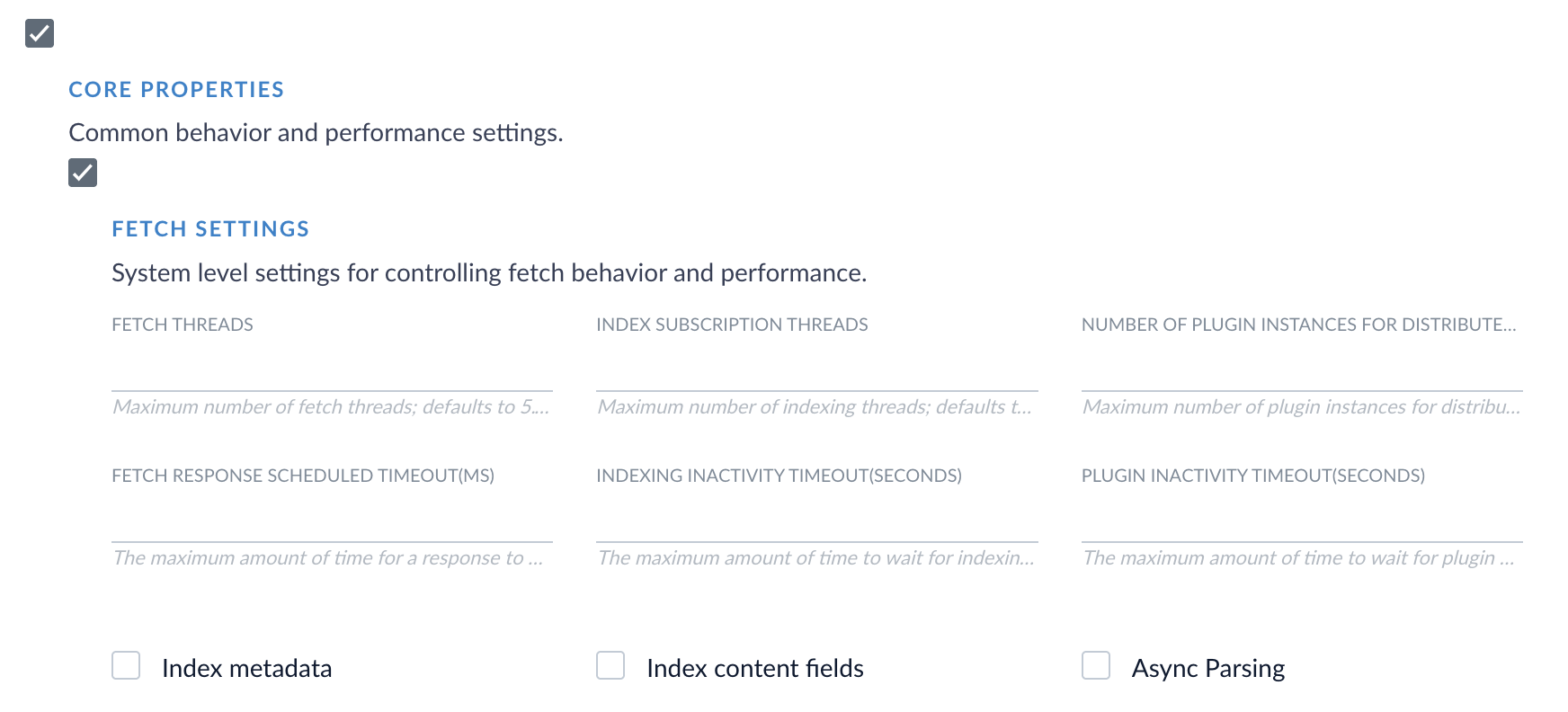
Solr Pro fetch settings
Filter queries
Multiple filter queries are supported in the Solr Pro connector. If you are using the Fusion UI, select Add to add a filter query. For users of the API, the Filter Queries field value has changed from a string to an array of strings to support multiple filter queries.Changed default values
Some fields have different default values in the V1 and Pro connectors. You should evaluate the new default values, determine if these values make sense for your use case, and change the values as needed. The Solr V1 connector set the default value for the Sort Specification field toid asc. The Pro connector leaves this field empty by default. When cursor mark pagination is enabled (the default), the connector automatically appends id asc if id is not already in the Default Sort field.
The following table displays the changed default fields and their values in the Pro connector.