

Search rewriting is a way of modifying search queries so that they more accurately reflect the intentions of your customers. You can create a misspelling search rewrite, for example, to correct a spelling mistake that commonly occurs when searching for a particular product. The misspelled query will then produce the same results as a correctly spelled search. There are four rewrite types:Documentation Index
Fetch the complete documentation index at: https://doc.lucidworks.com/llms.txt
Use this file to discover all available pages before exploring further.
- Head/Tail - improves poorly performing searches.
- Misspelling detection - corrects common spelling mistakes.
- Phrase detection - identifies products with matching phrases.
- Synonym detection - includes alternative words with the same meaning.
Use Predictive Merchandiser Query Rewrites
Use Predictive Merchandiser Query Rewrites
You can create query rewrite rules in Predictive Merchandiser. This is similar to using the Rules Editor to create query rewrite rules, except there are additional options in Predictive Merchandiser.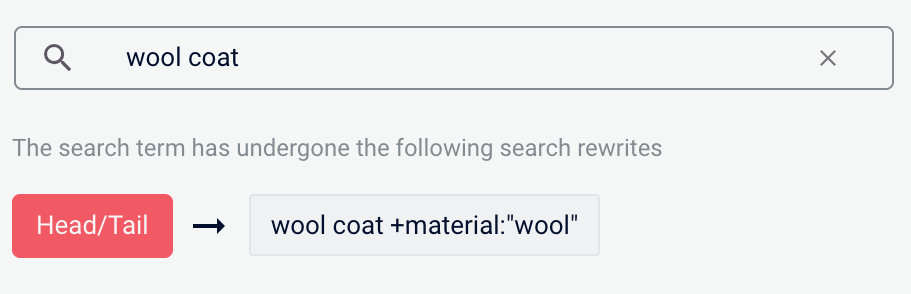
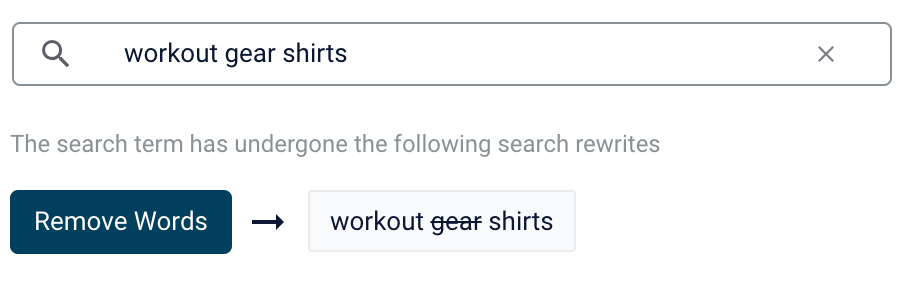
- In Fusion, navigate to Relevance > Rules > Merchandiser.
- Enter a search term or phrase in the search bar.
- Click Start Task.
- Hover your cursor next to the query. A + button will appear:
- Click the + button. A list of query rewrites options will appear: Head/Tail, Misspelling, Phrase, Synonym, and Remove Words.
Head/Tail
You can create a Head/Tail rewrite to improve search results using methods other than correcting for misspellings or synonym expansion. When a poorly defined search term is identified, the original term is replaced by an improved search term.For example, a search foriphone case yellow could be improved by using the search term iphone case yellow +color:"yellow" (in this case making use of the color field in the data).Most Head/Tail rewrites are typically created automatically via machine learning. However, if desired, custom rewrites can be manually created using the following steps.-
From the list of query rewrite options, select Head/Tail. A form will appear:
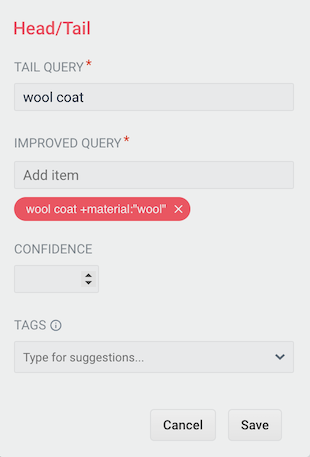
Parameter Description Example Value Tail Query The tail query itself. iphone case yellowImproved Query The query that will replace the tail query phrase. iphone case yellow +color:"yellow"Tags Optional metadata tags that can be used to identify and organize rewrites. blackfridaysale - Enter one or more improved search terms in the Improved Query field.
- Click the Save button.
Misspelling
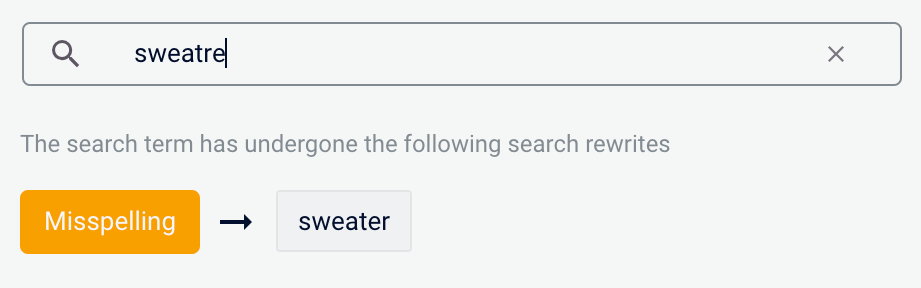
You can create a misspelling query rewrite to detect and correct common spelling mistakes. When a customer enters a search term containing a known misspelling, the incorrect spelling is replaced with the spelling correction.For example, if your customers frequently misspell or mistype the wordsweater as sweatre, you can set up a query rewrite to automatically correct it.-
From the list of query rewrite options, select Misspelling. A form will appear:
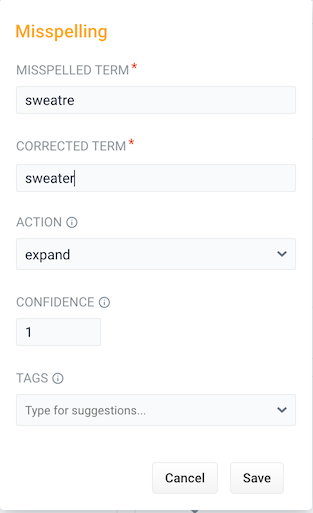
Parameter Description Example Value Misspelled Term The phrase itself. sweatreCorrected Term The term that will replace the misspelled term. sweaterAction Action to perform. Confidence Confidence score from the phrase job. A confidence level of 1represents 100% confidence. For rules created automatically via machine learning, the confidence level will reflect the output from the machine learning model.1Tags Optional metadata tags that can be used to identify and organize rewrites. blackfridaysale - Enter one or more spelling corrections in the Corrected Term field.
- Click the Save button.
Phrase
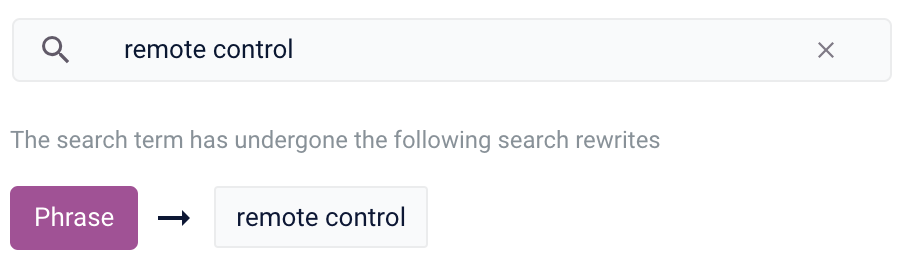
You can use query rewriting to identify phrases used in search terms so that products with matching phrases are boosted in the search results. This is helpful when users do not use quotation marks to identify phrases in their search terms.For example, without phrase detection a search for the wordsremote control would show results for both remote and control. With phrase detection, this search would correctly boost results for "remote control".-
From the list of query rewrite options, select Phrase. A form will appear:
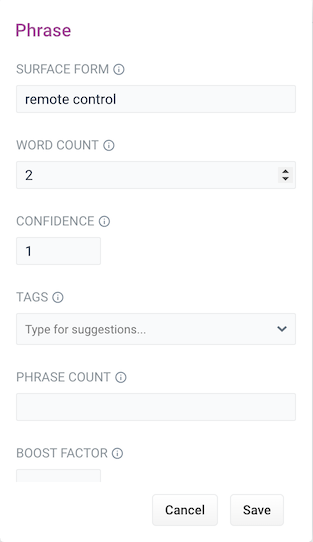
Parameter Description Example Value Surface Form The phrase itself. remote controlWord Count Indicates how many words are included in the phrase. 2Confidence Confidence score from the phrase job. A confidence level of 1represents 100% confidence. For rules created automatically via machine learning, the confidence level will reflect the output from the machine learning model.1Tags Optional metadata tags that can be used to identify and organize rewrites. blackfridaysalePhrase Count Denotes how many times this phrase was found in the source. This value is automatically set via machine learning. It does not need to be set manually. 5Boost Factor The factor to use to boost this phrase in matching queries. 2.0Slop Factor Phrase slop, or the distance between the terms of the query while still considering it a phrase match. 10 - Enter the number of words in the phrase in the Word Count field.
- Click the Save button.
Synonym
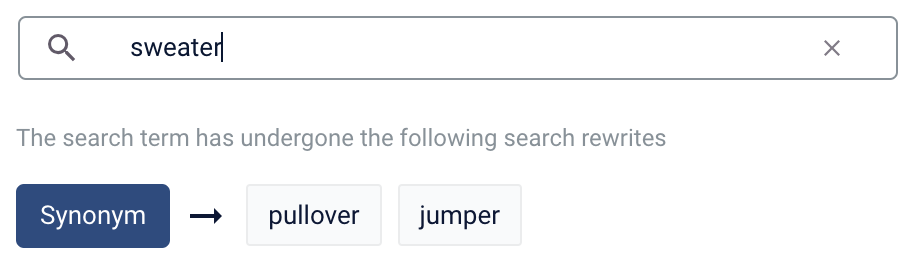
You can specify synonyms for a specified search term so that alternative words with the same meaning are automatically used in the search query. When a customer enters a search term with a synonym match, the alternative words are used instead of, or in addition to, the original search term.For example, the search termsweater could have the synonyms pullover and jumper.-
From the list of query rewrite options, select Synonym. A form will appear:
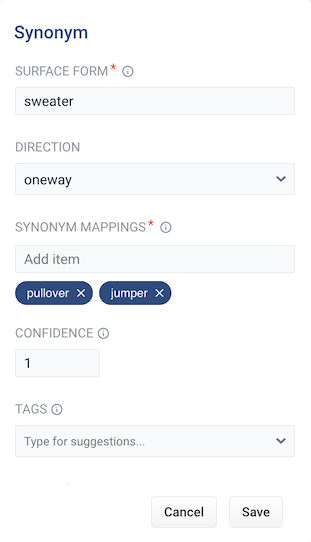
Parameter Description Example Value Surface Form The term that has synonyms. sweaterDirection With a oneway search, the original search term is replaced by the synonym. In the example above, sweaterwould be replaced by the alternative wordspulloverandjumper. With a symmetric search, the search query is expanded to include the original term and the synonyms, resulting in a greater number of potential hits. In the example above, this time the query would includesweater,pullover, andjumper.symmetricSynonym Mappings Synonyms for the surface form. pullover,jumperConfidence Confidence score from the phrase job. A confidence level of 1represents 100% confidence. For rules created automatically via machine learning, the confidence level will reflect the output from the machine learning model.1Tags Optional metadata tags that can be used to identify and organize rewrites. blackfridaysaleCount How many times this term occurred in the signal data when it was discovered. This value is optional when a rewrite is being defined manually. 5 - Choose whether the direction is oneway or symmetric.
- Enter one or more alternative words in the Synonym Mappings field.
- Click the Save button.
Remove Words
The Remove Words feature is available in Fusion 5.4 and later.
case study examples to remove examples and then display results for case study.-
From the list of query rewrite options, select Remove Words. A form appears:
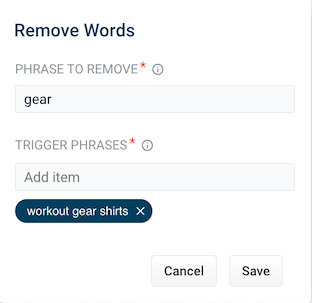
Parameter Description Example Value Phrase to remove The words to remove from the trigger phrase. examplesTrigger phrases The query that prompts the removal of the phrase. The trigger phrase is not necessarily a complete query. If the query contains the trigger phrase, then Fusion removes the phrase in the Phrase to Remove field. case study examples - Enter a phrase to remove and a trigger phrase. Note that the phrase to remove is auto-populated with the query.
- Click Save.
Learn more
Predictive Merchandiser: Rewrites Manager
The course for Predictive Merchandiser: Rewrites Manager focuses on using search rewrites to boost conversions and create better customer experiences by improving your relevancy.
Predictive Merchandiser: Rewrites Manager
The course for Predictive Merchandiser: Rewrites Manager focuses on using search rewrites to boost conversions and create better customer experiences by improving your relevancy.