

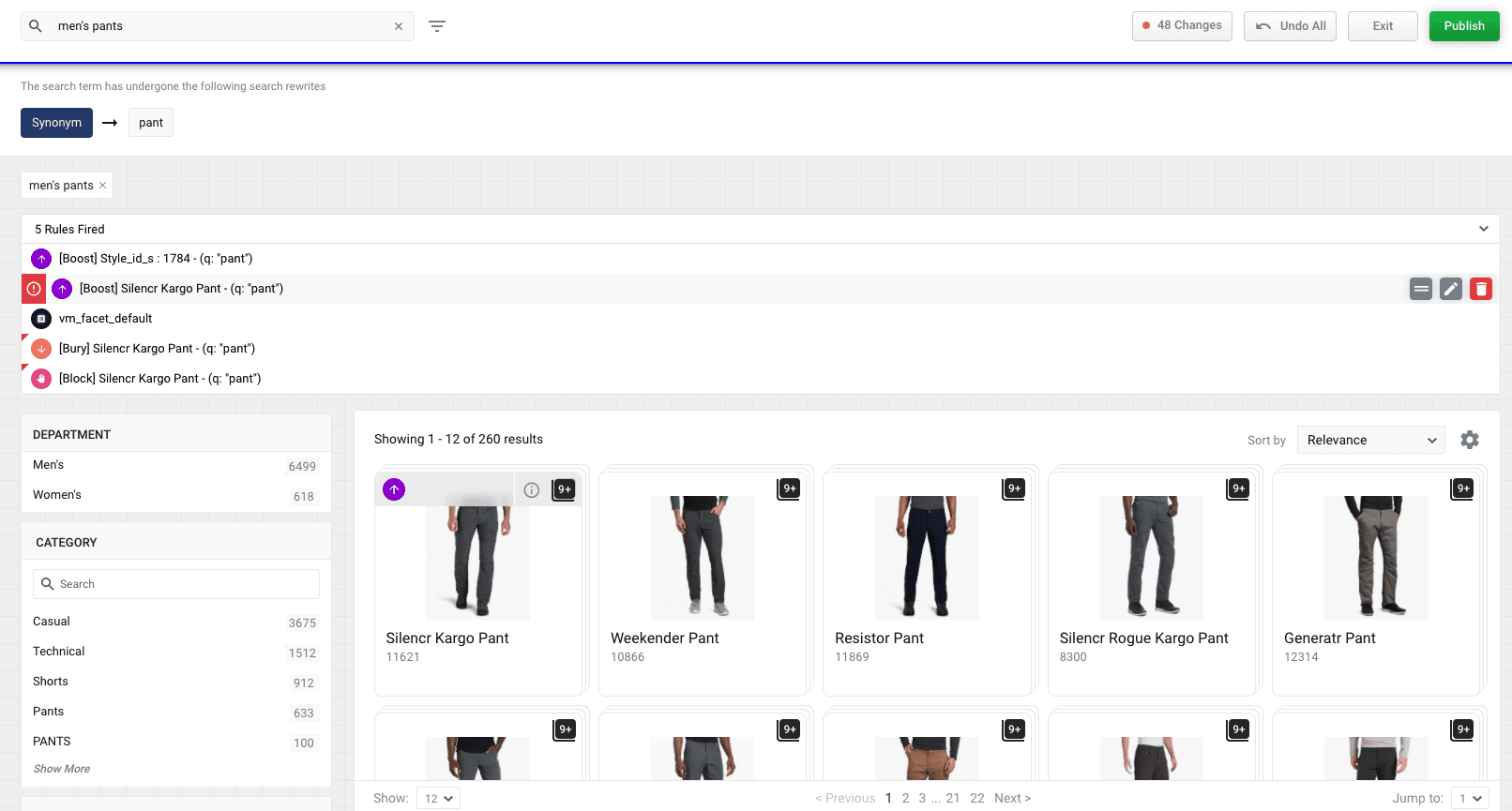
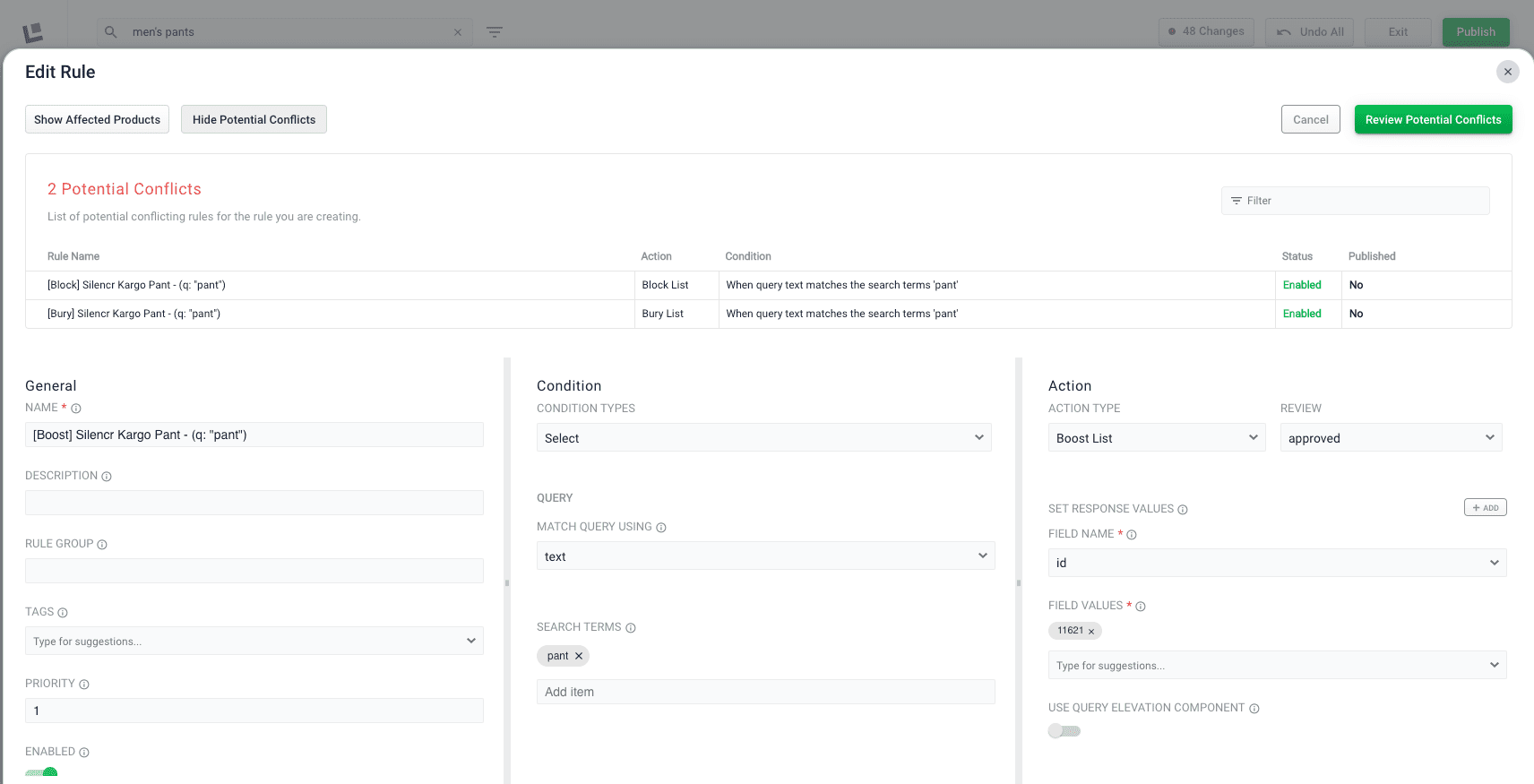
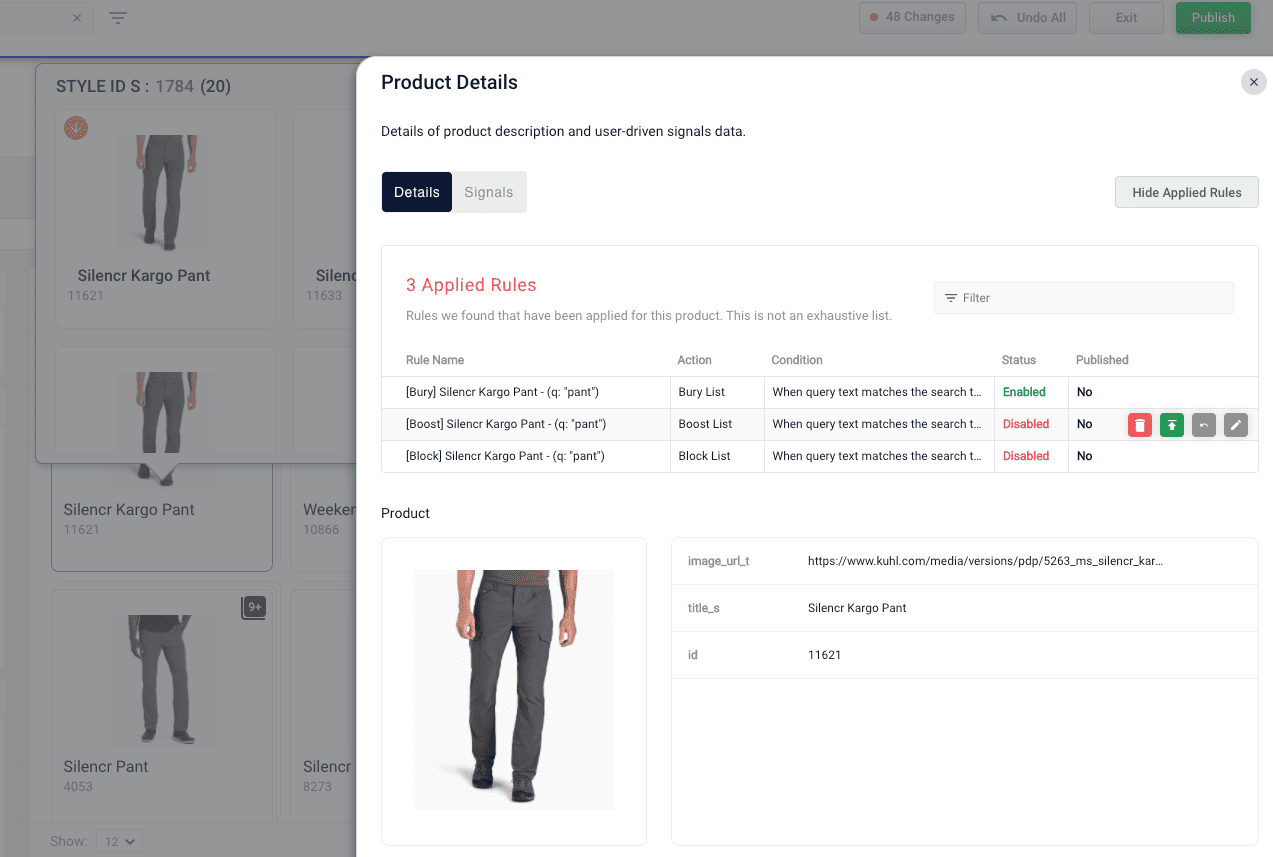
Sometimes, rules created in the Rules Editor and Predictive Merchandiser conflict with each other. For example, if you have three rules to boost, bury, and block the same product, Predictive Merchandiser highlights these conflicting rules so you can address them. To highlight conflicting rules, the Rules Fired section displays a red warning icon next to the dominant rule and a red flag on the conflicting rules.Documentation Index
Fetch the complete documentation index at: https://doc.lucidworks.com/llms.txt
Use this file to discover all available pages before exploring further.
Predictive Merchandiser: Rules Manager
The course for Predictive Merchandiser: Rules Manager focuses on how to create and utilize business rules to create more relevant search results for your users.