

- Number of shards. Documents are distributed across this number of partitions.
- Document routing strategy. How documents are assigned to shards.
- Replication factor. How many copies of each document in the collection.
- Replica placement strategy. Where to place replicas in the cluster.
Collection names are case-insensitive, but Fusion preserves case when displaying collection names.
Auxiliary Collections
Every primary collection is associated with a set of auxiliary collections that contain related data, such as signals, aggregations, and more. Some auxiliary collections are created for every primary collection. Others are created only for the app’s default collection, one per app. Auxiliary collections are described below:Don’t create primary collections with names that end in the suffixes above; these are reserved for Fusion auxiliary collections, which are created and managed by Fusion directly.
Don’t create primary collections named “logs” or beginning with “system_”.
These names are reserved for Fusion system collections.
- Datasources
- Pipelines
- Profiles
- Signals and aggregations
- Analytics dashboards
System Collections
Fusion automatically creates some collections that are used for internal purposes and shared across all apps:- system_autocomplete stores the content that the Fusion UI displays when you use the search bar.
- system_blobs stores blobs in Solr. This is used to store model files for the NLP components and other binary files used by Fusion components.
- system_history keeps a record of configuration changes, start and stop times for services and experiments, and more.
- system_jobs_history keeps a record of Fusion jobs, including start/stop times and status.
Collection Configuration Properties
Collections have properties that you can configure only when you are creating a collection using the Collections API.
*Signals are events with timestamps that can be used to improve search results.
For more information about signals in Fusion, see Signals in the Fusion documentation.
In schemaless mode, if a document contains a field not currently in the Solr schema, Solr processes the field value to determine what the field type should be defined as, and then adds a new field to the schema with the field name and field type.
This behavior can be convenient during preliminary application development, but it’s rarely appropriate in a production environment.
Using profiles to associate collections with pipelines
Index pipelines and query pipelines aren’t connected to a specific collection by default. Index profiles and query profiles are configurations that create consistent endpoints for indexing and querying, each with a specific pipeline and collection.- Index Profiles work with index pipelines for getting content into the system.
- Query Profiles work with query pipelines for user queries.
Field Editor UI
The Fields Editor UI allows you to create and configure the schema file directly from Fusion. For instructions, see Fields Editor UI.Learn more
Fusion Applications and Collections
The course for Fusion Applications and Collections focuses on how Fusion transforms your siloed data into personalized insights unique to each user.
Enable Time-based Partitioning
Enable Time-based Partitioning
A Fusion collection can be configured to map to multiple Solr collections, known as partitions in this context, where each partition contains data from a specific time range. An example is time-based partitioning for logs: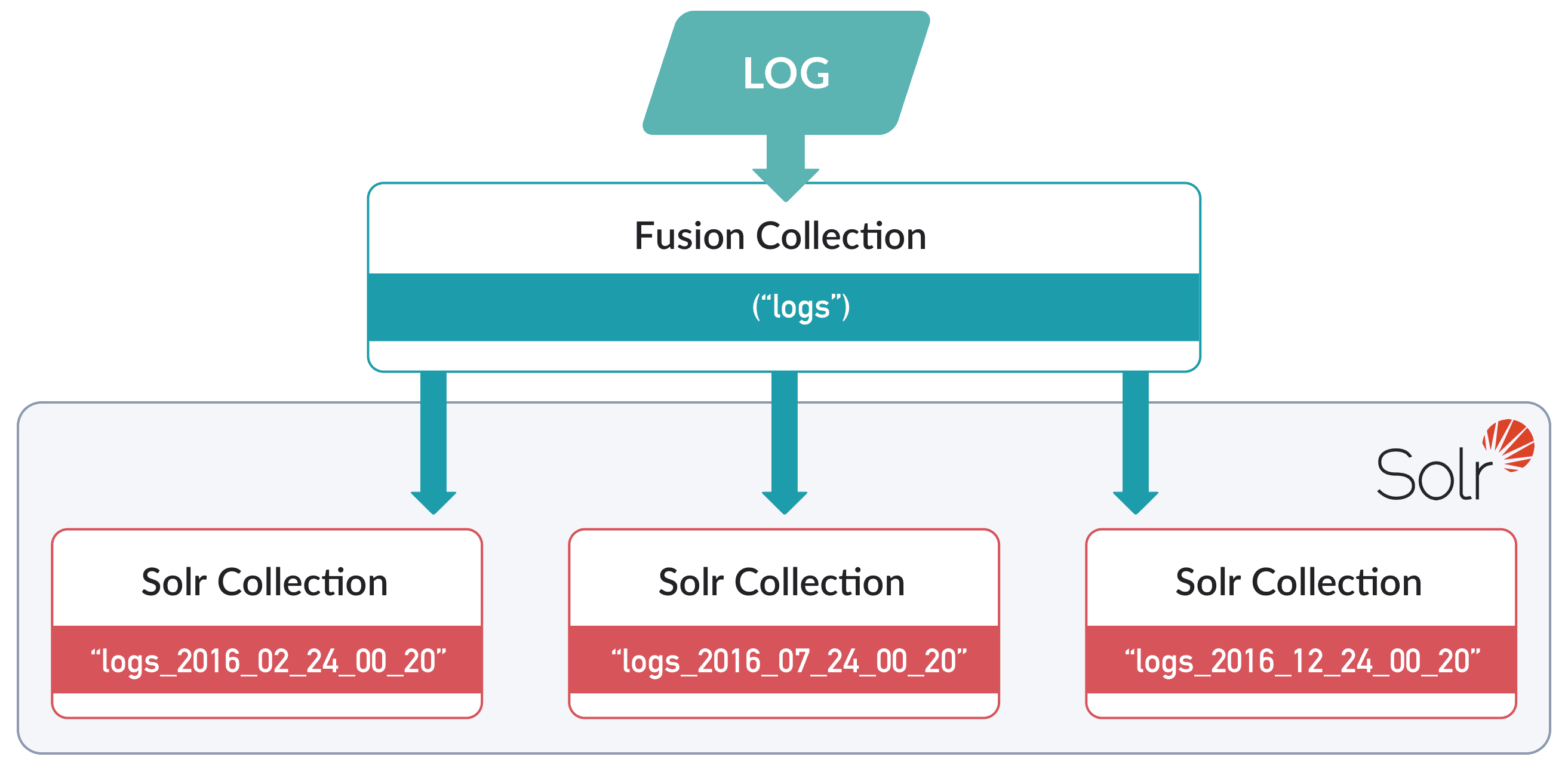
- In the UI, you can only enable time-based partitioning for new collections.
- In the API, you can only enable time-based partitioning for existing collections.
Enablement using the Fusion UI
- Open the Collections Manager:
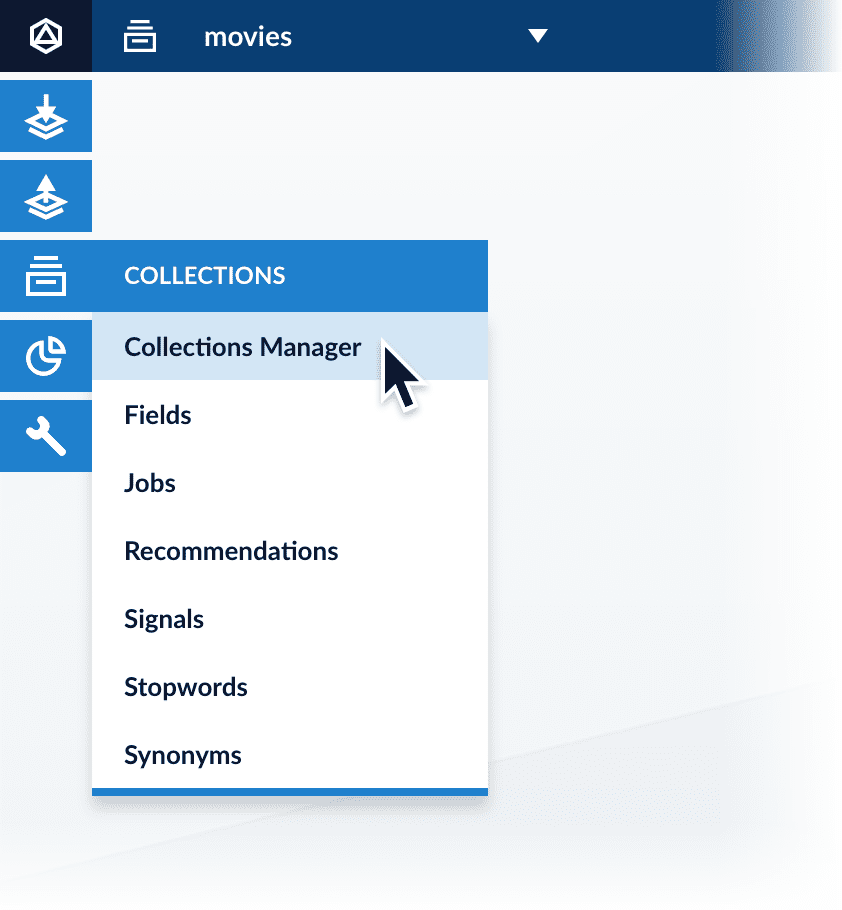
- Click New.
In the UI, you can only enable time-based partitioning for new collections. To enable it for an existing collection, use the API. - Click Advanced.
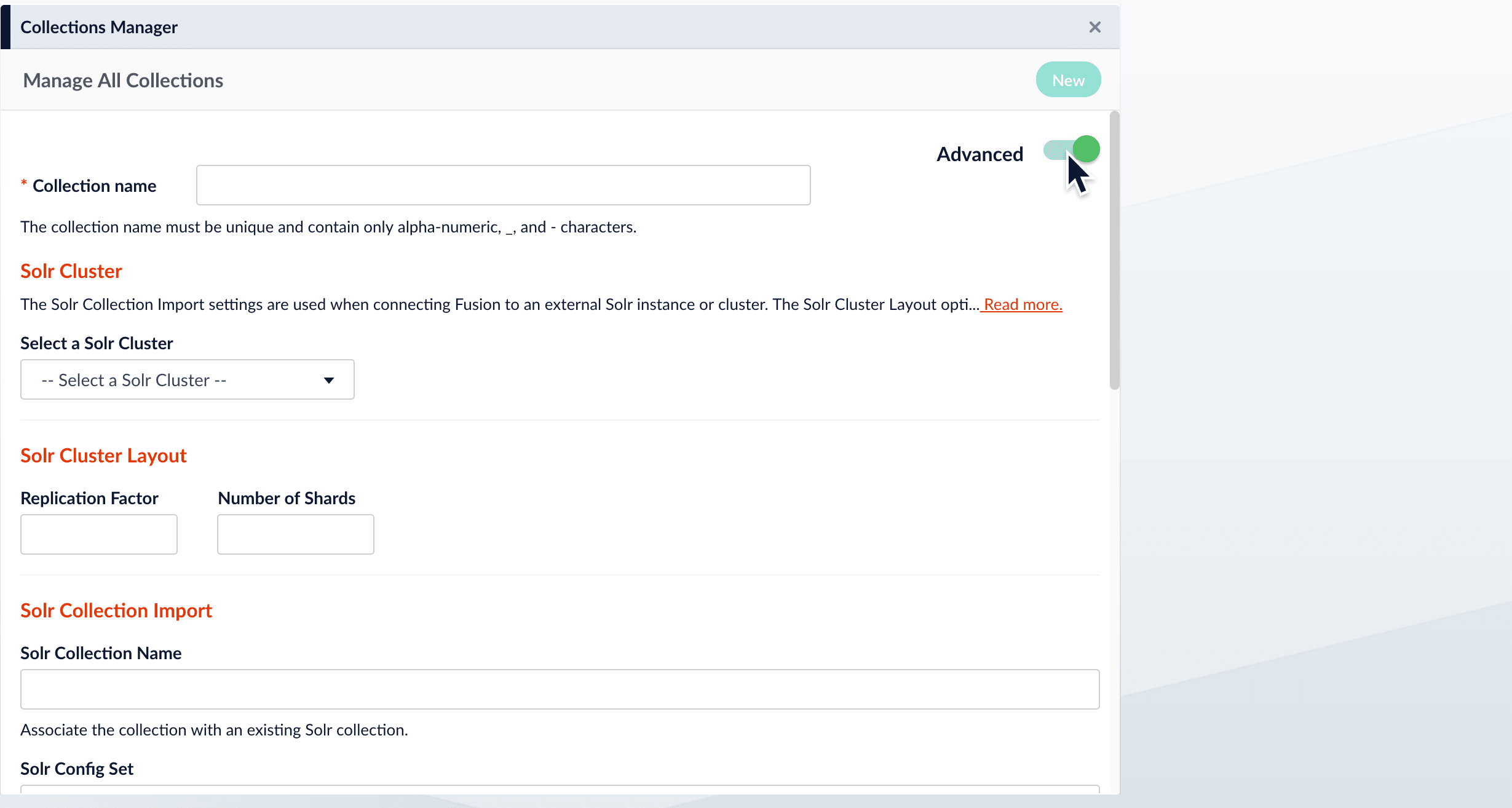
- Scroll down to “Time Series Partitioning”.
- Click Enable.\
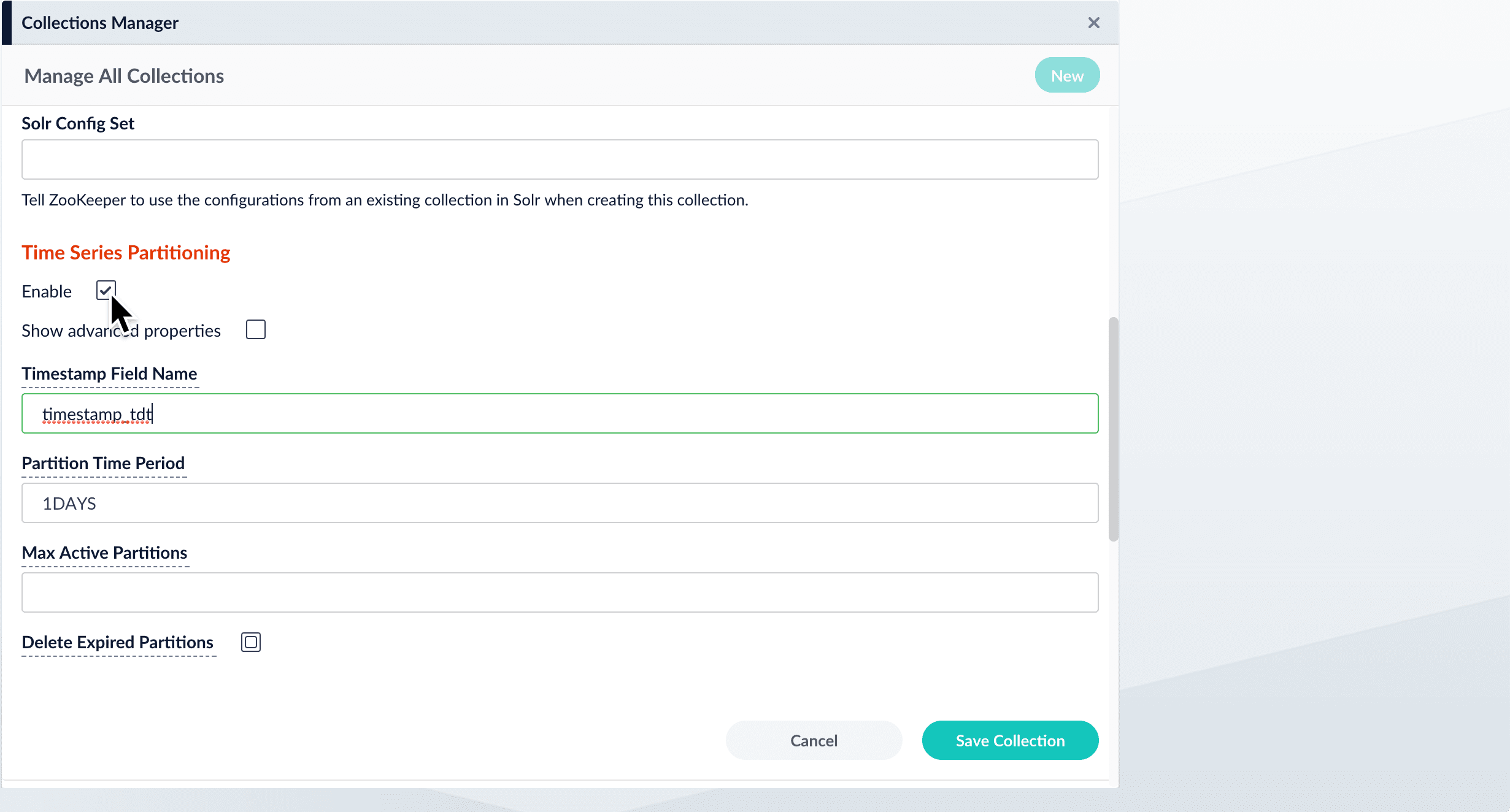
- Save the collection.