

Anatomy of Querying
The quick learning for Anatomy of Querying focuses on the basics of query related objects and workflows in Fusion.
Query your content
When you query your content using the default query pipeline and you have signals enabled, you also get query rewrites and automatic boosting to enhance the relevancy of your search results. In addition to matches from your primary collection, you’ll get results produced by Lucidworks Search’s machine learning jobs, based on signals from your users. Query profiles give you a stable endpoint that can be associated with any query pipeline. Just specify the query profile when sending queries to the Query API endpoint. You can always reconfigure the query profile to point to a different pipeline, or to an experiment.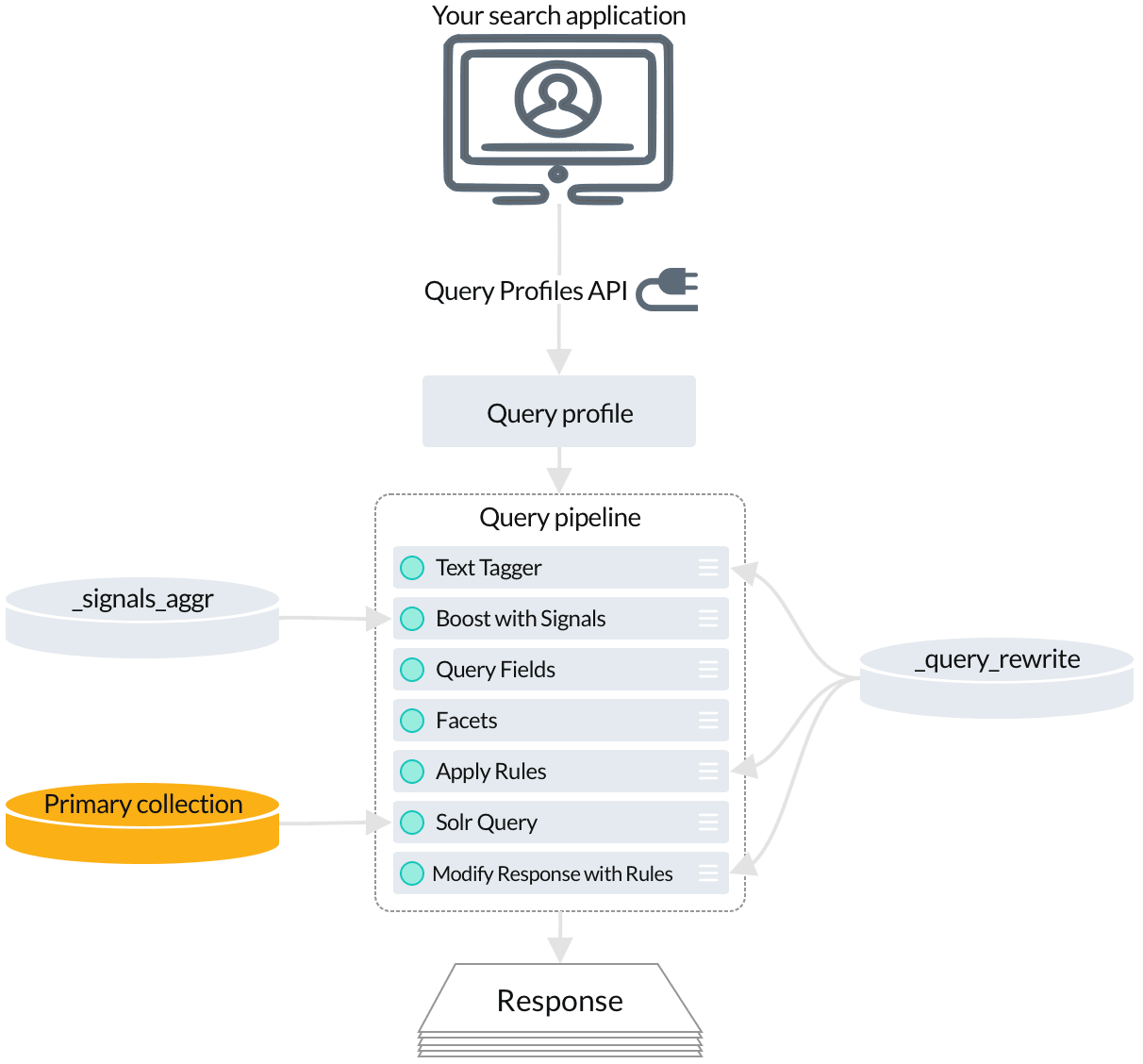
Querying your content
-
Several stages perform query rewriting and response rewriting by reading from the
_query_rewritecollection:- The Text Tagger stage finds misspellings, phrases, underperforming query strings, and synonyms in the incoming query.
- The Apply Rules stage applies your business rules to the incoming query.
- The Modify Response with Rules stage
- The Boost with Signals stage reads aggregated signals to boost search results that have been popular with users.
- The Solr Query stage fetches the final set of relevant search results from the primary collection.
Query for recommendations
To get even more relevant results based on AI-powered analysis of your signals data, your query pipeline can perform any number of secondary queries to the collections where the output from machine learning jobs is indexed. Your secondary queries can provide additional search results based on Lucidworks Search’s analysis of your signals.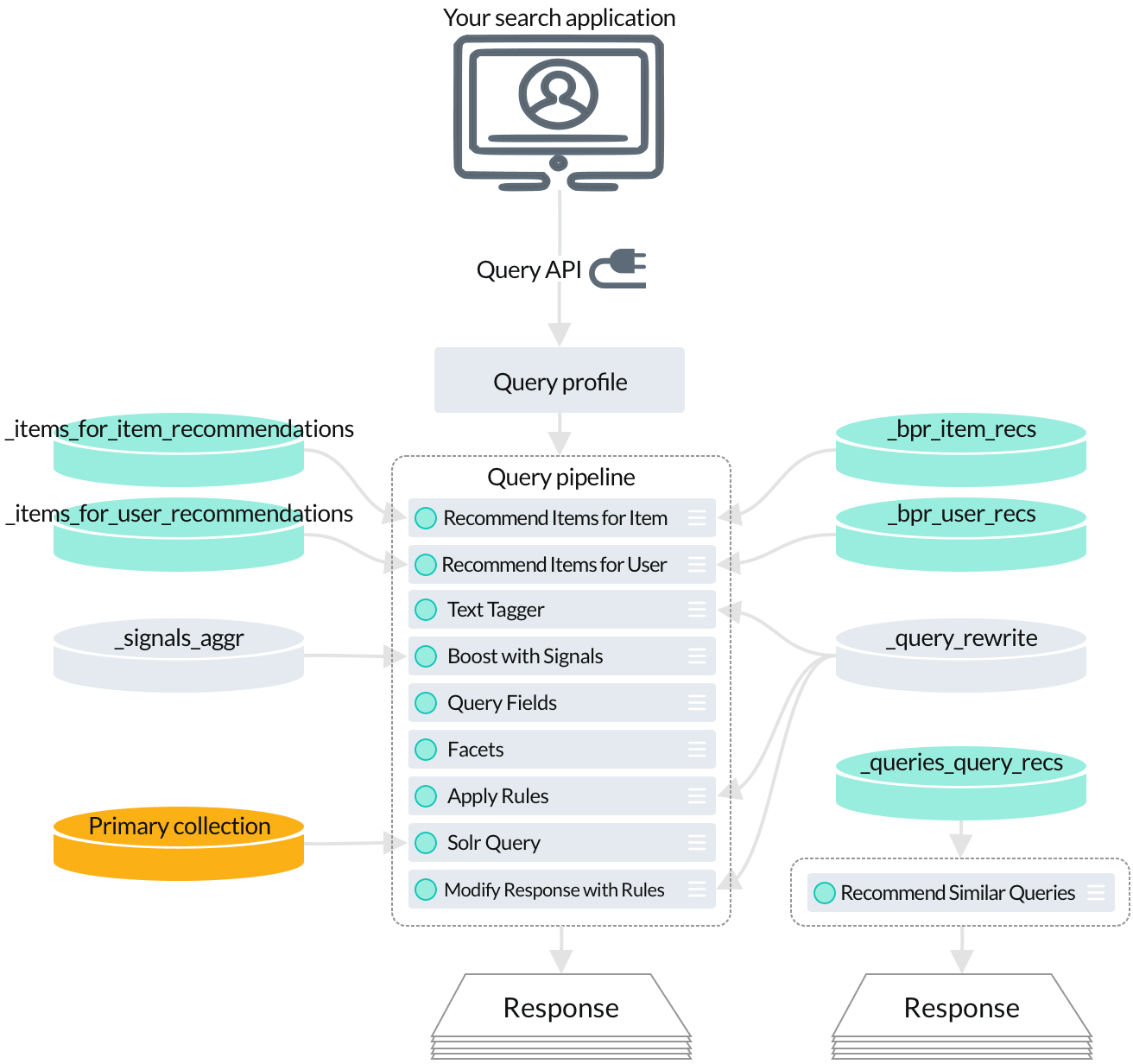
Querying for recommendations
- Use the Recommend Items for Item stage to query for collaborative items-for-item recommendations.
- The Recommend Items for User stage queries for items-for-user recommendations.
- The Recommend Similar Queries stage provides queries-for-query recommendations.