

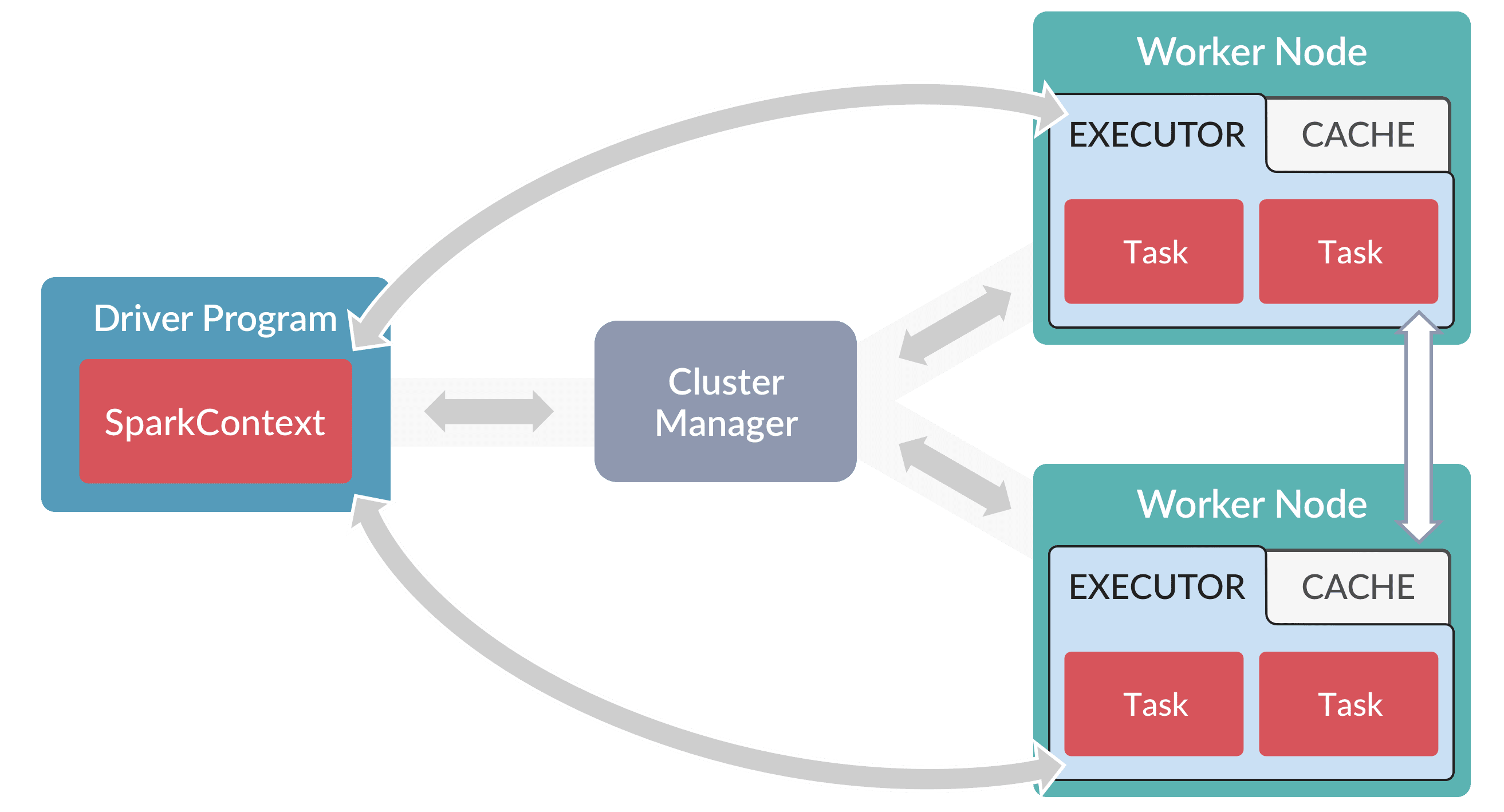
How Fusion runs Spark drivers
When a Spark job runs, thejob-launcher service starts a driver pod for that job run.
The driver requests executor pods, and Kubernetes schedules them.
If another job starts while the first one is running, Fusion starts a separate driver pod and executor pods for it.
When the job finishes, the driver pod stops.
A Kubernetes cron job removes successfully completed driver pods every 15 minutes.
When no jobs are running, no Spark pods are running.
Configure drivers
You can configure drivers for all jobs or for a single job:-
All jobs. Set the default driver and executor settings in the
job-launcherHelm values:executorInstancessets the number of executors. The default is2.sparkNamespacesets the namespace where driver and executor pods run. The default is the Fusion release namespace.sparkNodeSelectorsets the node labels that driver and executor pods must match. This value is separate fromnodeSelector, which schedules thejob-launcherpod itself.spark.podTemplates.custom.driverandspark.podTemplates.custom.executorset custom pod templates for driver and executor pods. Pod templates take effect only whenspark.podTemplates.enabledistrue.
-
A single job. Add Spark settings, such as
spark.driver.memoryorspark.driver.cores, to the job’s Spark Settings field or thesparkConfiglist in the job configuration. For examples, see Spark operations how-tos. To control which nodes run a job’s driver and executor pods, see Node Selectors.
Custom jobs
Every custom Spark job runs in its own driver pod. Fusion supports these custom job types:- Custom Spark jobs run Java Archive (JAR) files that contain Scala or Java code.
- Custom Python jobs run Python scripts with PySpark.
- Script jobs run Scala scripts.