

See Fusion 4.x V1 Connector Downloads to access the latest versions of the connectors.
Configure the index pipelines
When you use asynchronous parsing, you will need to establish two index pipelines.Pre-parse pipeline
The pre-parse pipeline will only fetch and index metadata since it does not have the Tika parsed body or Tika parsed metadata. Within this index pipeline, you will want to make sure you are buffering requests to Solr: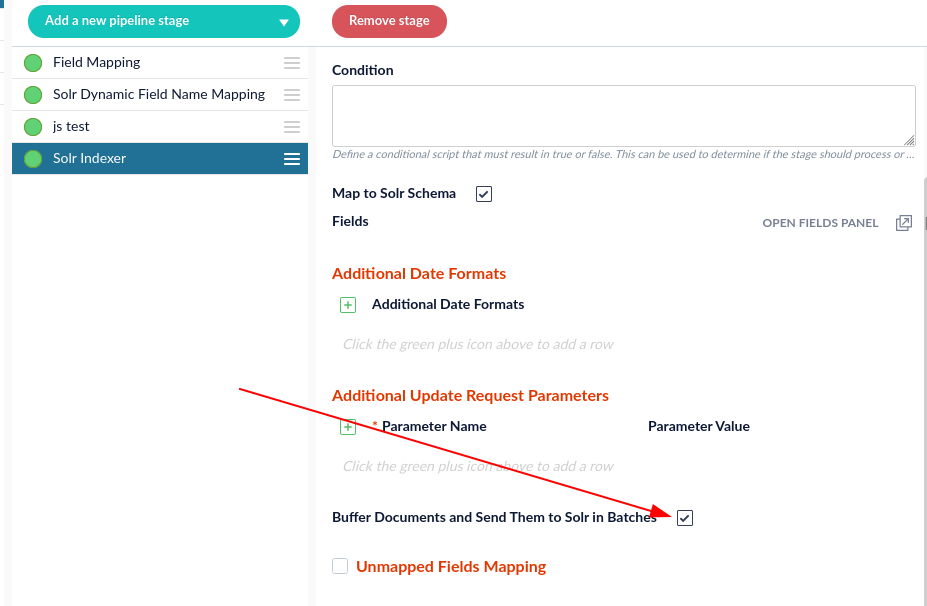
This is the default setting. If this option is not selected, select the box. Doing so will increase the indexing speed.
Post-parse pipeline
The Tika Asynchronous job will download, parse, and send the parsed document to a second Fusion index pipeline. This pipeline is responsible for updating the Tika body and metadata to the document created in the pre-parse pipeline. The index pipeline MUST contain a Solr Partial Update stage with the following selected parameters: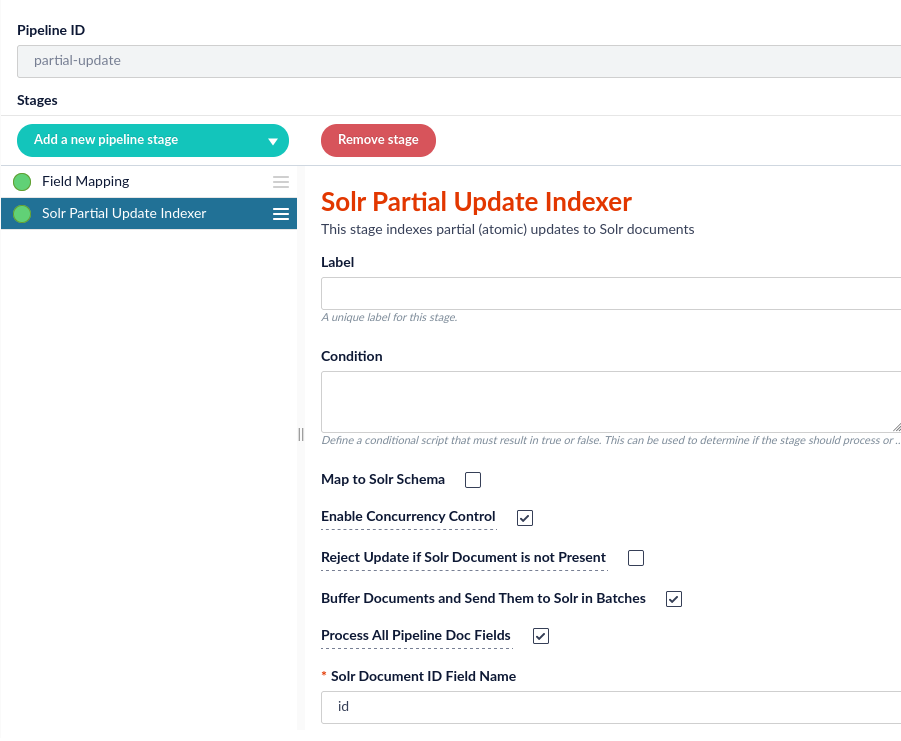
If you do not select the
Process All Pipeline Doc Fields option, you will receive results similar to the following:"body_t":"[{\"field\":\"I’m the content from JSON!\"}]"Configure the Asynchronous Parser
Next, we will create the new parser. All settings can be left on the default selections.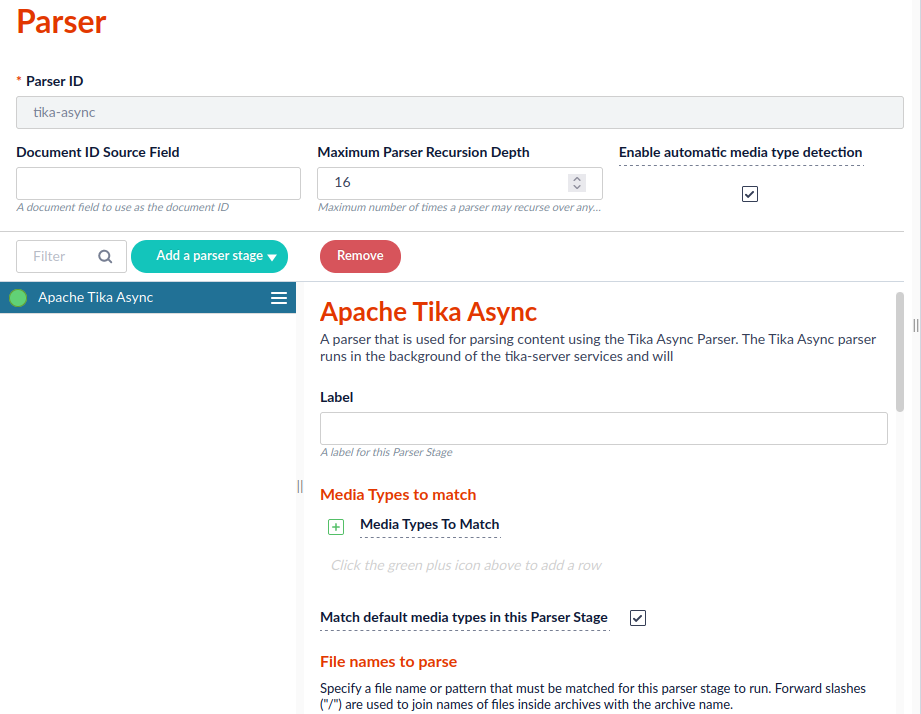
Configure the datasource
Configure the datasource to use the asynchronous parser.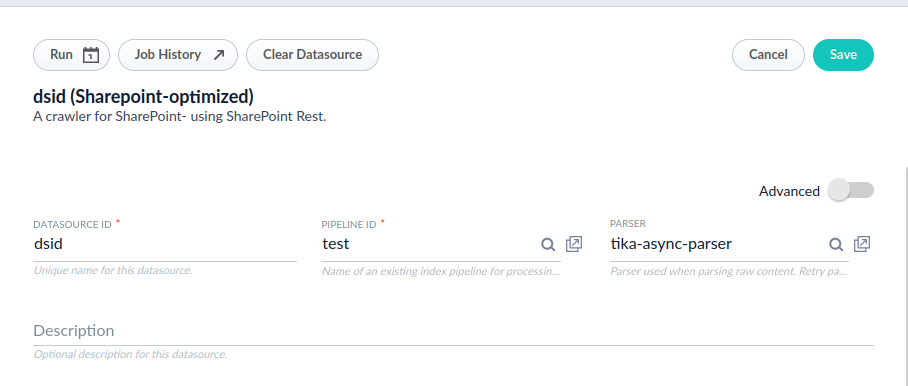
_lw_async_parsing_id_i_lw_async_parsing_fail_count_i
Configure the Tika Async Parsing job
-
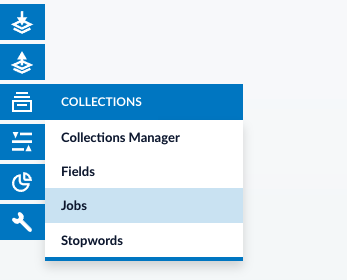
Select Jobs under the Collections header.
-
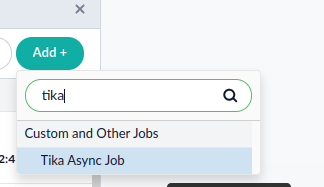
Click Jobs, and select Add +. Search for Tika to select the option for Tika Async Job.
-
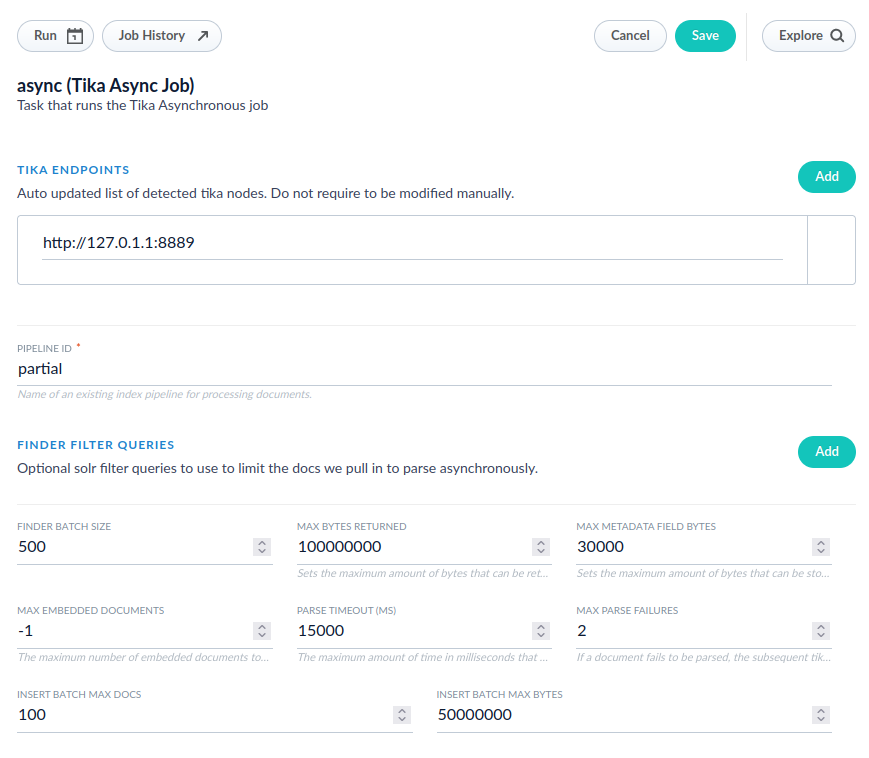
Configure fields according to your desired specifications.
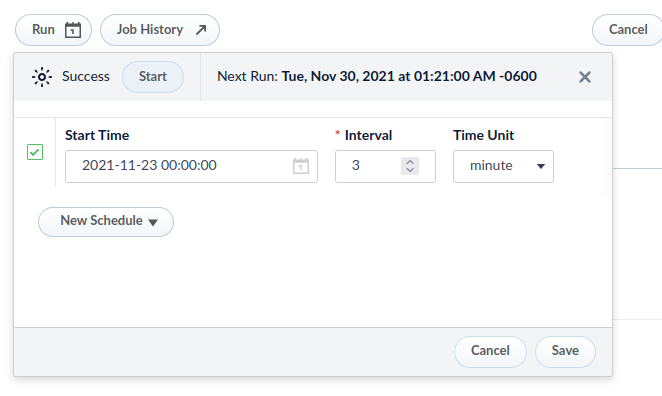
- Finally, configure a schedule for the job to run according to your designated specifications.
The logs for the job will be in
$FUSION_HOME/var/log/tika-server/tika-async.log