

- Add the NLP Annotator query stage to the query pipeline.
- Configure the query pipeline stage:
- Specify the model to use (fill the box with
model idin the blob store). - Specify the input parameter, label pattern and target parameter fields:
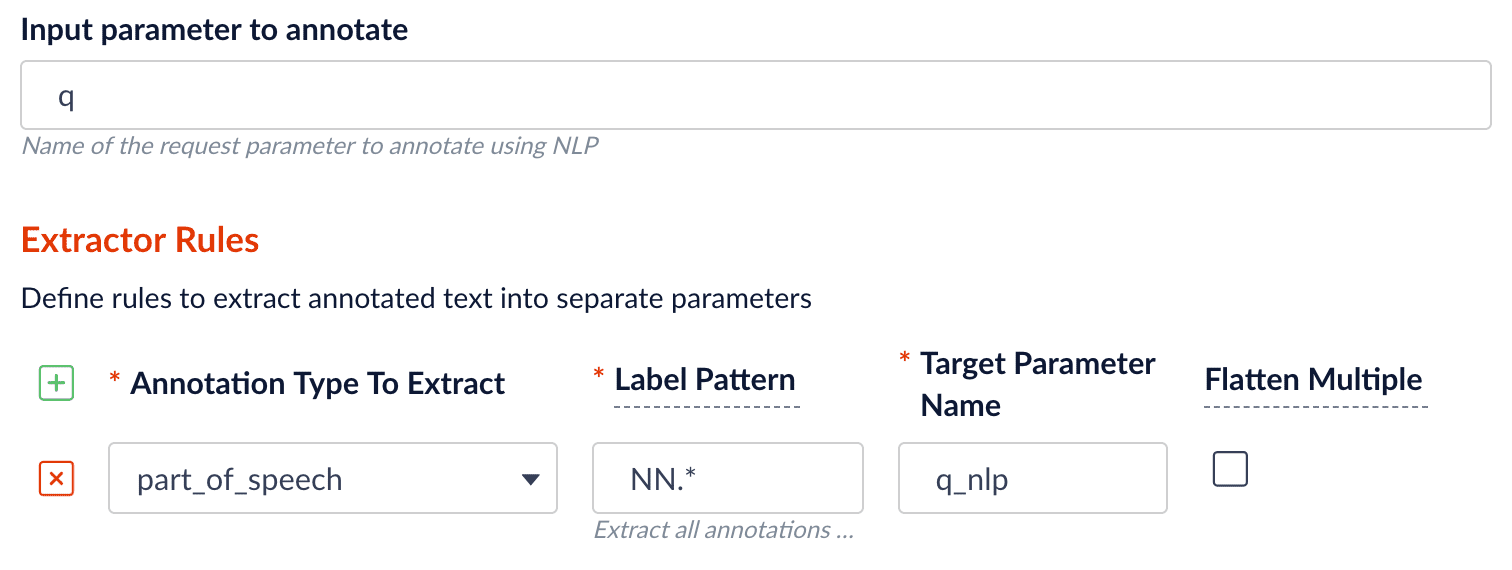
- input parameter field: the Fusion query parameter text, normally
qsince we want to annotate the raw query string to understand the intent. - label pattern: regex pattern that matches the NER/POS labels: for example,
PER.will match extracted name entities with labelPERSON, whileNN.will match tagged nouns. - target parameter field: the outcome extraction/tagging.
- For the query stage, the result is set to be put in a new query parameter field:
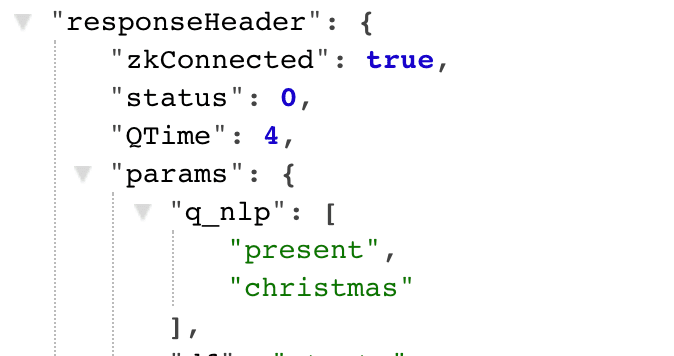
- input parameter field: the Fusion query parameter text, normally
- Specify the model to use (fill the box with
NLP Annotator Query Stage
Like the NLP Annotator index stage, the NLP Annotator query stage can be included in a query pipeline to perform Natural Language Processing tasks.
1.Example of how to use NLP Annotator Query stage:
Was this page helpful?