> ## Documentation Index
> Fetch the complete documentation index at: https://doc.lucidworks.com/llms.txt
> Use this file to discover all available pages before exploring further.
# Restrictive Mode
export const LwTemplate = ({title = "Key questions to get you started", icon = "sparkles", cta = "Powered by Agent Studio", linkHref = "https://lucidworks.com/demo/?utm_source=docs&utm_medium=referral&utm_campaign=docs_cta_ai"}) => {
const [isLoaded, setIsLoaded] = useState(false);
useEffect(() => {
const timer = setTimeout(() => {
setIsLoaded(true);
}, 500);
return () => clearTimeout(timer);
}, []);
return
{isLoaded && `
}} />}
Powered by Lucidworks Agent Studio
;
};
Restrictive mode safeguards the pipeline against unintended or unsafe changes. You can enable restrictive mode for any query pipeline.
This feature is available starting in Lucidworks Search 5.9.15.
The default mode is permissive mode.
When a query pipeline is in restrictive mode:
* **Only certain query parameters are allowed.**\
Restrictive mode blocks parameters that could be used destructively.
* **Strict parameter validation and sanitization is applied.**
* In the `q` parameter, no Solr syntax is allowed.
This prevents injection attacks that could expose sensitive data.
* The `rows` and `start` parameters are limited to a maximum of 100.
* The `sort` parameter is limited to known, sortable fields.
* Facet parameters are prevented from triggering expensive faceting operations.
## Enabling restrictive mode
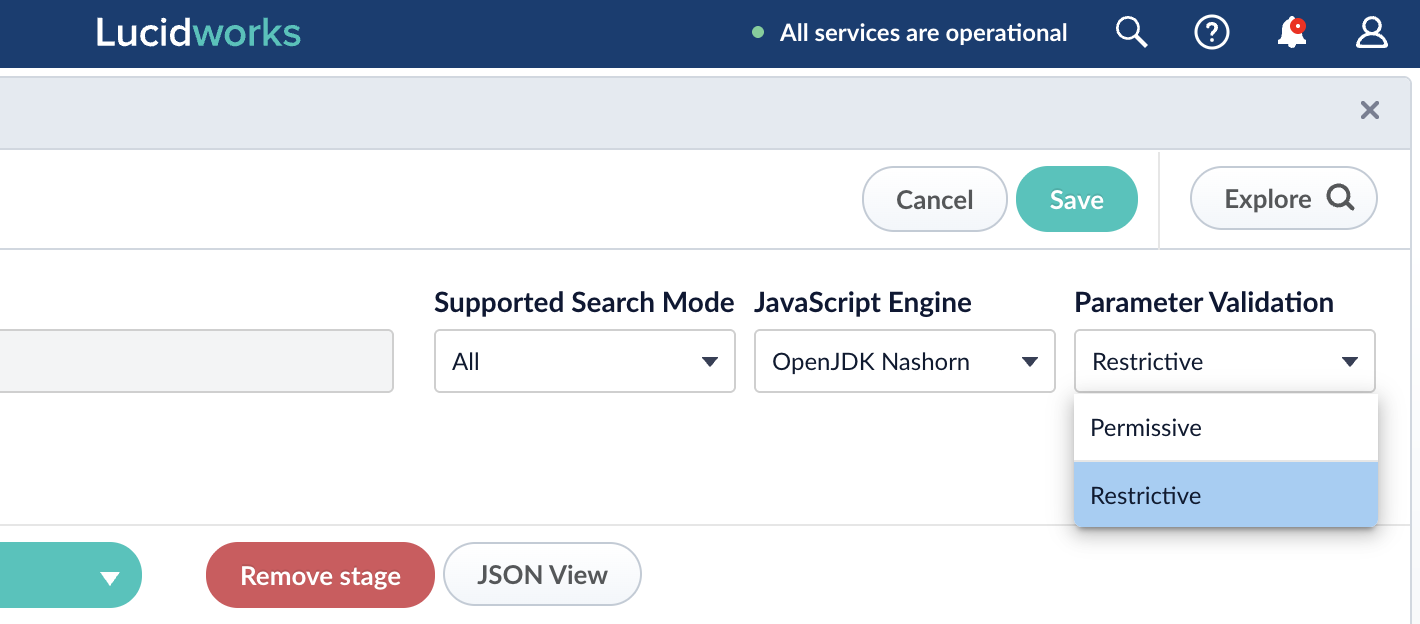
You can enable restrictive mode for any individual pipeline, in the Query Pipelines panel.
1. Navigate to **Query** > **Query Pipelines**.
2. Select the pipeline you want to secure.
3. In the **Parameter Validation** field, select **Restrictive**.
## Allowed parameters
The parameters listed below are allowed in restrictive mode.
All other parameters are prohibited.
* `bf`
* `boost`
* `bq`
* `callback`
* `collection`
* `context`
* `cursorMark`
* `debug`
* `defType`
* `echoParams`
* `explainOther`
* `facet.field`
* `facet.limit`
* `facet.mincount`
* `facet.pivot`
* `facet.query`
* `facet.range`
* `facet.sort`
* `facet`
* `fl`
* `fq`
* `hl.fl`
* `hl.fragsize`
* `hl.simple.post`
* `hl.simple.pre`
* `hl.snippets`
* `hl`
* `indent`
* `json.facet`
* `json.nl`
* `json.wrf`
* `mm`
* `omitHeader`
* `pf`
* `ps`
* `q`
* `qf`
* `qs`
* `queryProfileID`
* `requestHandler`
* `rows`
* `segmentTerminateEarly`
* `sort`
* `start`
* `tie`
* `timeAllowed`
* `wt`