> ## Documentation Index
> Fetch the complete documentation index at: https://doc.lucidworks.com/llms.txt
> Use this file to discover all available pages before exploring further.

# Salesforce V1

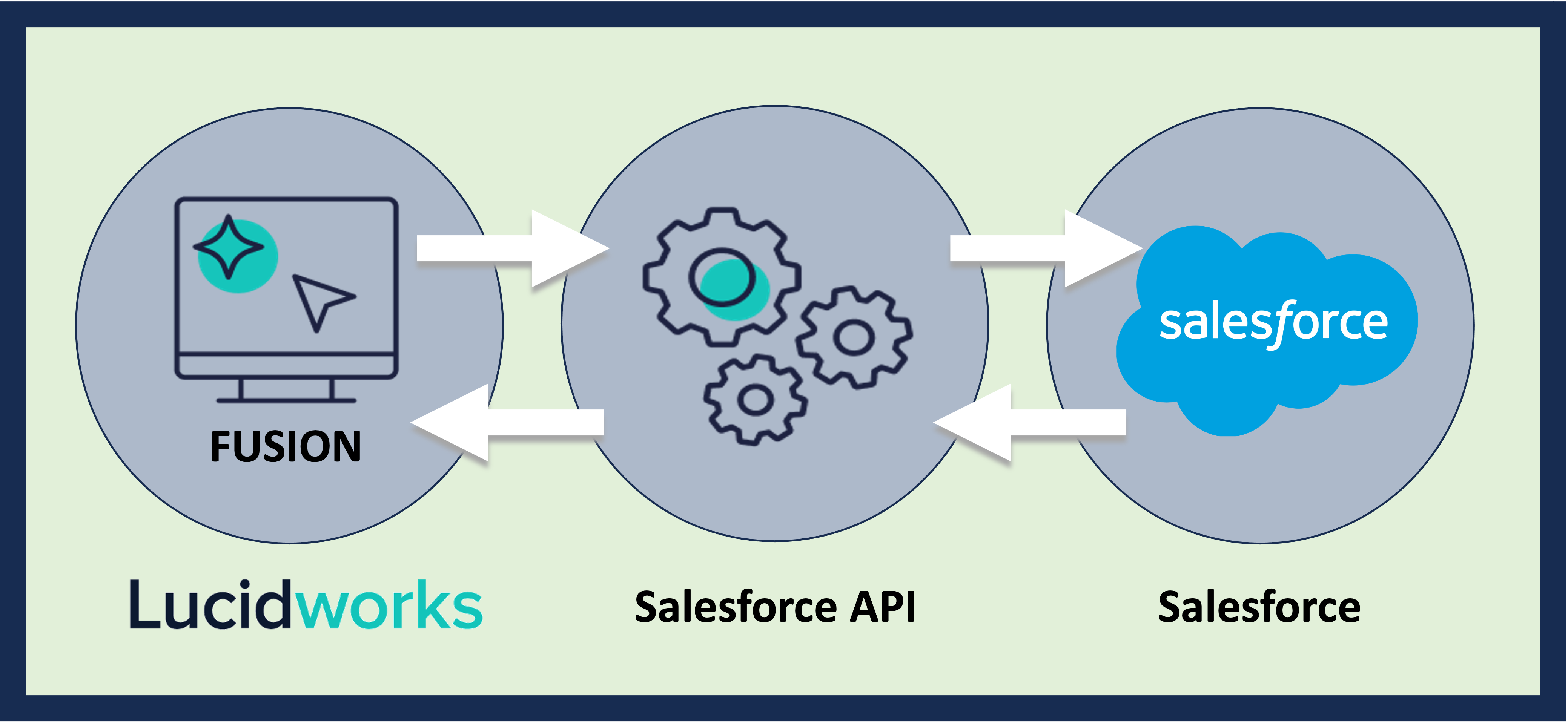
> The Salesforce V1 connector uses the Salesforce REST API to ingest and index data from a Salesforce Connected App in a Salesforce repository.

export const schema = {
  "type": "object",
  "title": "Salesforce",
  "description": "Connects to a Salesforce web service. This connector requires that you have a Developer Edition organization and have enabled the Salesforce REST API.",
  "required": ["id", "connector", "type", "pipeline", "properties"],
  "properties": {
    "category": {
      "type": "string",
      "title": "Category",
      "default": "Repository",
      "hints": ["hidden", "readonly"]
    },
    "id": {
      "type": "string",
      "title": "Datasource ID",
      "description": "Unique name for this datasource.",
      "minLength": 1,
      "pattern": "^[a-zA-Z0-9_-]+$"
    },
    "connector": {
      "type": "string",
      "title": "Connector Type",
      "description": "Connector Type.",
      "hints": ["hidden"],
      "minLength": 1
    },
    "type": {
      "type": "string",
      "title": "Datasource Type",
      "description": "Datasource type supported by the selected connector type.",
      "hints": ["hidden"],
      "minLength": 1
    },
    "pipeline": {
      "type": "string",
      "title": "Pipeline ID",
      "description": "Name of an existing index pipeline for processing documents.",
      "minLength": 1
    },
    "description": {
      "type": "string",
      "title": "Description",
      "description": "Optional description for this datasource."
    },
    "type_description": {
      "type": "string",
      "title": "Type Description",
      "default": "Connects to a Salesforce web service. This connector requires that you have a Developer Edition organization and have enabled the Salesforce REST API.",
      "hints": ["hidden", "readonly"]
    },
    "properties": {
      "type": "object",
      "title": "Properties",
      "description": "Datasource configuration properties",
      "required": ["salesforce_username", "salesforce_password", "connected_app_client_id", "connected_app_client_secret"],
      "properties": {
        "collection": {
          "type": "string",
          "title": "Collection",
          "description": "Collection documents will be indexed to.",
          "hints": ["hidden"],
          "pattern": "^[a-zA-Z0-9_-]+$"
        },
        "db": {
          "type": "object",
          "title": "Connector DB",
          "description": "Type and properties for a ConnectorDB implementation to use with this datasource.",
          "required": ["type"],
          "properties": {
            "type": {
              "type": "string",
              "title": "Implementation Class Name",
              "description": "Fully qualified class name of ConnectorDb implementation.",
              "default": "com.lucidworks.connectors.db.impl.MapDbConnectorDb",
              "minLength": 1
            },
            "inlinks": {
              "type": "boolean",
              "title": "Process Inlinks?",
              "description": "Keep track of incoming links. This negatively impacts performance and size of DB.",
              "default": false
            },
            "aliases": {
              "type": "boolean",
              "title": "Process Aliases?",
              "description": "Keep track of original URI-s that resolved to the current URI. This negatively impacts performance and size of DB.",
              "default": false
            },
            "inv_aliases": {
              "type": "boolean",
              "title": "Process Inverted Aliases?",
              "description": "Keep track of target URI-s that the current URI resolves to. This negatively impacts performance and size of DB.",
              "default": false
            }
          },
          "hints": ["hidden"]
        },
        "salesforce_username": {
          "type": "string",
          "title": "Salesforce username",
          "minLength": 1
        },
        "salesforce_password": {
          "type": "string",
          "title": "Salesforce password",
          "hints": ["secret"],
          "minLength": 1
        },
        "connected_app_client_id": {
          "type": "string",
          "title": "Salesforce Client Id",
          "description": "Salesforce connected app Consumer Key",
          "minLength": 1
        },
        "connected_app_client_secret": {
          "type": "string",
          "title": "Salesforce Client secret",
          "description": "Salesforce connected app Consumer Secret",
          "hints": ["secret"],
          "minLength": 1
        },
        "enable_security_trimming": {
          "type": "boolean",
          "title": "Enable Security Trimming",
          "description": "Security trimming restricts query results to records the user is allowed to access by indexing user access information with other document metadata. Enable this option to index user access metadata.",
          "default": false
        },
        "is_production_environment": {
          "type": "boolean",
          "title": "Is production environment",
          "description": "Set to true for production instances and false for sandboxes.",
          "default": true
        },
        "objects_to_crawl": {
          "type": "array",
          "title": "Objects to crawl",
          "description": "List of objects to crawl, separated by commas and no spaces.",
          "default": ["Case", "CaseComment", "CaseHistory", "CaseFeed", "FeedComment", "Asset", "Account", "Contact", "Opportunity", "Product2"],
          "items": {
            "type": "string"
          }
        },
        "soql_query": {
          "type": "string",
          "title": "Custom SOQL query",
          "description": "Optional SOQL query to limit or join records fetched for indexing.",
          "hints": ["lengthy"],
          "maxLength": 15000
        },
        "acl_collection": {
          "type": "string",
          "title": "ACL collection ID",
          "description": "Specify a Solr collection ID here for use with security trimming. Please make sure this collection exists in the cluster You can create this collection using the Collection manager. ",
          "pattern": "^[A-Za-z0-9_\\-]+$"
        },
        "acl_commit_after": {
          "type": "integer",
          "title": "ACL commit after (ms)",
          "description": "If you are using the acl collection indexing, this will set the frequency of SOLR commits to the acl collection.",
          "default": 60000,
          "minimum": -1,
          "exclusiveMinimum": false
        },
        "diagnostic_mode": {
          "type": "boolean",
          "title": "Diagnostic Mode",
          "default": false,
          "hints": ["advanced"]
        },
        "initial_mapping": {
          "type": "object",
          "title": "Initial field mapping",
          "description": "Provides mapping of fields before documents are sent to an index pipeline.",
          "properties": {
            "skip": {
              "type": "boolean",
              "title": "Skip This Stage",
              "description": "Set to true to skip this stage.",
              "default": false,
              "hints": ["advanced"]
            },
            "label": {
              "type": "string",
              "title": "Label",
              "description": "A unique label for this stage.",
              "hints": ["advanced"],
              "maxLength": 255
            },
            "condition": {
              "type": "string",
              "title": "Condition",
              "description": "Define a conditional script that must result in true or false. This can be used to determine if the stage should process or not.",
              "hints": ["code", "code/javascript", "advanced"]
            },
            "reservedFieldsMappingAllowed": {
              "type": "boolean",
              "title": "Allow System Fields Mapping?",
              "default": false,
              "hints": ["advanced"]
            },
            "retentionMappings": {
              "type": "array",
              "title": "Field Retention",
              "description": "Fields that should be kept or deleted",
              "hints": ["advanced"],
              "items": {
                "type": "object",
                "required": ["field"],
                "properties": {
                  "field": {
                    "type": "string",
                    "title": "Field",
                    "description": "The name of the field to operate on.",
                    "hints": ["advanced"]
                  },
                  "operation": {
                    "type": "string",
                    "title": "Operation",
                    "description": "The type of operation to perform: keep (default) or delete",
                    "enum": ["keep", "delete"],
                    "default": "keep",
                    "hints": ["advanced"]
                  }
                }
              }
            },
            "updateMappings": {
              "type": "array",
              "title": "Field Value Updates",
              "description": "Values that should be added to or set on a field. When a value is added, any values previously on the field will be retained. When a value is set, any values previously on the field will be overwritten.",
              "hints": ["advanced"],
              "items": {
                "type": "object",
                "required": ["field", "value"],
                "properties": {
                  "field": {
                    "type": "string",
                    "title": "Field",
                    "description": "The name of the field to operate on.",
                    "hints": ["advanced"]
                  },
                  "value": {
                    "type": "string",
                    "title": "Value",
                    "description": "The value to add to or set on the field.",
                    "hints": ["advanced"]
                  },
                  "operation": {
                    "type": "string",
                    "title": "Operation",
                    "description": "The type of operation to perform: add (default) or set.",
                    "enum": ["add", "set"],
                    "default": "add",
                    "hints": ["advanced"]
                  }
                }
              }
            },
            "translationMappings": {
              "type": "array",
              "title": "Field Translations",
              "description": "Fields that should be moved or copied to another field. When a field is moved, the values from the source field are moved over to the target field and the source field is removed. When a field is copied, the values from the source field are copied over to the target field and the source field is retained.",
              "hints": ["advanced"],
              "items": {
                "type": "object",
                "required": ["source", "target"],
                "properties": {
                  "source": {
                    "type": "string",
                    "title": "Source Field",
                    "description": "The name of the field to operate on.",
                    "hints": ["advanced"]
                  },
                  "target": {
                    "type": "string",
                    "title": "Target Field",
                    "description": "The name of the target field.",
                    "hints": ["advanced"]
                  },
                  "operation": {
                    "type": "string",
                    "title": "Operation",
                    "description": "The type of operation to perform: copy (default) or move.",
                    "enum": ["copy", "move"],
                    "default": "copy",
                    "hints": ["advanced"]
                  }
                }
              }
            },
            "unmappedRule": {
              "type": "object",
              "title": "Unmapped Fields",
              "description": "Fields not mapped by the above rules. By default, any remaining fields will be kept on the document.",
              "properties": {
                "keep": {
                  "type": "boolean",
                  "title": "Keep",
                  "description": "Keep all unmapped fields",
                  "default": true,
                  "hints": ["advanced"]
                },
                "delete": {
                  "type": "boolean",
                  "title": "Delete",
                  "description": "Delete all unmapped fields",
                  "default": false,
                  "hints": ["advanced"]
                },
                "fieldToMoveValuesTo": {
                  "type": "string",
                  "title": "Move",
                  "description": "Move all unmapped field values to this field",
                  "hints": ["advanced"]
                },
                "fieldToCopyValuesTo": {
                  "type": "string",
                  "title": "Copy",
                  "description": "Copy all unmapped field values to this field",
                  "hints": ["advanced"]
                },
                "valueToAddToUnmappedFields": {
                  "type": "string",
                  "title": "Add",
                  "description": "Add this value to all unmapped fields",
                  "hints": ["advanced"]
                },
                "valueToSetOnUnmappedFields": {
                  "type": "string",
                  "title": "Set",
                  "description": "Set this value on all unmapped fields",
                  "hints": ["advanced"]
                }
              }
            }
          },
          "category": "Field Transformation",
          "categoryPriority": 7,
          "hints": ["advanced"],
          "unsafe": false
        }
      },
      "propertyGroups": [{
        "label": "Field Mapping",
        "properties": ["initial_mapping"]
      }]
    }
  },
  "category": "Other",
  "categoryPriority": 1,
  "unsafe": false
};

export const SchemaParamFields = ({schema}) => {
  const sanitize = str => {
    if (typeof str !== "string") return str;
    return str.replace(/^"(.*)"$/s, "$1").replace(/\\/g, "").replace(/"/g, "'");
  };
  const formatDescription = str => {
    const s = sanitize(str);
    return (/[.!?]\)*$/).test(s) ? s : `${s}.`;
  };
  const {description, properties = {}, required: requiredProps = []} = schema;
  const visibleProps = useMemo(() => Object.entries(properties).filter(([, prop]) => !prop.hints?.includes("hidden")), [properties]);
  return <div>
      {description && <p>{formatDescription(description)}</p>}

      {visibleProps.map(([name, prop]) => {
    const isRequired = requiredProps.includes(name);
    const hasDefault = prop.default !== undefined;
    const rawDefault = prop.default;
    const isComplexDefault = hasDefault && (typeof rawDefault === "object" || typeof rawDefault === "string" && (rawDefault.length > 20 || rawDefault.includes('"')));
    const fieldProps = {
      key: name,
      body: prop.title || name,
      type: prop.type,
      ...prop.title && ({
        post: [<><span className="text-stone-400 dark:text-stone-500">API property: </span>{name}</>]
      }),
      ...isRequired && ({
        required: true
      }),
      ...!isComplexDefault && hasDefault ? {
        default: sanitize(String(rawDefault))
      } : {}
    };
    const isObject = prop.type === "object" && prop.properties;
    const isArrayOfObjects = prop.type === "array" && prop.items?.type === "object" && prop.items.properties;
    return <ParamField {...fieldProps}>
            {prop.description && <p>{formatDescription(prop.description)}</p>}

            {isComplexDefault && <div className="flex">
                <p>
                  <strong>Default:</strong>
                </p>
                <pre className="!my-0">
                  <code>
                    {JSON.stringify(rawDefault, null, 2)}
                  </code>
                </pre>
              </div>}

            {isArrayOfObjects && <div className="flex">
              <p>
                <strong>Object attributes:</strong>
              </p>
              <pre className="!my-0">
                <code>
                  {'{\n'}
                  {Object.entries(prop.items.properties).map(([iname, iprop]) => <>
                      {`  ${iname}`}
                      {prop.items?.required?.includes(iname) && <span style={{
      color: 'red'
    }}> required</span>}
                      {`: {\n    display name: ${sanitize(iprop.title || '')}\n    type: ${iprop.type}\n  }\n`}
                    </>)}
                  {'}'}
                </code>
              </pre>
              </div>}

            {isObject && <Expandable title="properties">
                <SchemaParamFields schema={{
      properties: prop.properties,
      required: prop.required
    }} />
              </Expandable>}
          </ParamField>;
  })}
    </div>;
};

export const LwTemplate = ({title = "Key questions to get you started", icon = "sparkles", cta = "Powered by Agent Studio", linkHref = "https://lucidworks.com/demo/?utm_source=docs&utm_medium=referral&utm_campaign=docs_cta_ai"}) => {
  const [isLoaded, setIsLoaded] = useState(false);
  useEffect(() => {
    const timer = setTimeout(() => {
      setIsLoaded(true);
    }, 500);
    return () => clearTimeout(timer);
  }, []);
  return <div className="lw-template-container">
      <Card title={title} icon={icon}>
        {isLoaded && <span dangerouslySetInnerHTML={{
    __html: `<lw-template id="a029c1a9-28be-427e-b0e1-5d918920246a"></lw-template
            >`
  }} />}
        <Link href={linkHref} className="agent-studio-link text-left text-gray-600 gap-2 dark:text-gray-400 text-sm font-medium flex flex-row items-center hover:text-primary dark:hover:text-primary-light group-hover:text-primary group-hover:dark:text-primary-light">Powered by Lucidworks Agent Studio</Link>
      </Card>
    </div>;
};

[localhost link]: http://localhost:3000/docs/fusion-connectors/connectors/v1/salesforce

[mintlify link]: https://doc.lucidworks.com/docs/fusion-connectors/connectors/v1/salesforce

[old doc.lw link]: https://doc.lucidworks.com/fusion-connectors/48

<Callout icon="plug" color="#A4C6F7" iconType="solid">
  **Compatible with Fusion version:** 4.0.0 through 5.12.0
</Callout>

<Tip>
  V1 deprecation and removal notice

  All V1 connectors are deprecated in Fusion 5.18.0 and later. This means they are no longer being actively developed and will be removed in Fusion 6. V1 connectors were also previously deprecated in Fusion 5.12.0 but remained available in all versions between 5.12.0 and 5.18.0, including the Fusion 5.9.x long-term support release line, to support customers on those versions.

  The replacement for this connector is in active development at this time and will be released at a future date.

  If you are using this connector, you must migrate to the replacement connector or a supported alternative before upgrading to Fusion 6. Migrate to the replacement connector as soon as possible to avoid any disruption to your workflows.
</Tip>

<img src="https://mintcdn.com/lucidworks/Au994d8iJwF79HiU/assets/images/connectors/connector-api-flow-salesforce.png?fit=max&auto=format&n=Au994d8iJwF79HiU&q=85&s=682298e2d1ba084c921bb191906b69c0" alt="Connector flow" width="4157" height="1915" data-path="assets/images/connectors/connector-api-flow-salesforce.png" />

The Salesforce REST API has an [authentication procedure](https://developer.salesforce.com/docs/atlas.en-us.api_rest.meta/api_rest/intro_understanding_web_server_oauth_flow.htm) and [API usage limits](https://help.salesforce.com/HTViewSolution?id=000003706).

<Note>
  You need to have the Consumer Key and Consumer Secret of the Salesforce Connected App, which must be created by a Salesforce administrator for the account. Instructions on how to do this follow the datasource configuration details.
</Note>

There are two details to be aware of with SOQL queries. If no results are returned, try adding the `id` field to the `SELECT`. Special characters like `%` require escape sequences. For example, `%25example%25`.

<LwTemplate />

## Prerequisites

Perform these prerequisites to ensure the connector can reliably access, crawl, and index your data.
Proper setup helps avoid configuration or permission errors, so use the following guidelines to keep your content available for discovery and search in Fusion.

* A Salesforce account with API access is required for the connector to fetch data.
  * API access in Fusion requires a Developer Edition of Salesforce.
* A Connected App in Salesforce is needed to authorize Fusion via OAuth 2.0.
  * Enable the appropriate [Salesforce OAuth scopes](https://help.salesforce.com/s/articleView?id=xcloud.remoteaccess_oauth_tokens_scopes.htm\&type=5):
    * `Manage user data via APIs (api)`.
    * `Perform requests at any time (refresh_token, offline_access)`.
* [Permissions in Salesforce](https://help.salesforce.com/s/articleView?id=platform.perm_sets_permissions_access.htm\&type=5) for the account used by Fusion must have the following:
  * Read access for the objects and fields being crawled, including the read-only [SystemModstamp](https://developer.salesforce.com/docs/atlas.en-us.object_reference.meta/object_reference/system_fields.htm) field for incremental crawls.
* For security trimming, the account must be able to access sharing rules and ACL data.

## Authentication

Setting up the correct authentication according to your organization's data governance policies helps keep sensitive data secure while allowing authorized indexing.

Here are the recommended authentication steps for using the Salesforce V1 connector in Lucidworks Fusion.

### Configure app in Salesforce

[Create a Connected App](https://help.salesforce.com/s/articleView?id=xcloud.connected_app_create_api_integration.htm\&type=5) in Salesforce:

1. Navigate to **Setup > App Manager > New Connected App** and enter a **Connected App Name**, **API Name**, and **Contact Email**.
2. Under **API (Enable OAuth Settings)**, enable **Enable OAuth Settings**.
3. Set the callback URL to any valid URL such as `\https://localhost/callback` as Fusion does not use it directly for this flow.
4. Select the required OAuth scopes:
   1. `Access and manage your data (api)`.
   2. `Perform requests on your behalf at any time (refresh_token, offline_access)`.
5. Save the app and wait until it is created.
6. Once the app is available, copy the **Consumer Key** and **Consumer Secret** to use in Fusion.

### Enter credentials in Fusion

In Fusion, enter the credentials you gathered, then save and test the datasource.
If authenticated successfully, the connector will be able to fetch and index Salesforce records and list the Salesforce objects in Fusion.

## Security Trimming

When you enable security trimming for a Salesforce V1 connector, the system uses the Fusion username and tries finding the identical ID in Salesforce. If it finds this ID, then it uses the permissions given to that ID in Salesforce and applies a filter to the search query. If the ID is not found then it applies a filter to block all documents from being shown.

The security trimming feature assumes that the Fusion username is the same as Salesforce alias. When retrieving data from Salesforce, the connector retrieves the user Id based on the Fusion username (Salesforce alias) via the query:

```sql wrap  theme={"dark"}
     Select Id from User WHERE alias={username}
```

If it is not found, then the connector will create a security filter to deny access to all documents.

If you are logged into the Fusion UI or send a request to the REST API with username "admin", the Salesforce V1 connector uses that as the value of property "salesforce\_username". Therefore, in Fusion, you must have accounts which reflect the Salesforce accounts.

## Learn more

<Accordion title="Configure Salesforce Authentication">
  Use the [Salesforce REST API](https://developer.salesforce.com/page/REST_API)
  to extract data from a Salesforce repository via a Salesforce Connected App.

  In addition to a user password, Salesforce authentication requires a security token automatically generated by Salesforce.

  1. Obtain the security token by following [Reset Your Security Token](https://help.salesforce.com/articleView?id=user_security_token.htm\&type=5) in Salesforce’s online help.
  2. Append the token to the end of the value found in the `Salesforce password` property in your Salesforce datasource configuration.

     For example, if your password is `PasswordABC`, and your security token is `0123456789`, the value of the Salesforce password property should be `PasswordABC0123456789`.

  <Note>You must request a new Salesforce security token if the user password is changed. If this happens, alter the value of the `Salesforce password` property to match the new password and security token.</Note>
</Accordion>

## Configuration

<Tip>
  When entering configuration values in the UI, use *unescaped* characters, such as `\t` for the tab character. When entering configuration values in the API, use *escaped* characters, such as `\\t` for the tab character.
</Tip>

<SchemaParamFields schema={schema} />