> ## Documentation Index
> Fetch the complete documentation index at: https://doc.lucidworks.com/llms.txt
> Use this file to discover all available pages before exploring further.

# MongoDB V1

> The MongoDB V1 connector ingests documents from a MongoDB database into Fusion for indexing and search.

export const schema = {
  "type": "object",
  "title": "MongoDB",
  "description": "Crawl a MongoDB database. For recrawls, the crawler can use the oplog in MongoDB to discover new content and updates to existing content (updated or removed documents). If a full re-synchronization is required, it can be done by de-selecting the oplog option and starting the crawl again.",
  "required": ["id", "connector", "type", "pipeline", "properties"],
  "properties": {
    "category": {
      "type": "string",
      "title": "Category",
      "default": "Database",
      "hints": ["hidden", "readonly"]
    },
    "id": {
      "type": "string",
      "title": "Datasource ID",
      "description": "Unique name for this datasource.",
      "minLength": 1,
      "pattern": "^[a-zA-Z0-9_-]+$"
    },
    "connector": {
      "type": "string",
      "title": "Connector Type",
      "description": "Connector Type.",
      "hints": ["hidden"],
      "minLength": 1
    },
    "type": {
      "type": "string",
      "title": "Datasource Type",
      "description": "Datasource type supported by the selected connector type.",
      "hints": ["hidden"],
      "minLength": 1
    },
    "pipeline": {
      "type": "string",
      "title": "Pipeline ID",
      "description": "Name of an existing index pipeline for processing documents.",
      "minLength": 1
    },
    "description": {
      "type": "string",
      "title": "Description",
      "description": "Optional description for this datasource."
    },
    "type_description": {
      "type": "string",
      "title": "Type Description",
      "default": "Crawl a MongoDB database. For recrawls, the crawler can use the oplog in MongoDB to discover new content and updates to existing content (updated or removed documents). If a full re-synchronization is required, it can be done by de-selecting the oplog option and starting the crawl again.",
      "hints": ["hidden", "readonly"]
    },
    "properties": {
      "type": "object",
      "title": "Properties",
      "description": "Datasource configuration properties",
      "required": ["list_hosts", "process_oplog"],
      "properties": {
        "collection": {
          "type": "string",
          "title": "Collection",
          "description": "Collection documents will be indexed to.",
          "hints": ["hidden"],
          "pattern": "^[a-zA-Z0-9_-]+$"
        },
        "db": {
          "type": "object",
          "title": "Connector DB",
          "description": "Type and properties for a ConnectorDB implementation to use with this datasource.",
          "required": ["type"],
          "properties": {
            "type": {
              "type": "string",
              "title": "Implementation Class Name",
              "description": "Fully qualified class name of ConnectorDb implementation.",
              "default": "com.lucidworks.connectors.db.impl.MapDbConnectorDb",
              "minLength": 1
            },
            "inlinks": {
              "type": "boolean",
              "title": "Process Inlinks?",
              "description": "Keep track of incoming links. This negatively impacts performance and size of DB.",
              "default": false
            },
            "aliases": {
              "type": "boolean",
              "title": "Process Aliases?",
              "description": "Keep track of original URI-s that resolved to the current URI. This negatively impacts performance and size of DB.",
              "default": false
            },
            "inv_aliases": {
              "type": "boolean",
              "title": "Process Inverted Aliases?",
              "description": "Keep track of target URI-s that the current URI resolves to. This negatively impacts performance and size of DB.",
              "default": false
            }
          },
          "hints": ["hidden"]
        },
        "list_hosts": {
          "type": "array",
          "title": "Hosts",
          "description": "Host and ports of Mongo nodes",
          "default": [{
            "host": "localhost",
            "port": 27017
          }],
          "items": {
            "type": "object",
            "title": "Hosts",
            "properties": {
              "host": {
                "type": "string",
                "title": "Host",
                "description": "The hostname of the MongoDB instance. The default is 'localhost'."
              },
              "port": {
                "type": "integer",
                "title": "Port",
                "description": "The port of the MongoDB instance. The default '27017'."
              }
            },
            "category": "Other",
            "categoryPriority": 1,
            "unsafe": false
          }
        },
        "list_credentials": {
          "type": "array",
          "title": "Credentials",
          "description": "Credentials for Mongo databases",
          "items": {
            "type": "object",
            "title": "Credentials",
            "properties": {
              "database": {
                "type": "string",
                "title": "Database",
                "description": "The MongoDB \"Authentication Database\" where the user is defined"
              },
              "username": {
                "type": "string",
                "title": "Username",
                "description": "The username to use if the MongoDB instance requires a username and password."
              },
              "password": {
                "type": "string",
                "title": "Password",
                "description": "The password to use if the MongoDB instance requires a username and password.",
                "hints": ["secret"]
              },
              "LDAP": {
                "type": "boolean",
                "title": "LDAP?",
                "description": "When enabled, LDAP will be used to authenticate credentials. More Info: https://www.mongodb.com/docs/v6.0/core/security-ldap/",
                "default": false
              },
              "id": {
                "type": "string",
                "title": "Auth Config id",
                "description": "Auth Config id ",
                "hints": ["hidden"]
              }
            },
            "category": "Other",
            "categoryPriority": 1,
            "unsafe": false
          }
        },
        "collections": {
          "type": "string",
          "title": "MongoDB Collections to index",
          "description": "The MongoDB collections to index, in the format 'databaseName.collection'. Multiple collections can be separated by commas. The default '*.*' option crawls all databases (limited by user access) and their related collections.",
          "default": "*.*",
          "minLength": 1
        },
        "process_oplog": {
          "type": "boolean",
          "title": "Process OPLog",
          "description": "Process updates from the oplog. Disable this option to perform a full synchronization of content in MongoDB collections with the index.",
          "default": true
        },
        "query_threads": {
          "type": "integer",
          "title": "Query Threads",
          "description": "The number of threads used to query the database simultaneously",
          "default": 5,
          "maximum": 100,
          "exclusiveMaximum": false,
          "minimum": 1,
          "exclusiveMinimum": false
        },
        "diagnosticMode": {
          "type": "boolean",
          "title": "Diagnostic Mode",
          "description": "Diagnostic mode enables more logging, including logging the ID of every document inserted, updated or deleted in the oplog.",
          "default": false
        },
        "batch_size_solr_commit": {
          "type": "integer",
          "title": "Batch size Solr commit",
          "description": "The number of documents every time solr_commit will be made.",
          "default": 1000
        },
        "enable_ssl": {
          "type": "boolean",
          "title": "Enable SSL",
          "description": "When enabled, SSL connections will be used to communicate with the MongoDB server",
          "default": false
        },
        "customized_timestamp": {
          "type": "integer",
          "title": "Customized Timestamp",
          "description": "Customized timestamp in epoch format (e.g. 1557881001), it is used to overwrite the existing checkpoint in zookeeper, use it carefully. The checkpoint is overwritten as long as the oplog is enabled. This property is transient, it means: if you set a value and add/update the datasoure, after the checkpoint is replaced, this property will be removed; you must refresh the UI manually",
          "hints": ["advanced"],
          "minimum": 0,
          "exclusiveMinimum": false
        },
        "oplog_listener_period_time": {
          "type": "integer",
          "title": "Checkpoint Update Period Time",
          "description": "Period time in seconds when the checkpoint is updated in zookeeper. This option will work if oplog is enabled",
          "default": 60,
          "hints": ["advanced"]
        },
        "read_preferences": {
          "type": "string",
          "title": "Read Preference Modes",
          "description": "Read preference describes how MongoDB clients route read operations to the members of a replica set.",
          "enum": ["primary", "primary preferred", "secondary", "secondary preferred", "nearest"],
          "default": "primary"
        },
        "tag_set_list": {
          "type": "array",
          "title": "Read Preference Tag Sets",
          "description": "A list of Tag Sets used for non-primary read modes",
          "default": [],
          "items": {
            "type": "object",
            "title": "Tag Sets Item",
            "description": "Tag Set Item",
            "properties": {
              "tag_set": {
                "type": "array",
                "title": "Tag Set",
                "description": "Set of Tags",
                "default": [],
                "items": {
                  "type": "object",
                  "title": "Tags",
                  "properties": {
                    "tag_name": {
                      "type": "string",
                      "title": "Tag Name",
                      "description": "Name of the tag"
                    },
                    "tag_value": {
                      "type": "string",
                      "title": "Tag Value",
                      "description": "Value of the tag"
                    }
                  },
                  "category": "Other",
                  "categoryPriority": 1,
                  "unsafe": false
                }
              }
            },
            "category": "Other",
            "categoryPriority": 1,
            "unsafe": false
          }
        },
        "commit_on_finish": {
          "type": "boolean",
          "title": "Solr commit on finish",
          "description": "Set to true for a request to be sent to Solr after the last batch has been fetched to commit the documents to the index.",
          "default": true,
          "hints": ["advanced"]
        },
        "verify_access": {
          "type": "boolean",
          "title": "Validate access",
          "description": "Set to true to require successful connection to the filesystem before saving this datasource.",
          "default": true,
          "hints": ["advanced"]
        },
        "initial_mapping": {
          "type": "object",
          "title": "Initial field mapping",
          "description": "Provides mapping of fields before documents are sent to an index pipeline.",
          "properties": {
            "skip": {
              "type": "boolean",
              "title": "Skip This Stage",
              "description": "Set to true to skip this stage.",
              "default": false,
              "hints": ["advanced"]
            },
            "label": {
              "type": "string",
              "title": "Label",
              "description": "A unique label for this stage.",
              "hints": ["advanced"],
              "maxLength": 255
            },
            "condition": {
              "type": "string",
              "title": "Condition",
              "description": "Define a conditional script that must result in true or false. This can be used to determine if the stage should process or not.",
              "hints": ["code", "code/javascript", "advanced"]
            },
            "reservedFieldsMappingAllowed": {
              "type": "boolean",
              "title": "Allow System Fields Mapping?",
              "default": false,
              "hints": ["advanced"]
            },
            "retentionMappings": {
              "type": "array",
              "title": "Field Retention",
              "description": "Fields that should be kept or deleted",
              "hints": ["advanced"],
              "items": {
                "type": "object",
                "required": ["field"],
                "properties": {
                  "field": {
                    "type": "string",
                    "title": "Field",
                    "description": "The name of the field to operate on.",
                    "hints": ["advanced"]
                  },
                  "operation": {
                    "type": "string",
                    "title": "Operation",
                    "description": "The type of operation to perform: keep (default) or delete",
                    "enum": ["keep", "delete"],
                    "default": "keep",
                    "hints": ["advanced"]
                  }
                }
              }
            },
            "updateMappings": {
              "type": "array",
              "title": "Field Value Updates",
              "description": "Values that should be added to or set on a field. When a value is added, any values previously on the field will be retained. When a value is set, any values previously on the field will be overwritten.",
              "hints": ["advanced"],
              "items": {
                "type": "object",
                "required": ["field", "value"],
                "properties": {
                  "field": {
                    "type": "string",
                    "title": "Field",
                    "description": "The name of the field to operate on.",
                    "hints": ["advanced"]
                  },
                  "value": {
                    "type": "string",
                    "title": "Value",
                    "description": "The value to add to or set on the field.",
                    "hints": ["advanced"]
                  },
                  "operation": {
                    "type": "string",
                    "title": "Operation",
                    "description": "The type of operation to perform: add (default) or set.",
                    "enum": ["add", "set"],
                    "default": "add",
                    "hints": ["advanced"]
                  }
                }
              }
            },
            "translationMappings": {
              "type": "array",
              "title": "Field Translations",
              "description": "Fields that should be moved or copied to another field. When a field is moved, the values from the source field are moved over to the target field and the source field is removed. When a field is copied, the values from the source field are copied over to the target field and the source field is retained.",
              "hints": ["advanced"],
              "items": {
                "type": "object",
                "required": ["source", "target"],
                "properties": {
                  "source": {
                    "type": "string",
                    "title": "Source Field",
                    "description": "The name of the field to operate on.",
                    "hints": ["advanced"]
                  },
                  "target": {
                    "type": "string",
                    "title": "Target Field",
                    "description": "The name of the target field.",
                    "hints": ["advanced"]
                  },
                  "operation": {
                    "type": "string",
                    "title": "Operation",
                    "description": "The type of operation to perform: copy (default) or move.",
                    "enum": ["copy", "move"],
                    "default": "copy",
                    "hints": ["advanced"]
                  }
                }
              }
            },
            "unmappedRule": {
              "type": "object",
              "title": "Unmapped Fields",
              "description": "Fields not mapped by the above rules. By default, any remaining fields will be kept on the document.",
              "properties": {
                "keep": {
                  "type": "boolean",
                  "title": "Keep",
                  "description": "Keep all unmapped fields",
                  "default": true,
                  "hints": ["advanced"]
                },
                "delete": {
                  "type": "boolean",
                  "title": "Delete",
                  "description": "Delete all unmapped fields",
                  "default": false,
                  "hints": ["advanced"]
                },
                "fieldToMoveValuesTo": {
                  "type": "string",
                  "title": "Move",
                  "description": "Move all unmapped field values to this field",
                  "hints": ["advanced"]
                },
                "fieldToCopyValuesTo": {
                  "type": "string",
                  "title": "Copy",
                  "description": "Copy all unmapped field values to this field",
                  "hints": ["advanced"]
                },
                "valueToAddToUnmappedFields": {
                  "type": "string",
                  "title": "Add",
                  "description": "Add this value to all unmapped fields",
                  "hints": ["advanced"]
                },
                "valueToSetOnUnmappedFields": {
                  "type": "string",
                  "title": "Set",
                  "description": "Set this value on all unmapped fields",
                  "hints": ["advanced"]
                }
              }
            }
          },
          "category": "Field Transformation",
          "categoryPriority": 7,
          "hints": ["advanced"],
          "unsafe": false
        }
      },
      "propertyGroups": [{
        "label": "Read Preferences Selection",
        "properties": ["read_preferences", "tag_set_list"]
      }, {
        "label": "Field Mapping",
        "properties": ["initial_mapping"]
      }]
    }
  },
  "category": "Other",
  "categoryPriority": 1,
  "unsafe": false
};

export const SchemaParamFields = ({schema}) => {
  const sanitize = str => {
    if (typeof str !== "string") return str;
    return str.replace(/^"(.*)"$/s, "$1").replace(/\\/g, "").replace(/"/g, "'");
  };
  const formatDescription = str => {
    const s = sanitize(str);
    return (/[.!?]\)*$/).test(s) ? s : `${s}.`;
  };
  const {description, properties = {}, required: requiredProps = []} = schema;
  const visibleProps = useMemo(() => Object.entries(properties).filter(([, prop]) => !prop.hints?.includes("hidden")), [properties]);
  return <div>
      {description && <p>{formatDescription(description)}</p>}

      {visibleProps.map(([name, prop]) => {
    const isRequired = requiredProps.includes(name);
    const hasDefault = prop.default !== undefined;
    const rawDefault = prop.default;
    const isComplexDefault = hasDefault && (typeof rawDefault === "object" || typeof rawDefault === "string" && (rawDefault.length > 20 || rawDefault.includes('"')));
    const fieldProps = {
      key: name,
      body: prop.title || name,
      type: prop.type,
      ...prop.title && ({
        post: [<><span className="text-stone-400 dark:text-stone-500">API property: </span>{name}</>]
      }),
      ...isRequired && ({
        required: true
      }),
      ...!isComplexDefault && hasDefault ? {
        default: sanitize(String(rawDefault))
      } : {}
    };
    const isObject = prop.type === "object" && prop.properties;
    const isArrayOfObjects = prop.type === "array" && prop.items?.type === "object" && prop.items.properties;
    return <ParamField {...fieldProps}>
            {prop.description && <p>{formatDescription(prop.description)}</p>}

            {isComplexDefault && <div className="flex">
                <p>
                  <strong>Default:</strong>
                </p>
                <pre className="!my-0">
                  <code>
                    {JSON.stringify(rawDefault, null, 2)}
                  </code>
                </pre>
              </div>}

            {isArrayOfObjects && <div className="flex">
              <p>
                <strong>Object attributes:</strong>
              </p>
              <pre className="!my-0">
                <code>
                  {'{\n'}
                  {Object.entries(prop.items.properties).map(([iname, iprop]) => <>
                      {`  ${iname}`}
                      {prop.items?.required?.includes(iname) && <span style={{
      color: 'red'
    }}> required</span>}
                      {`: {\n    display name: ${sanitize(iprop.title || '')}\n    type: ${iprop.type}\n  }\n`}
                    </>)}
                  {'}'}
                </code>
              </pre>
              </div>}

            {isObject && <Expandable title="properties">
                <SchemaParamFields schema={{
      properties: prop.properties,
      required: prop.required
    }} />
              </Expandable>}
          </ParamField>;
  })}
    </div>;
};

export const LwTemplate = ({title = "Key questions to get you started", icon = "sparkles", cta = "Powered by Agent Studio", linkHref = "https://lucidworks.com/demo/?utm_source=docs&utm_medium=referral&utm_campaign=docs_cta_ai"}) => {
  const [isLoaded, setIsLoaded] = useState(false);
  useEffect(() => {
    const timer = setTimeout(() => {
      setIsLoaded(true);
    }, 500);
    return () => clearTimeout(timer);
  }, []);
  return <div className="lw-template-container">
      <Card title={title} icon={icon}>
        {isLoaded && <span dangerouslySetInnerHTML={{
    __html: `<lw-template id="a029c1a9-28be-427e-b0e1-5d918920246a"></lw-template
            >`
  }} />}
        <Link href={linkHref} className="agent-studio-link text-left text-gray-600 gap-2 dark:text-gray-400 text-sm font-medium flex flex-row items-center hover:text-primary dark:hover:text-primary-light group-hover:text-primary group-hover:dark:text-primary-light">Powered by Lucidworks Agent Studio</Link>
      </Card>
    </div>;
};

[localhost link]: http://localhost:3000/docs/fusion-connectors/connectors/v1/mongodb

[mintlify link]: https://doc.lucidworks.com/docs/fusion-connectors/connectors/v1/mongodb

[old doc.lw link]: https://doc.lucidworks.com/fusion-connectors/77

<Callout icon="plug" color="#A4C6F7" iconType="solid">
  **Compatible with Fusion version:** 4.0.0 through 5.12.0
</Callout>

The MongoDB V1 connector works with MongoDB Atlas, MongoDB Community, or MongoDB Enterprise to crawl documents such as customer records, IoT logs, or session data from one or more collections, transforming any BSON documents into JSON for indexing.

Cursor-based batching can be enabled for parallel processing to improve performance.
The connector can also use MongoDB queries such as `{"status": "active"}` as filters to limit what data is ingested.
You can combine MongoDB content with other sources like Confluence, Salesforce, or MySQL to unify search with Fusion.

<Tip>
  **Important**

  V1 deprecation and removal notice

  Starting in Fusion 5.12.0, all V1 connectors are deprecated. This means they are no longer being actively developed and will be removed in Fusion 5.13.0.

  The replacement for this connector is in active development at this time and will be released at a future date.

  If you are using this connector, you must migrate to the replacement connector or a supported alternative before upgrading to Fusion 5.13.0. We recommend migrating to the replacement connector as soon as possible to avoid any disruption to your workflows.
</Tip>

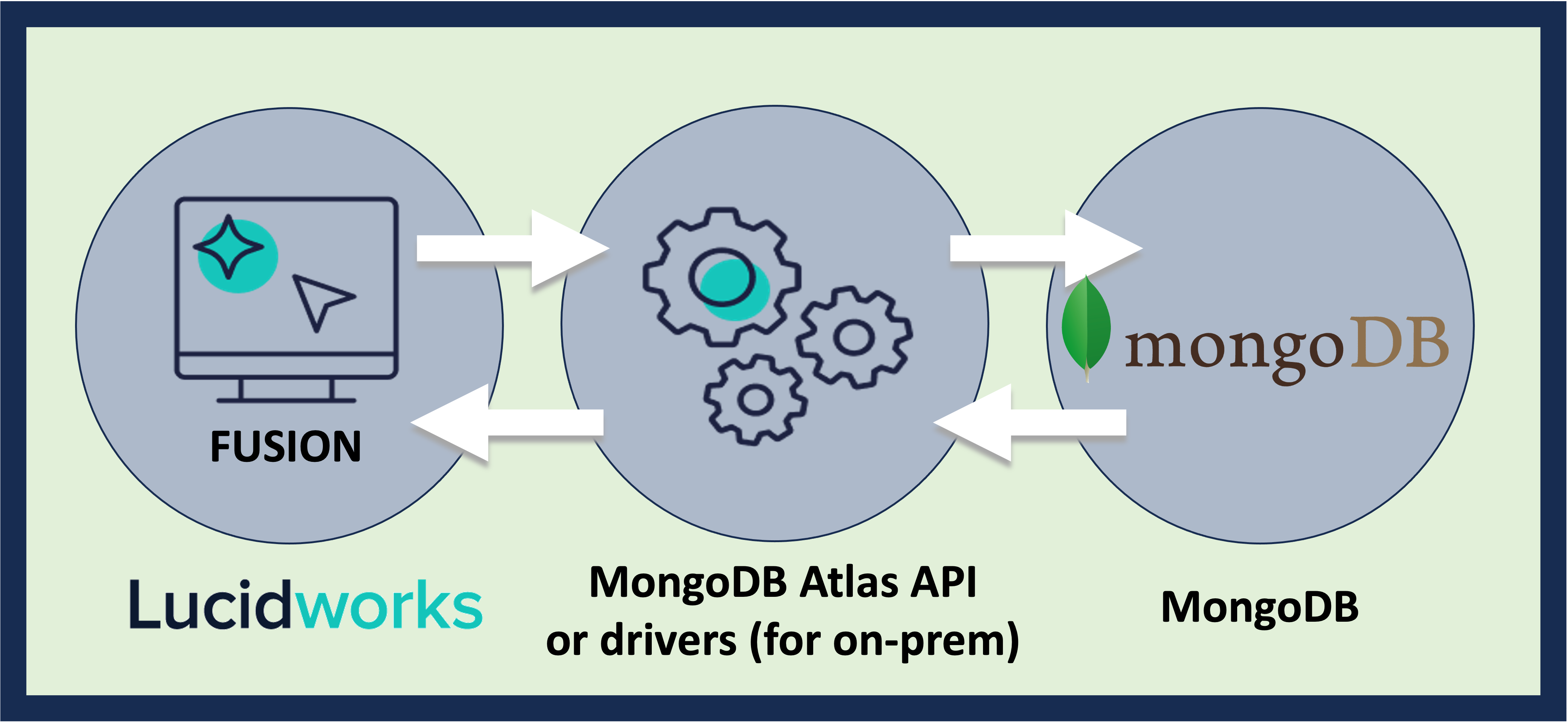
<img src="https://mintcdn.com/lucidworks/Au994d8iJwF79HiU/assets/images/connectors/connector-api-flow-mongodb.png?fit=max&auto=format&n=Au994d8iJwF79HiU&q=85&s=9e864d80b4409d22d209ef365e095769" alt="Connector flow" width="4157" height="1915" data-path="assets/images/connectors/connector-api-flow-mongodb.png" />

On first connection, the MongoDB V1 connector performs a full crawl and saves a checkpoint.

If **Process oplog** is not selected, when you restart the data source the connector performs a full recrawl.
In this mode the connector does not support incremental recrawling, nor does it delete entries that are deleted from MongoDB.

<LwTemplate />

## Prerequisites

Perform these prerequisites to ensure the connector can reliably access, crawl, and index your data.
Proper setup helps avoid configuration or permission errors, so use the following guidelines to keep your content available for discovery and search in Fusion.

The user account must have read permissions for the database and collection and you need a MongoDB cluster or server instance with a valid MongoDB URI so Fusion can connect over the network.

Before using the connector, test the connectivity for your database:

* For Atlas use one of the following:
  * `mongodb+srv:// USERNAME:PASSWORD@CLUSTER.mongodb.net`
  * `mongo "mongodb+srv://CLUSTER_NAME.mongodb.net/DATABASE_NAME" --username USERNAME --password PASSWORD`
* If exposing through a service or proxy, use `mongo "mongodb://USERNAME:PASSWORD@HOST:PORT"`.

If using incremental crawling, ensure the following:

* Your documents must include a timestamp or version field such as `lastModified`, `updatedAt`, or `modifiedDate`.
  * The format of the field should be ISO 8601 strings or [BSON `Date`](https://www.mongodb.com/developer/products/mongodb/bson-data-types-date/) objects.
  * The field must be a top-level field or accessible through dot notation.

## Authentication

Setting up the correct authentication according to your organization's data governance policies helps keep sensitive data secure while allowing authorized indexing.

The connector uses the MongoDB URI with embedded credentials or specified properties.

The basic requirements are listed here with additional guidance in the instructions below.

**Atlas:**

* Create a user account in Database Access in the Atlas dashboard with role-based access such as `read` or `readWrite`.
* Use a username and password plus SRV.
* Ensure IP Whitelisting is configured to allow Fusion’s IP.

**On-prem:**

* Use a username and password with role-based access such as `read` or `readWrite`.

**TLS/SSL:**

* If secured connection certificates are required in your MongoDB deployment enable with the URI option `ssl=true`.

### Create a MongoDB user account for Fusion

For MongoDB Atlas:

1. Go to [MongoDB](https://cloud.mongodb.com) and navigate to Database Access in your project.
2. Click **Add New Database User** and set:
   1. Username and password.
   2. Database privileges for `read` or `readWrite` on your target database.
3. Add Fusion’s IP under **Network Access > IP Whitelist**.
4. Note the MongoDB URI under **Connect > Drivers**.

For self-hosted MongoDB, use `mongo` shell or your admin tool:

```js theme={"dark"}
use admin
db.createUser({
  user: "FUSION_USERNAME",
  pwd: "FUSION_PASSWORD",
  roles: [{ role: "read", db: "DATABASE" }]
})
```

### Prepare the MongoDB URI with authentication credentials

If your password includes special characters, URL-encode the password:

* Atlas (SRV URI): `mongodb+srv://FUSION_USERNAME:FUSION@CLUSTER.mongodb.net/DATABASE_NAME`
* Self-hosted: `mongodb://FUSION_USERNAME:FUSION@localhost:27017/DATABASE_NAME`

If using TLS/SSL with replica set options, you can append the options to the URI for security and cluster support:

* `mongodb://USERNAME:PASSWORD@HOST:27017/?authSource=admin&ssl=true`

For SRV use `mongodb+srv://USERNAME:PASSWORD@CLUSTER.mongodb.net/?retryWrites=true&w=majority`.

To verify access with your credentials, use `mongo` CLI or a database GUI:

* `mongo "mongodb+srv://USERNAME:FUSION@CLUSTER.mongodb.net/DATABASE_NAME"`

### Common authentication issues

* `authentication failed`: The wrong username, password, and/or role was used, so verify the credentials are accurate.
* `IP not allowed` in Atlas: The IP is not whitelisted. Add the Fusion server IP.
* `TLS required`: MongoDB is enforcing SSL, requiring `ssl=true` with the URI.
* `authSource missing`: The specified authentication database was not specified. Add `authSource=admin` to the URI.

## Learn more

<Accordion title="Read from the MongoDB Oplog">
  Retrieve data from a MongoDB instance.

  You can configure the Fusion MongoDB connector to read from the MongoDB `oplog` rather than from the entire MongoDB collection.
  In this mode, the connector crawls the full MongoDB collection, saves a checkpoint in ZooKeeper, then continues running indefinitely, grabbing updates from the `oplog` as they happen in real time.
  This way, the connector can delete documents that are deleted from MongoDB.

  If the connector stops for any reason, it stores a timestamp in ZooKeeper that shows what the latest update was. When the connector restarts, it continues reading from that checkpoint onward.

  1. Make sure your connector authenticates to Mongo as a user with read `oplog` permissions. See [Role-based access control in the MongoDB documentation](https://docs.mongodb.com/manual/core/authorization).
  2. Make sure **Process Oplog** is selected in the Fusion MongoDB connector UI.
</Accordion>

## Configuration

<Tip>
  When entering configuration values in the UI, use *unescaped* characters, such as `\t` for the tab character. When entering configuration values in the API, use *escaped* characters, such as `\\t` for the tab character.
</Tip>

<SchemaParamFields schema={schema} />