> ## Documentation Index
> Fetch the complete documentation index at: https://doc.lucidworks.com/llms.txt
> Use this file to discover all available pages before exploring further.
# Consumption Dashboard
export const LwTemplate = ({title = "Key questions to get you started", icon = "sparkles", cta = "Powered by Agent Studio", linkHref = "https://lucidworks.com/demo/?utm_source=docs&utm_medium=referral&utm_campaign=docs_cta_ai"}) => {
const [isLoaded, setIsLoaded] = useState(false);
useEffect(() => {
const timer = setTimeout(() => {
setIsLoaded(true);
}, 500);
return () => clearTimeout(timer);
}, []);
return
{isLoaded && `
}} />}
Powered by Lucidworks Agent Studio
;
};
[localhost link]: http://localhost:3000/docs/5/fusion/operations/monitoring-and-reporting/consumption
[mintlify link]: https://doc.lucidworks.com/docs/5/fusion/operations/monitoring-and-reporting/consumption
[old doc.lw link]: https://doc.lucidworks.com/fusion/5.9/0m5ml4
The Consumption Dashboard displays your request and record usage against the allotted consumption in your Fusion license. This ensures you understand how much of your Fusion entitlements you are using and whether you are reaching your consumption limit.
You can also access this information through the [Apps Manager API](/api-reference/license/get-the-fusion-license).
To access the Consumption Dashboard, navigate to **Analytics Hub > Consumption** in Fusion.
You can access the Consumption Dashboard from any app, but the data in the dashboard is collected across all your Fusion apps. All consumption dashboard data updates daily at midnight Coordinated Universal Time (UTC).
**Important**
Contact your Lucidworks representative if you have questions about your Fusion license consumption entitlements.
## Requests
Request means any GET or POST call against the Fusion [Query Profiles API](/api-reference/query-profiles-api/get-the-service-status) or Fusion [Query Pipelines API](/api-reference/query-pipelines-api/get-all-query-pipelines). Requests may be initiated by user actions such as typing in the search bar, executing a search, or clicking a category or facet. Requests may also be triggered by programmatic sources such as web crawlers or loading of pages. If a user interface or program generates multiple requests against the Fusion Query Profiles API or Fusion Query Pipelines API, each individual call will be counted against the requests per year and the max queries per second (or hour).
## Download reports
You can download your data from the consumption dashboard. The data is downloaded as CSV files and displays your data by day for the selected date range.
You can export the detailed from the selected date range, all data, or the summary section only.
The ZIP file returns eight files:
* A CSV file with the requests report per day, which lists the date and the number of requests made that day.
* A CSV file with the records report per day, which lists the date and the maximum number of records stored in Fusion that day.
* A CSV file with the events that occurred for requests. This file reports only signature mismatches, which indicates that data was modified. Otherwise this file contains only the date and event title columns.
* A CSV file with the events that occurred for records. This file reports only signature mismatches, which indicates that data was modified. Otherwise this file contains only the date and event title columns.
* A signature file to accompany each of the CSV files.
## Date range
You may view your consumption over the past week, month,
or year.
You may also select a custom date range.
## Requests chart
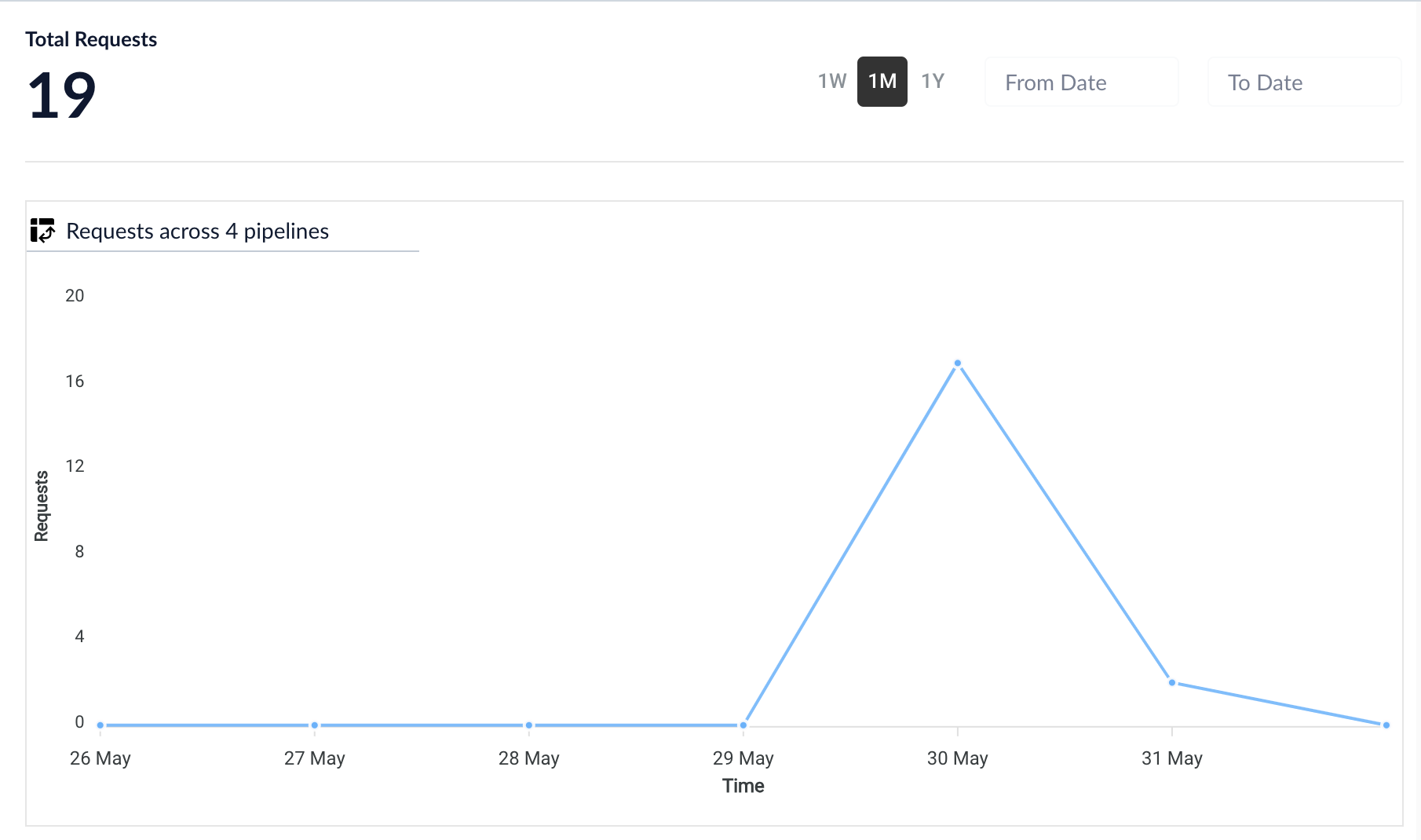
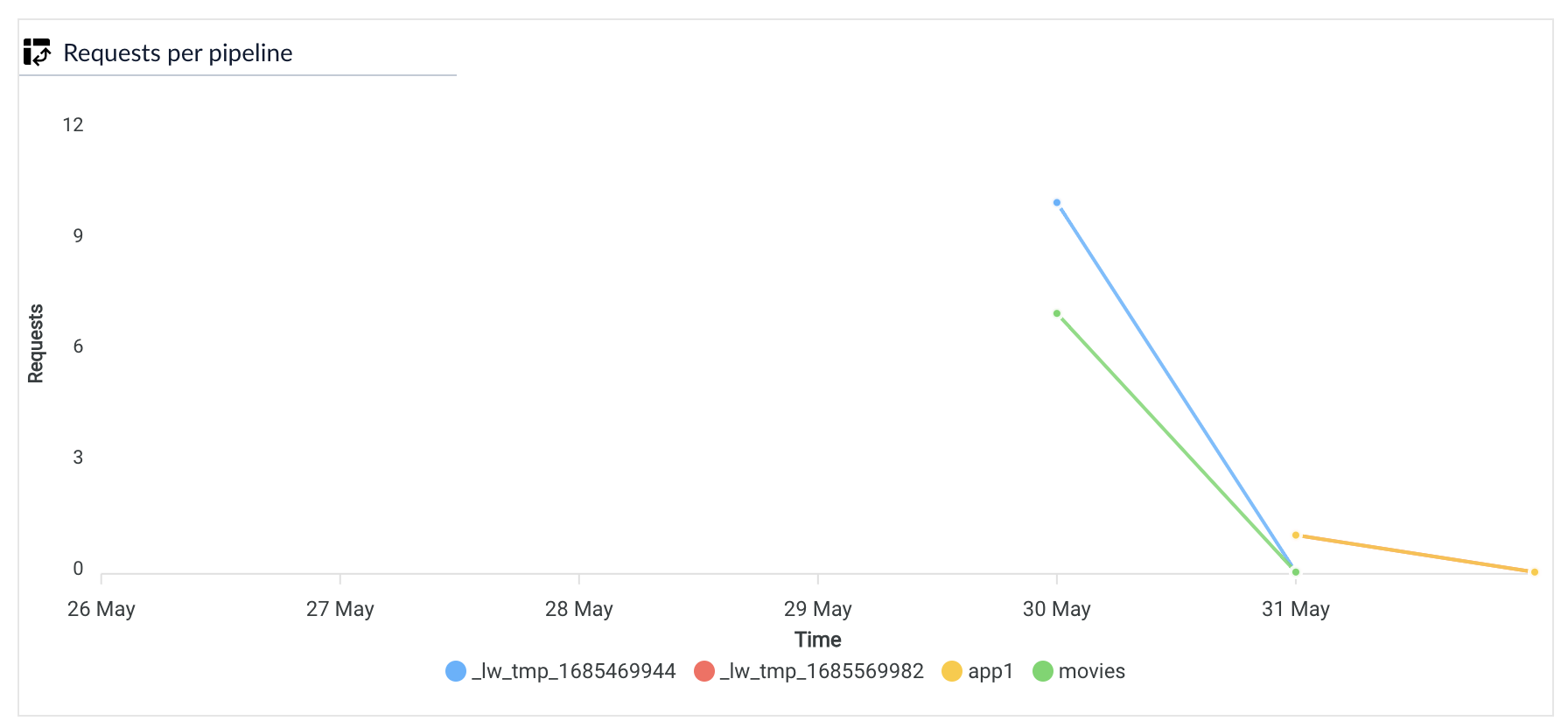
Requests are the HTTP requests sent to Fusion. Fusion receives requests through the API and user searches. The requests chart displays the number of requests that Fusion has processed each day over the given time interval.
To view the requests per pipeline, point your mouse over **Requests across pipelines** and select **Requests per pipeline**.
## Documents chart
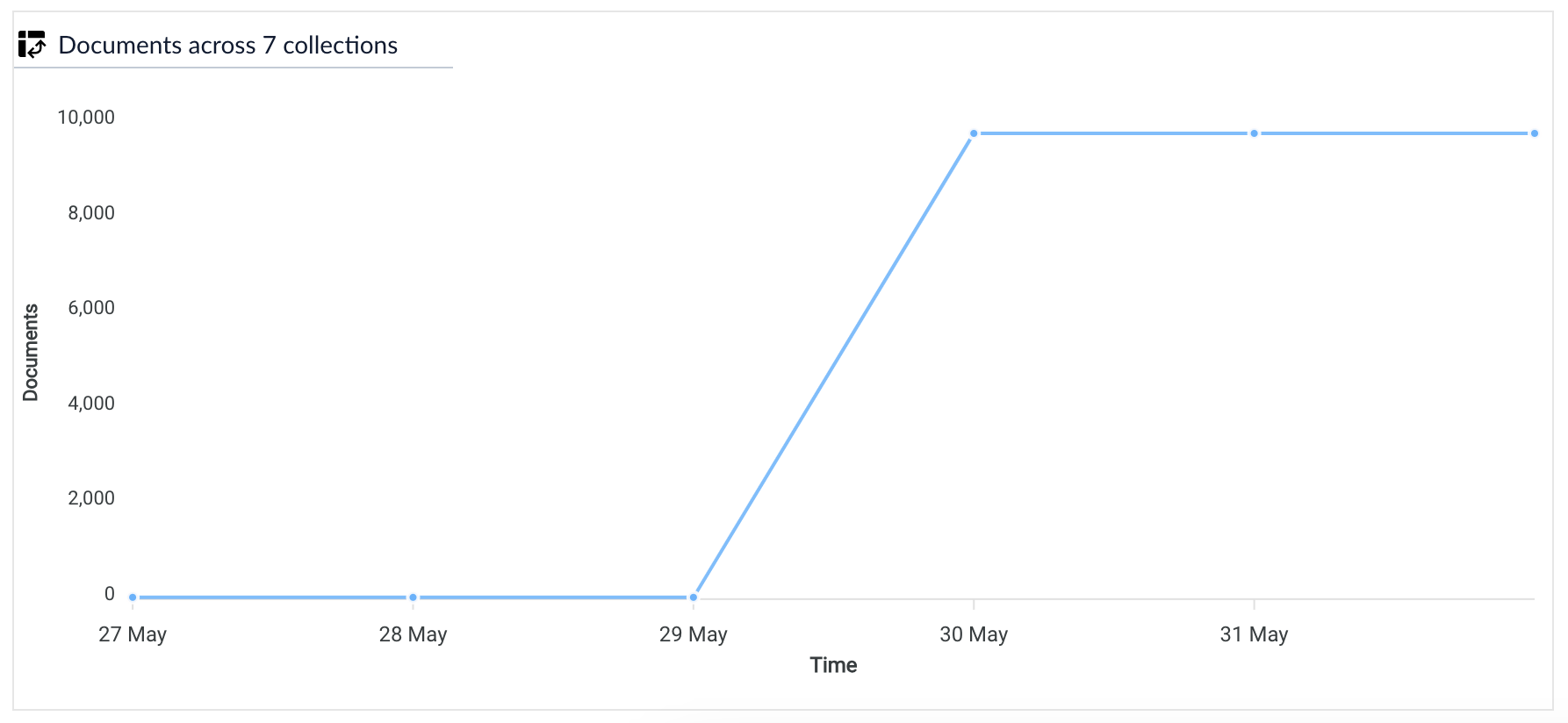
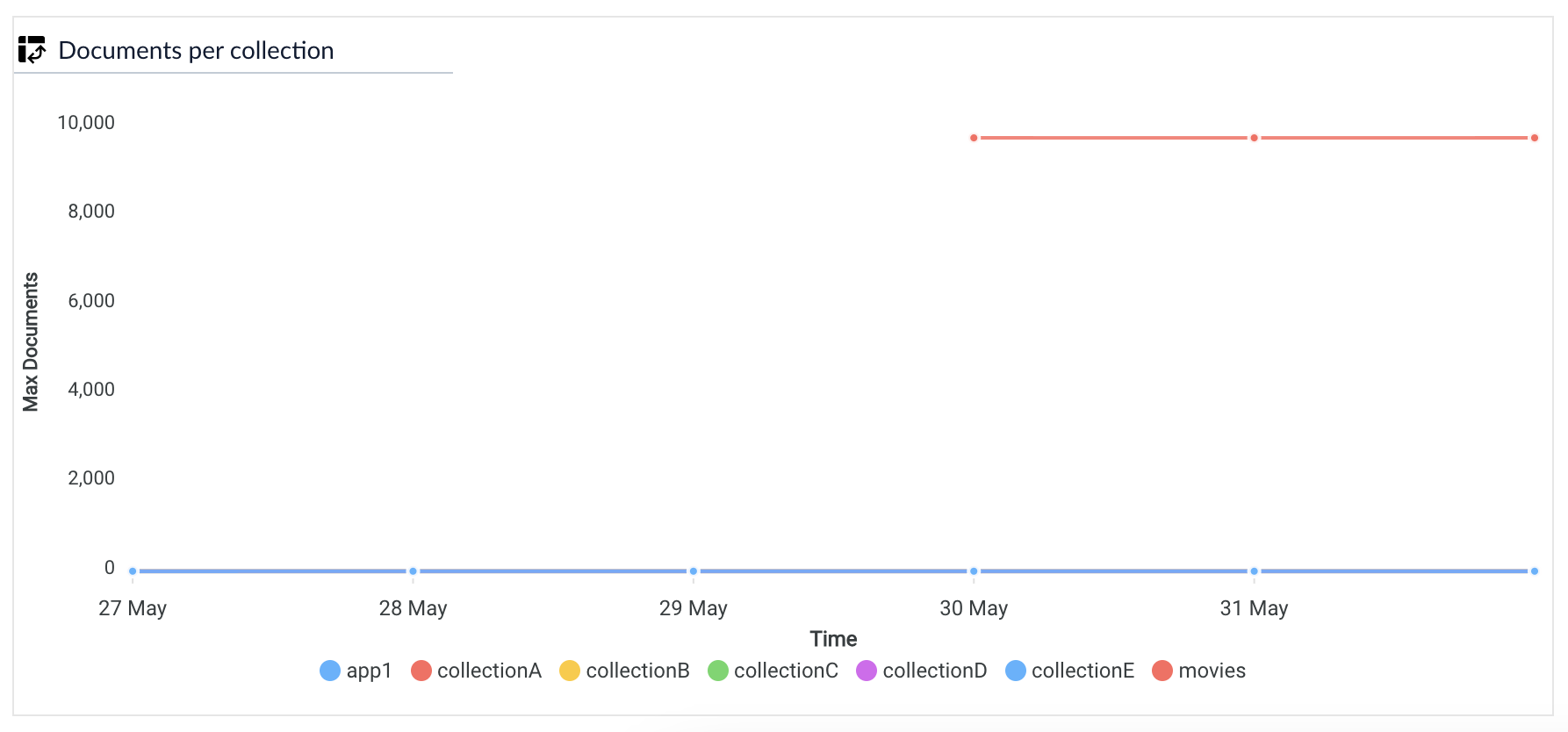
Records are the basic items that Fusion searches. They are also called documents in Fusion. The records chart displays the total number of records that your instance of Fusion has stored and indexed over the selected time period.
To view the documents per collection, point your mouse over **Documents across collections** and select **Documents* per collection*\*.
 ## Documents chart
Records are the basic items that Fusion searches. They are also called documents in Fusion. The records chart displays the total number of records that your instance of Fusion has stored and indexed over the selected time period.
To view the documents per collection, point your mouse over **Documents across collections** and select **Documents* per collection*\*.
## Documents chart
Records are the basic items that Fusion searches. They are also called documents in Fusion. The records chart displays the total number of records that your instance of Fusion has stored and indexed over the selected time period.
To view the documents per collection, point your mouse over **Documents across collections** and select **Documents* per collection*\*.