> ## Documentation Index
> Fetch the complete documentation index at: https://doc.lucidworks.com/llms.txt
> Use this file to discover all available pages before exploring further.
# Deleting Old Signals
export const LwTemplate = ({title = "Key questions to get you started", icon = "sparkles", cta = "Powered by Agent Studio", linkHref = "https://lucidworks.com/demo/?utm_source=docs&utm_medium=referral&utm_campaign=docs_cta_ai"}) => {
const [isLoaded, setIsLoaded] = useState(false);
useEffect(() => {
const timer = setTimeout(() => {
setIsLoaded(true);
}, 500);
return () => clearTimeout(timer);
}, []);
return
{isLoaded && `
}} />}
Powered by Lucidworks Agent Studio
;
};
[localhost link]: http://localhost:3000/docs/5/fusion/getting-data-out/query-enhancement/signals/deleting-old-signals
[mintlify link]: https://doc.lucidworks.com/docs/5/fusion/getting-data-out/query-enhancement/signals/deleting-old-signals
[old doc.lw link]: https://doc.lucidworks.com/fusion/5.9/468
Signals are not automatically deleted by default, and over time they occupy an increasing amount of storage space.
To avoid running out of storage space as a result of your growing collection of signals, you must decide on a signals retention policy, then configure and schedule a [REST Call job](/docs/5/fusion/reference/config-ref/jobs/rest-call) that regularly deletes old signals.
The duration for which signals should be kept depends on your use case and your organization’s policies. For example, in some cases signals could be deleted after 30 days, while in other cases they may remain useful for a year, or even forever.
## Learn more
1. Navigate to **Collections** > **Jobs**.
2. Click **Add** and select **REST Call**.\
The REST Call job configuration panel appears.
3. Enter an arbitrary ID for this job, such as "Delete-old-signals".
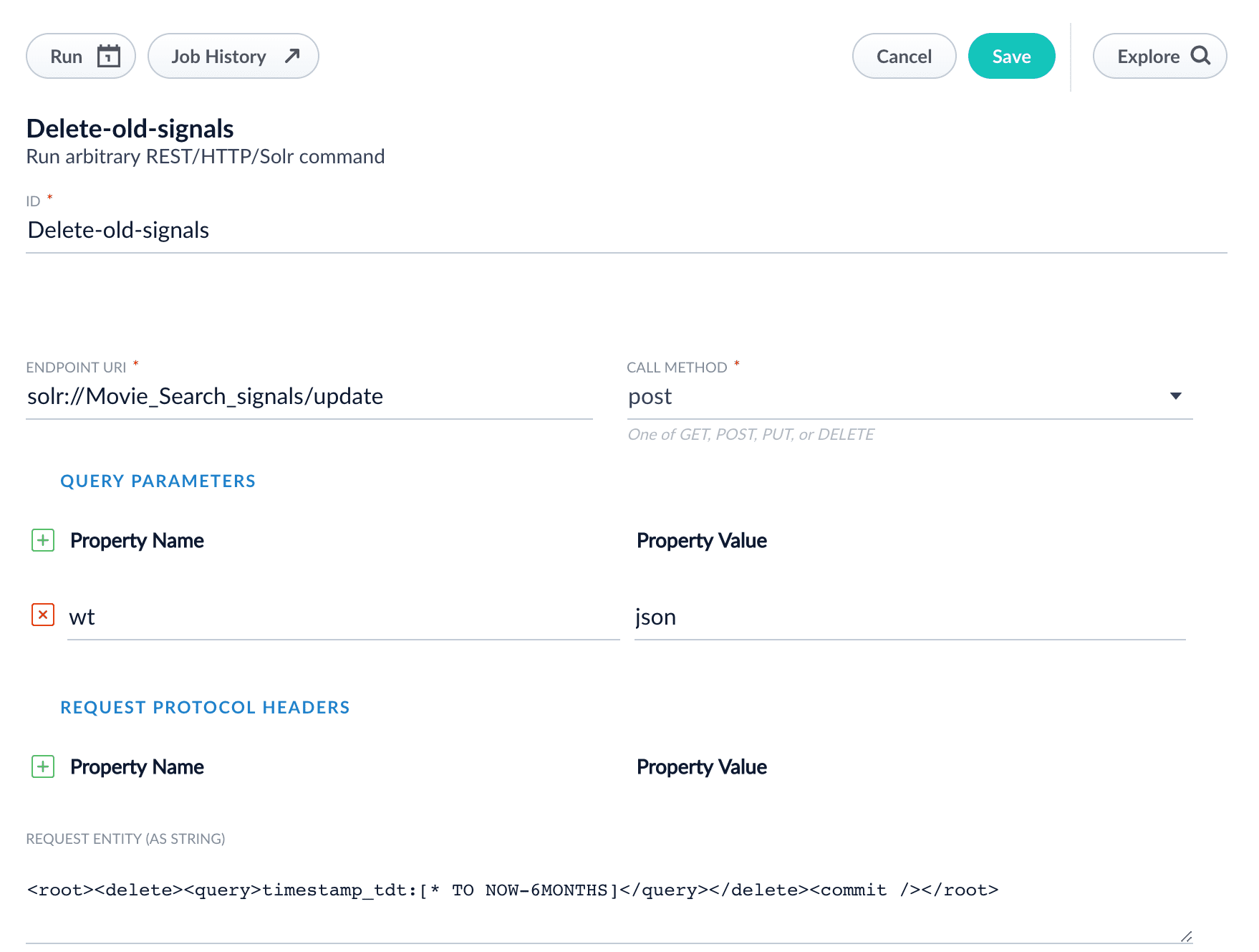
4. Enter the following endpoint URI, substituting the name of your signals collection for `signalsCollectionName`:
```bash theme={"dark"}
solr://signalsCollectionName/update
```
5. In the **Call Method** field, select "post".
6. Under **Query Parameters**, enter the property name "wt" with the property value "json".
7. In the **Request entity (as string)** field, enter the following:
```html wrap theme={"dark"}
timestamp_tdt:[* TO NOW-2WEEKS]
```
See [Working with Dates](https://solr.apache.org/guide/8_6/working-with-dates.html) for details about date formatting.
Your job configuration should look similar to this:
You can configure a schedule for this job at **System** > **Scheduler**.