> ## Documentation Index
> Fetch the complete documentation index at: https://doc.lucidworks.com/llms.txt
> Use this file to discover all available pages before exploring further.

# Merchandising Zero Results

export const LwTemplate = ({title = "Key questions to get you started", icon = "sparkles", cta = "Powered by Agent Studio", linkHref = "https://lucidworks.com/demo/?utm_source=docs&utm_medium=referral&utm_campaign=docs_cta_ai"}) => {
  const [isLoaded, setIsLoaded] = useState(false);
  useEffect(() => {
    const timer = setTimeout(() => {
      setIsLoaded(true);
    }, 500);
    return () => clearTimeout(timer);
  }, []);
  return <div className="lw-template-container">
      <Card title={title} icon={icon}>
        {isLoaded && <span dangerouslySetInnerHTML={{
    __html: `<lw-template id="a029c1a9-28be-427e-b0e1-5d918920246a"></lw-template
            >`
  }} />}
        <Link href={linkHref} className="agent-studio-link text-left text-gray-600 gap-2 dark:text-gray-400 text-sm font-medium flex flex-row items-center hover:text-primary dark:hover:text-primary-light group-hover:text-primary group-hover:dark:text-primary-light">Powered by Lucidworks Agent Studio</Link>
      </Card>
    </div>;
};

[localhost link]: http://localhost:3000/docs/5/fusion/getting-data-out/curating-your-search-experience/predictive-merchandiser/merchandising-zero-results

[mintlify link]: https://doc.lucidworks.com/docs/5/fusion/getting-data-out/curating-your-search-experience/predictive-merchandiser/merchandising-zero-results

[old doc.lw link]: https://doc.lucidworks.com/fusion/5.9/597

As a merchandiser, search queries that generate zero results can drive customers away from the site. Predictive Merchandiser allows you to ensure this does not happen. Instead of display zero results, you can choose to display certain products when a customer reaches a zero results page.

<LwTemplate />

Learn how to use the **Merchandising Zero Results** feature.

<Accordion title="Merchandising Zero Results">
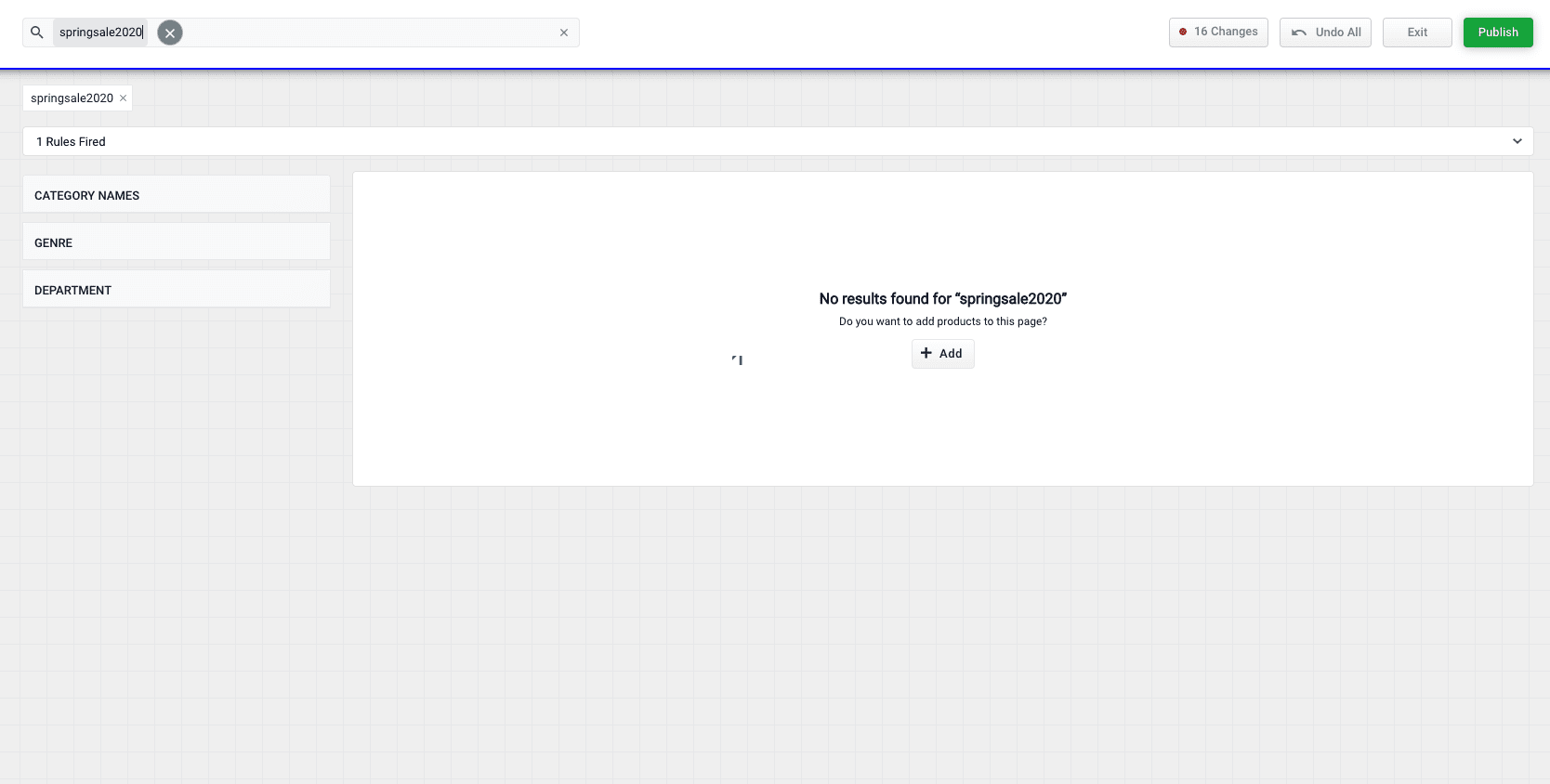
  1. Enter a search query the generates 0 results:

       <img src="https://mintcdn.com/lucidworks/3Ch7Gf3ey98GnjMH/assets/images/predictive-merchandiser/screenshots/resolve-zero-results01.png?fit=max&auto=format&n=3Ch7Gf3ey98GnjMH&q=85&s=20fb6257aa60090dd3dc409befa335bc" alt="Merchandising Zero Results 01" width="1668" height="844" data-path="assets/images/predictive-merchandiser/screenshots/resolve-zero-results01.png" />
  2. Click the **Add** button:  <img className="inline-image" alt="Add" src="https://mintcdn.com/lucidworks/xQr7Fxxc7lI5hKz-/assets/images/predictive-merchandiser/buttons/pm-facet-add-additional.png?fit=max&auto=format&n=xQr7Fxxc7lI5hKz-&q=85&s=0c90c652d92b93b5f21b2948385e293b" width="80" height="33" data-path="assets/images/predictive-merchandiser/buttons/pm-facet-add-additional.png" />
  3. Select products or [product groups](/docs/5/fusion/getting-data-out/curating-your-search-experience/predictive-merchandiser/product-grouping) that you want to associate with the 0 results query:
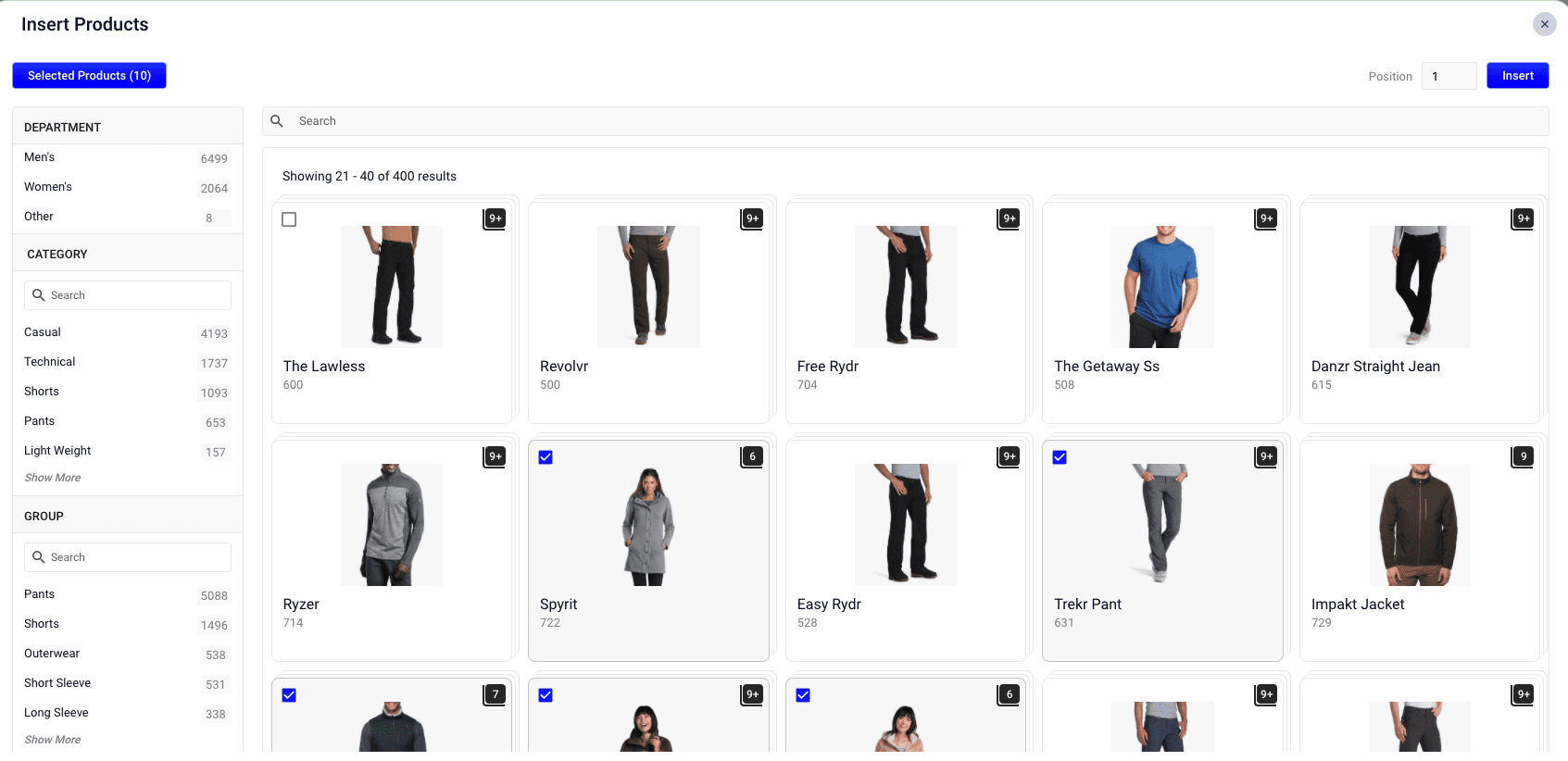
       <img src="https://mintcdn.com/lucidworks/3Ch7Gf3ey98GnjMH/assets/images/predictive-merchandiser/screenshots/resolve-zero-results02.png?fit=max&auto=format&n=3Ch7Gf3ey98GnjMH&q=85&s=e8040d6ef9113170aceeb130d1e457e7" alt="Merchandising Zero Results 02" width="1693" height="822" data-path="assets/images/predictive-merchandiser/screenshots/resolve-zero-results02.png" />
  4. Click the **Insert** button. The selected products are now displayed when the search query is used, resolving the 0 results query:
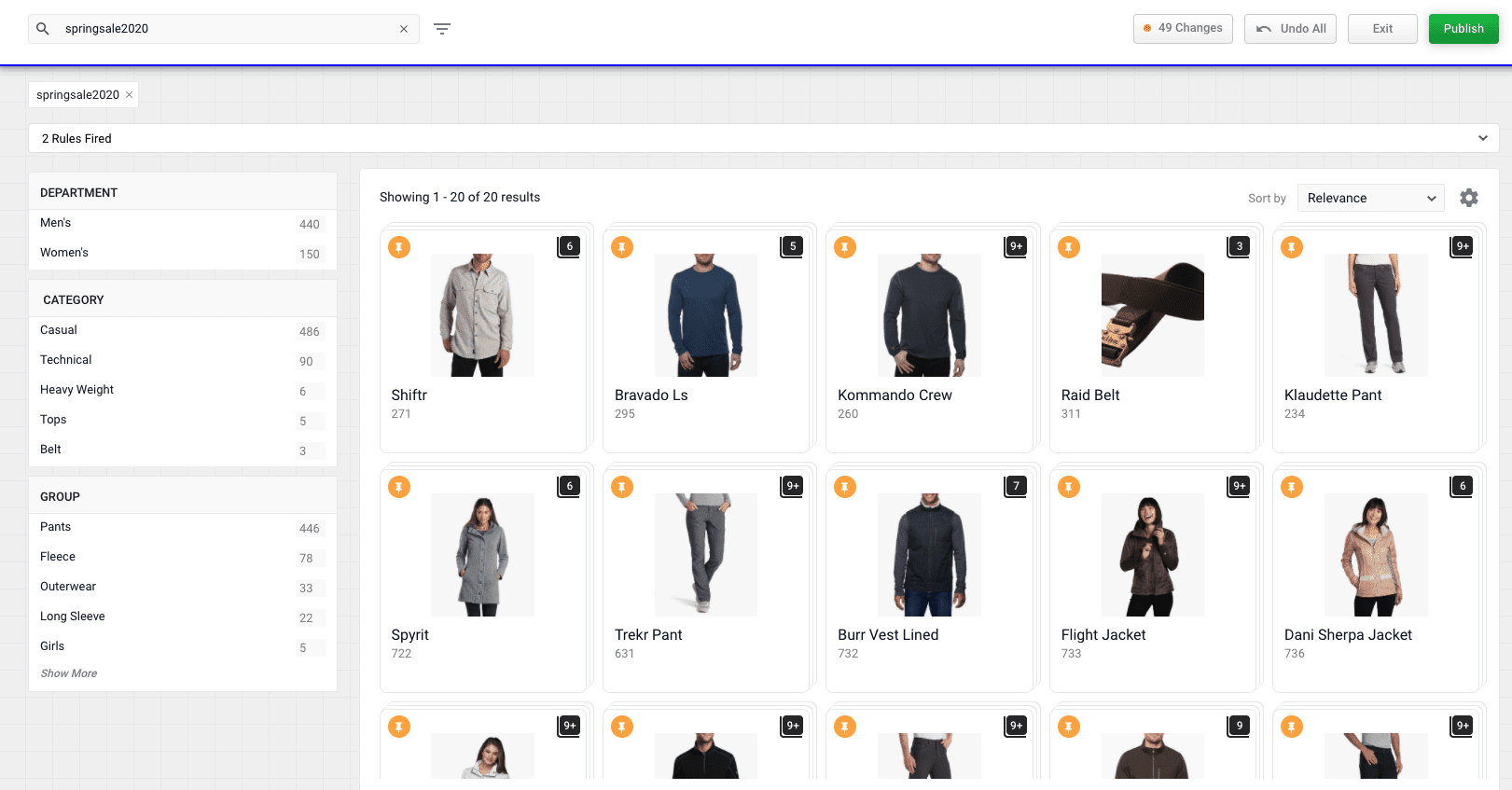
       <img src="https://mintcdn.com/lucidworks/3Ch7Gf3ey98GnjMH/assets/images/predictive-merchandiser/screenshots/resolve-zero-results03.png?fit=max&auto=format&n=3Ch7Gf3ey98GnjMH&q=85&s=3163423a8cf3e0b5ec08b77b959c6e5f" alt="Merchandising Zero Results 03" width="1621" height="847" data-path="assets/images/predictive-merchandiser/screenshots/resolve-zero-results03.png" />
</Accordion>
