> ## Documentation Index
> Fetch the complete documentation index at: https://doc.lucidworks.com/llms.txt
> Use this file to discover all available pages before exploring further.
# Query Profiles
export const LwTemplate = ({title = "Key questions to get you started", icon = "sparkles", cta = "Powered by Agent Studio", linkHref = "https://lucidworks.com/demo/?utm_source=docs&utm_medium=referral&utm_campaign=docs_cta_ai"}) => {
const [isLoaded, setIsLoaded] = useState(false);
useEffect(() => {
const timer = setTimeout(() => {
setIsLoaded(true);
}, 500);
return () => clearTimeout(timer);
}, []);
return
{isLoaded && `
}} />}
Powered by Lucidworks Agent Studio
;
};
[localhost link]: http://localhost:3000/docs/4/fusion-server/concepts/querying/pipelines/query-profiles
[mintlify link]: https://doc.lucidworks.com/docs/4/fusion-server/concepts/querying/pipelines/query-profiles
[old doc.lw link]: https://doc.lucidworks.com/fusion/5.9/174
Query profiles let you consistently point your search application at a static endpoint, but give you the flexibility to change the actual query pipeline being used (and optionally, the collection and/or configuration parameters for the query pipeline).
For example, an e-commerce site might want to create a query pipeline to support a month-long promotion. After the query pipeline is configured, it can be easily enabled by changing the query profile in use by the front-end application to use the new pipeline.
To run a query through a query profile, use the REST API as described below. For CRUD operations, you can use either the REST API or the Fusion UI.
## Rules Simulator query profile
The [Rules Simulator](/docs/4/fusion-ai/concepts/query-rewriting/simulator) allows product owners to experiment with rules and other query rewrites in the `_query_rewrite_staging` collection before deploying them to the `_query_rewrite` collection.
Each app has a `_rules_simulator` query profile, configured to use the `_query_rewrite_staging` collection for query rewrites instead of the `_query_rewrite` collection. This profile is created automatically whenever a new app is created.
## Query profiles in the REST API
* [Query Profiles API](/docs/4/fusion-server/reference/api/query/query-profiles-api) (`/query-profiles`)\
Create, read, update, and delete query profiles.
* [Query API](/docs/4/fusion-server/reference/api/query/query-api) (`/query`)\
Run a query through a query profile by specifying the profile ID and appending the request with a [Solr query string](/docs/4/fusion-server/reference/query-language-cheat-sheet), as in `/api/query/?`.
## Query profiles in the UI
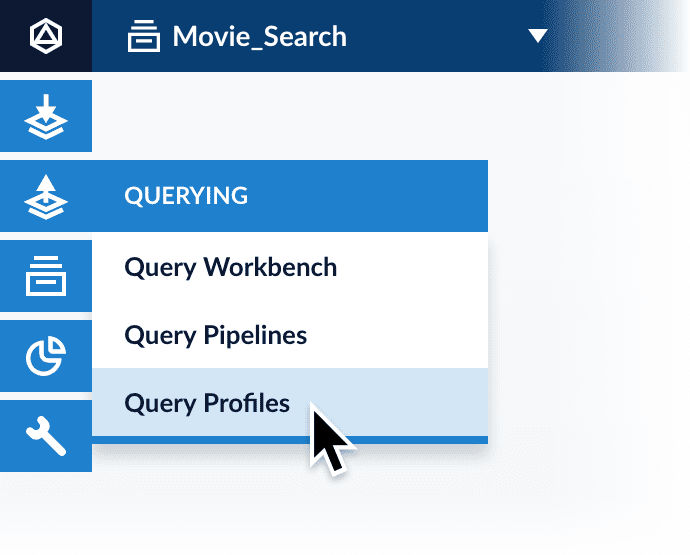
Query profiles are configured at **Querying** > **Query Profiles**.
## Learn more
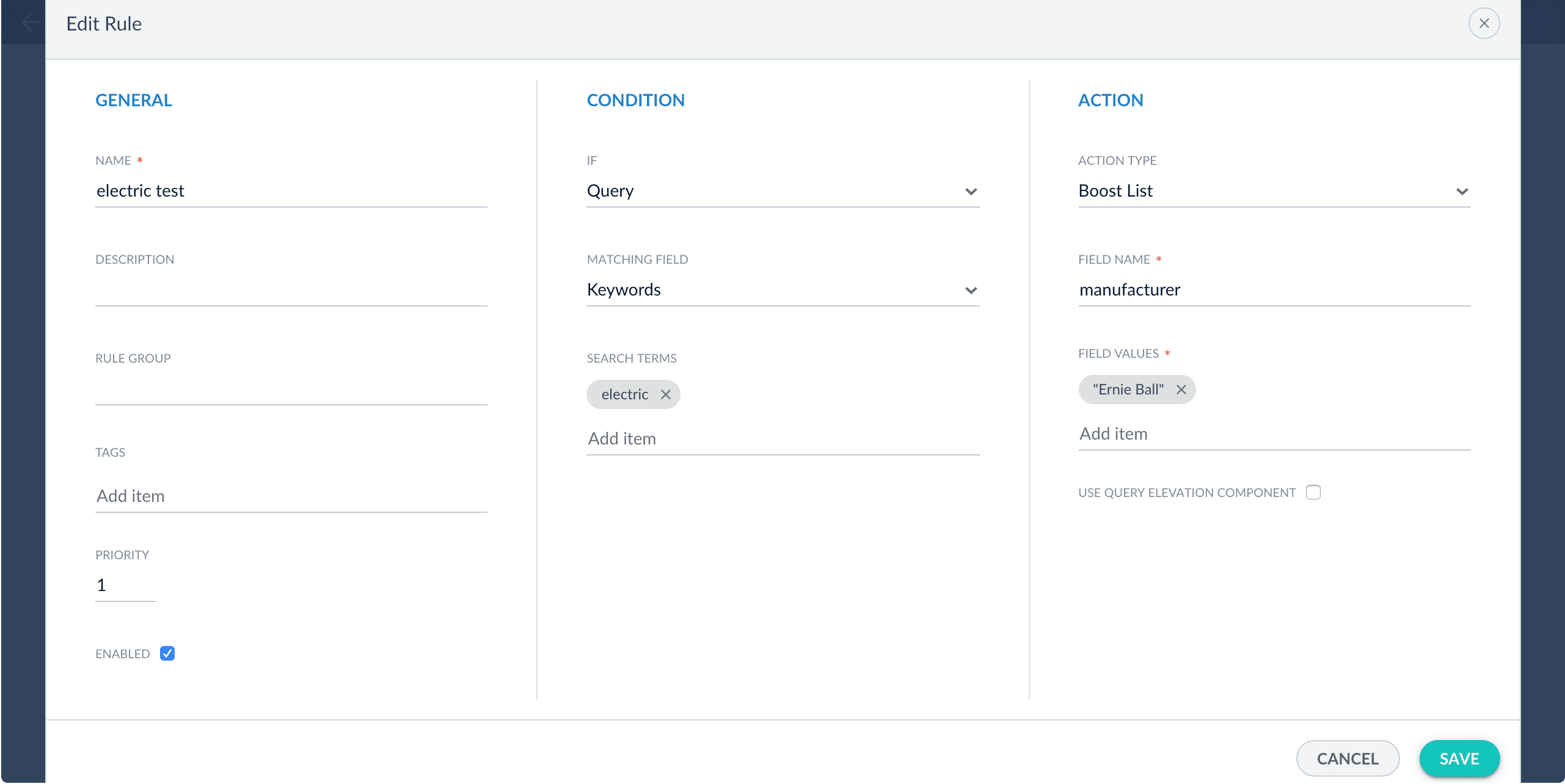
You can edit any rule in the list of triggered rules, including disabling it, by clicking the Edit icon next to the rule.
De-select "Enabled" in the Edit Rule window to turn off this rule.
Only rules triggered by the current query are available to edit in the Simulator.
 ## Learn more
 De-select "Enabled" in the Edit Rule window to turn off this rule.