> ## Documentation Index
> Fetch the complete documentation index at: https://doc.lucidworks.com/llms.txt
> Use this file to discover all available pages before exploring further.
# Licensing
export const LwTemplate = ({title = "Key questions to get you started", icon = "sparkles", cta = "Powered by Agent Studio", linkHref = "https://lucidworks.com/demo/?utm_source=docs&utm_medium=referral&utm_campaign=docs_cta_ai"}) => {
const [isLoaded, setIsLoaded] = useState(false);
useEffect(() => {
const timer = setTimeout(() => {
setIsLoaded(true);
}, 500);
return () => clearTimeout(timer);
}, []);
return
{isLoaded && `
}} />}
Powered by Lucidworks Agent Studio
;
};
[localhost link]: http://localhost:3000/docs/4/fusion-server/concepts/licensing
[mintlify link]: https://doc.lucidworks.com/docs/4/fusion-server/concepts/licensing
[old doc.lw link]: https://doc.lucidworks.com/fusion-server/4.2/114
Fusion Server requires a valid license. Depending on the details of your contract, your license may also enable optional [connectors](/docs/fusion-connectors/connectors/overview) or [Fusion AI](/docs/4/fusion-ai/overview).
Fusion Server provides a license management UI and a license API for installing and managing licenses. When you upload a license, Fusion Server stores it in ZooKeeper, so you only need to upload it to one node per cluster.
The Fusion UI notifies you when your trial license is about to expire. When your license has expired, Fusion Server accepts no configuration changes until you upload a valid license.
Visit our company page to [try Fusion](https://lucidworks.com/try).
## Learn more
1. Log in to the Fusion UI.
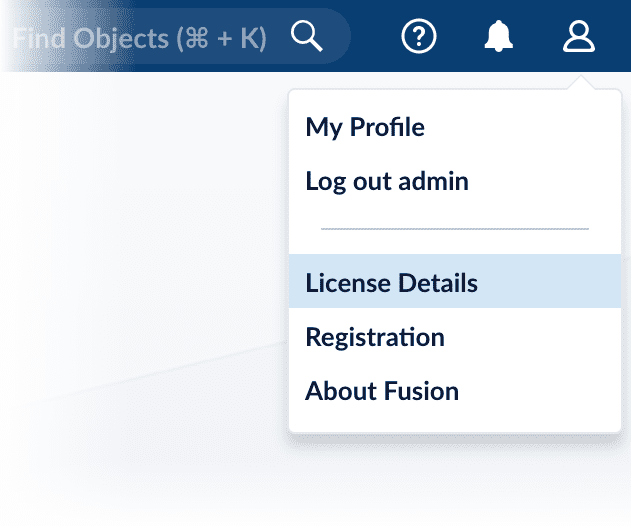
2. In the upper right, open the profile menu and select **License Details**:
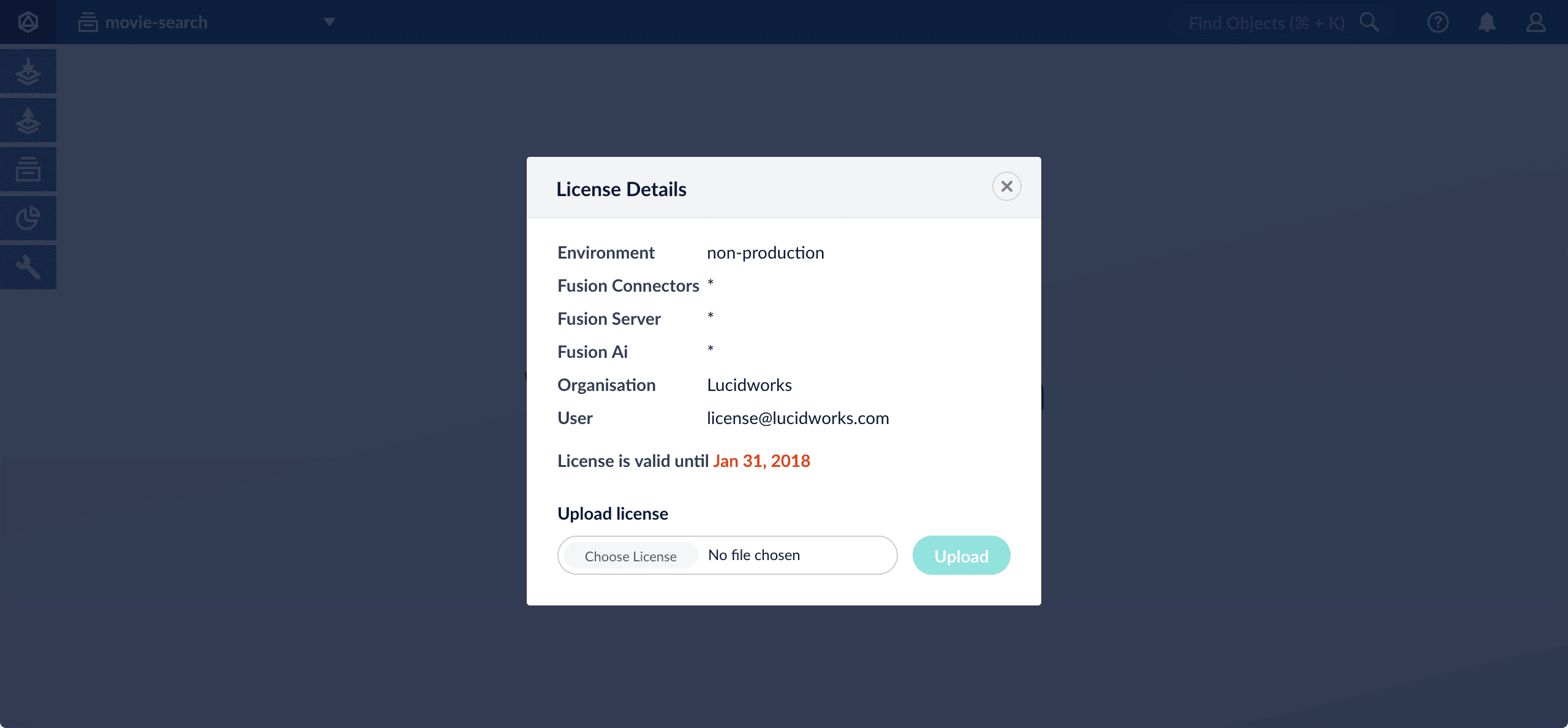
The License Details window appears:
3. Click **Choose License** and select your license file.
4. Click **Upload**.
After creating a new instance of Fusion, you will need to create a password for the admin user. This is typically done in the Fusion UI. In some cases, such as during the development stage when the Admin UI microservice is not running, you may want to create this password using the API.
Use the following example commands to create the initial admin password with the API, in this case, `password123`:
```json wrap theme={"dark"}
curl -X POST -H 'content-type: application/json' 'http://localhost:6764/api' --data-binary '{"password": "password123"}'
```
```json wrap theme={"dark"}
curl -X POST -H 'content-type: application/json' 'http://localhost:8764/api' --data-binary '{"password": "password123"}'
```
 The License Details window appears:
 3. Click **Choose License** and select your license file.
4. Click **Upload**.
3. Click **Choose License** and select your license file.
4. Click **Upload**.