> ## Documentation Index
> Fetch the complete documentation index at: https://doc.lucidworks.com/llms.txt
> Use this file to discover all available pages before exploring further.
# Phrase Detection
export const LwTemplate = ({title = "Key questions to get you started", icon = "sparkles", cta = "Powered by Agent Studio", linkHref = "https://lucidworks.com/demo/?utm_source=docs&utm_medium=referral&utm_campaign=docs_cta_ai"}) => {
const [isLoaded, setIsLoaded] = useState(false);
useEffect(() => {
const timer = setTimeout(() => {
setIsLoaded(true);
}, 500);
return () => clearTimeout(timer);
}, []);
return
{isLoaded && `
}} />}
Powered by Lucidworks Agent Studio
;
};
export const InlineImage = ({src, alt = '', height = '2em'}) => {
return ;
};
[localhost link]: http://localhost:3000/docs/4/fusion-ai/concepts/query-rewriting/phrase-detection
[mintlify link]: https://doc.lucidworks.com/docs/4/fusion-ai/concepts/query-rewriting/phrase-detection
[old doc.lw link]: https://doc.lucidworks.com/fusion/5.9/487
Phrase detection identifies phrases in your signals so that results with matching phrases can be boosted. This helps compensate for queries where phrases are not distinguished with quotation marks. For example, the query `ipad case` is rewritten as `“ipad case”~10^2`, meaning if `ipad` and `case` appear **within 10** terms (whitespace-delimited tokens) of each other, then boost the result by a factor of **2**.
Phrases are applied in the [Text Tagger stage](/docs/4/fusion-server/reference/pipeline-stages/query/text-tagger-query-stage) of the query pipeline.
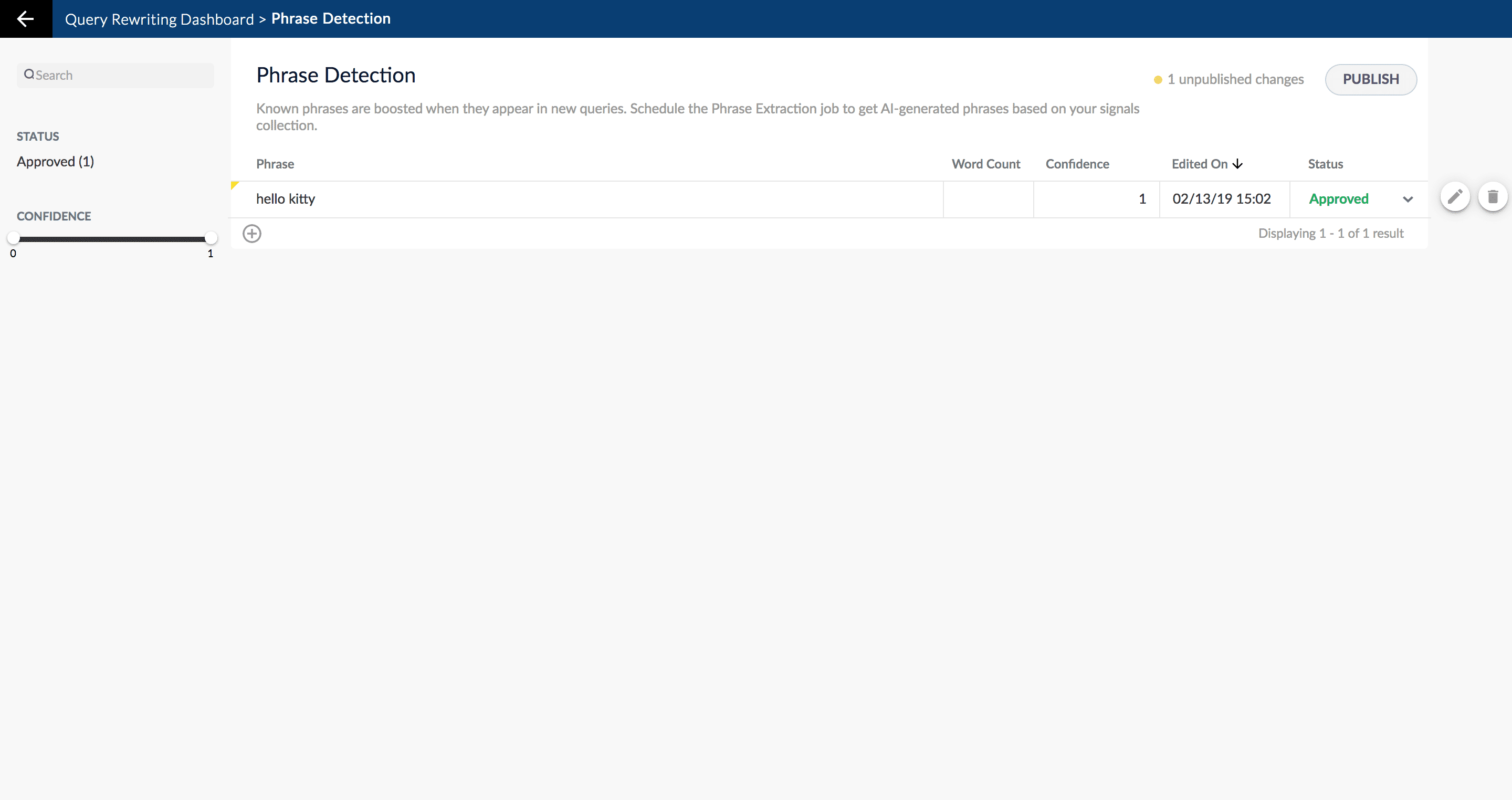
The [Phrase Extraction job](/docs/4/fusion-ai/reference/jobs/phrase-extraction) automatically creates phrases based on your AI-generated data. When you navigate to **Relevance** > **Rules**, the application displays the **Query Rewriting** screen. Select **Phrase Detection**. The application displays the **Phrase Detection** screen.
When you manually add new phrases, subsequent job runs use those documents as input for machine learning to improve the job’s output. Unlike job-generated documents, manually-added query rewriting documents are never overwritten by new job output.
The course for **Query Analytics** focuses on how Fusion provides query analytics to detect and improve underperforming queries.
{/* // tag::review[] */}
## Reviewing auto-generated phrases
Phrases that are automatically generated by the [Phrase Extraction job](/docs/4/fusion-ai/reference/jobs/phrase-extraction) are assigned one of the following status values:
* **Auto**
These results have a confidence level as a threshold to automatically deploy them to the `_query_rewrite` collection. This threshold can be specified in the configuration parameter **Minimum Likelihood Score** (default value 0.1).
No action is required on these results, but you can edit them if you wish.
* **Pending**
The confidence level is ambiguous, and the result must be reviewed by a user before it can be deployed. It will only be moved from the `_query_rewrite_staging` collection to the `_query_rewrite` collection when its status has changed to "Approved" *and* it has been published.
### How to review a pending phrase result
1. Navigate to **Relevance** > **Rules**. The application displays the **Query Rewriting** screen.
2. Select **Phrase Detection**. The application displays the **Phrase Detection** screen.
Notice the **Status** facet on the left. Click **Pending** to view only the items that need review.
{/* // Currently this facet does not work (in the qrw-demo app). */}
1. Click the icon next to the phrase.
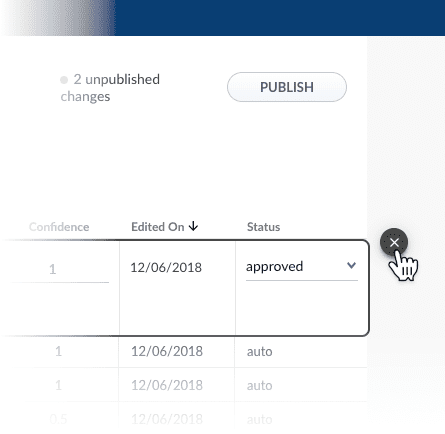
2. In the **Status** column, select either "Approved" or "Denied".
Optionally, you can also edit the phrase itself.
Although the Confidence field is also editable, changing its value makes no difference.
1. Click the **Close** icon next to the updated phrase:
Approving a phrase does not automatically deploy it to the `_query_rewrite` collection. When you have finished your review, you must click **Publish** to deploy your changes.
{/* // end::review[] */}
{/* // tag::add-new[] */}
## Adding new phrases
You can manually add phrases in addition to any generated by the [Phrase Extraction job](/docs/4/fusion-ai/reference/jobs/phrase-extraction).
### How to add a phrase
1. Navigate to **Relevance** > **Rules**. The application displays the **Query Rewriting** screen.
2. Select **Phrase Detection**. The application displays the **Phrase Detection** screen.
3. At the bottom of the rules list, click the icon.
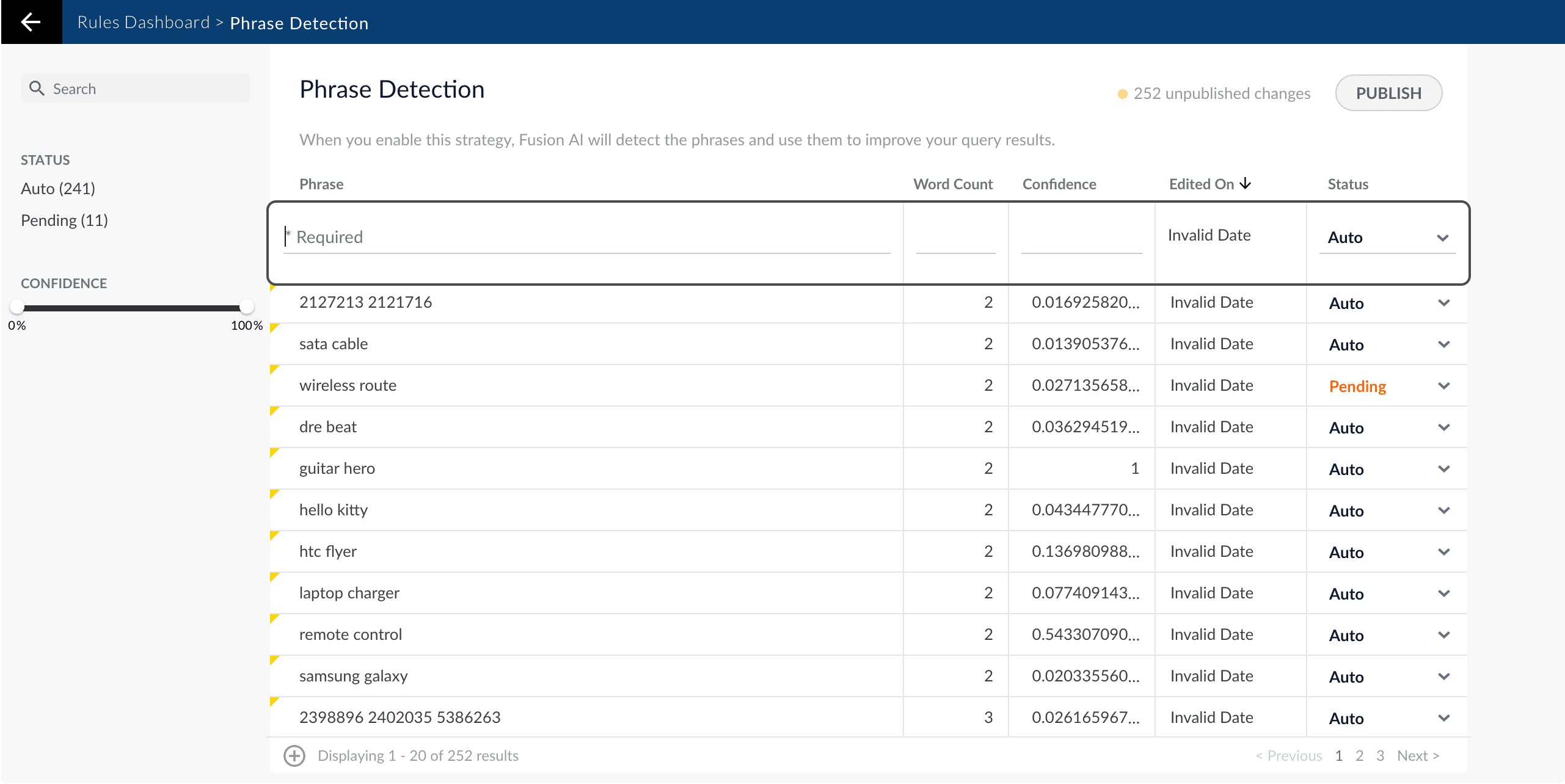
A new phrase appears at the top of the list:
4. Enter the phrase.
It is not necessary to set a confidence value.
5. Select the phrase’s status, depending on whether you want to deploy it the next time you publish your changes ("Approved") or save it for further review ("Pending").
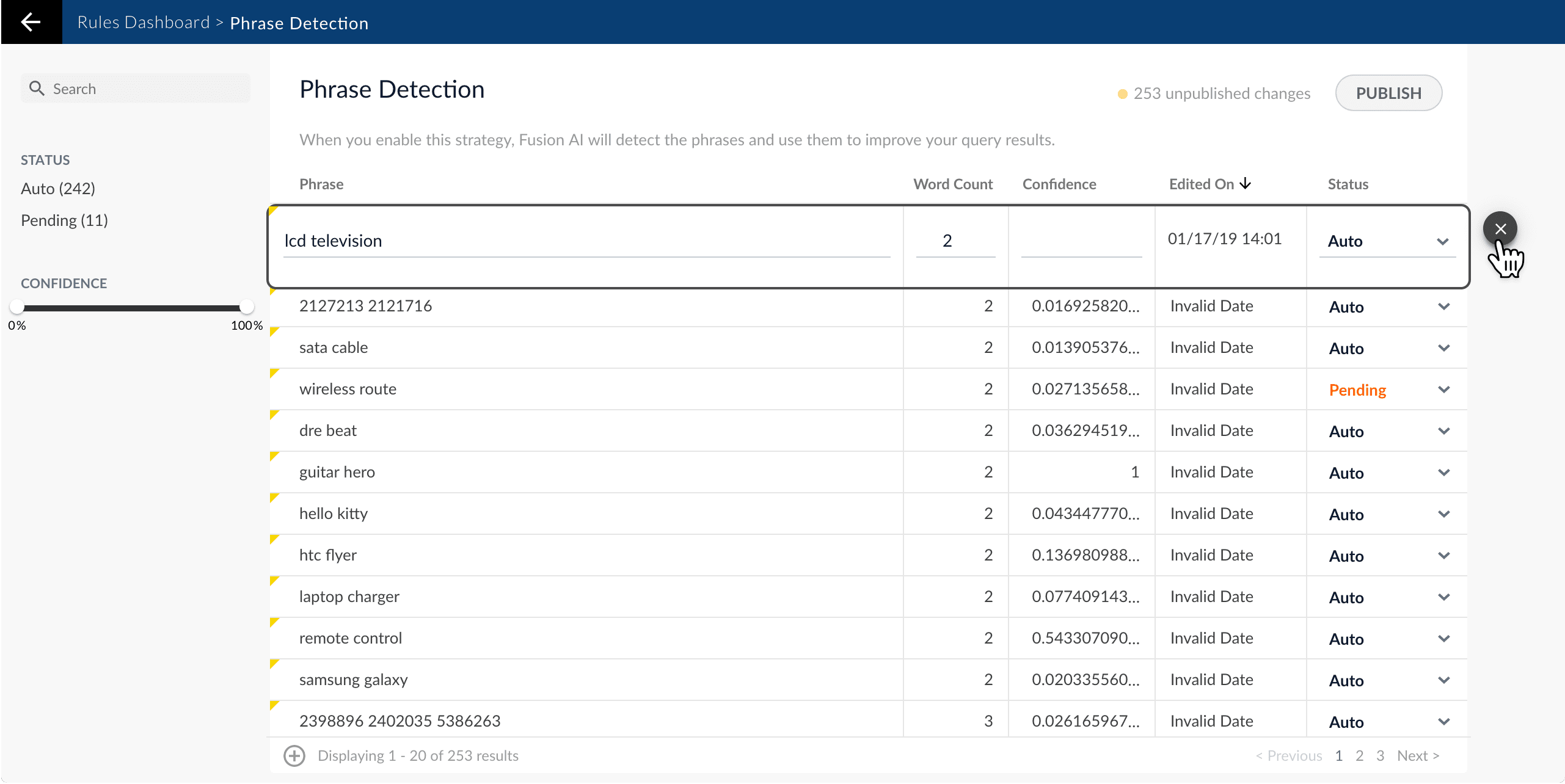
6. Click the check mark to save the new phrase:
{/* // end::add-new[] */}
{/* // tag::publish[] */}
## Publishing your changes
### How to publish updated phrases
1. In the **Phrase Detection** screen, click the **PUBLISH** button.
Fusion prompts you to confirm that you want to publish your changes.
2. Click **PUBLISH**.
{/* // Currently this does not update the count of unpublished changes. */}
You can un-publish a query rewrite by changing its status to "denied", then clicking **PUBLISH**.
{/* // I am assuming this is the case. */}
{/* // end::publish[] */}
 4. Enter the phrase.
 {/* // end::add-new[] */}
{/* // tag::publish[] */}
## Publishing your changes
### How to publish updated phrases
1. In the **Phrase Detection** screen, click the **PUBLISH** button.
Fusion prompts you to confirm that you want to publish your changes.
2. Click **PUBLISH**.
{/* // Currently this does not update the count of unpublished changes. */}
{/* // end::add-new[] */}
{/* // tag::publish[] */}
## Publishing your changes
### How to publish updated phrases
1. In the **Phrase Detection** screen, click the **PUBLISH** button.
Fusion prompts you to confirm that you want to publish your changes.
2. Click **PUBLISH**.
{/* // Currently this does not update the count of unpublished changes. */}