> ## Documentation Index
> Fetch the complete documentation index at: https://doc.lucidworks.com/llms.txt
> Use this file to discover all available pages before exploring further.
# Layout of the Default View
export const LwTemplate = ({title = "Key questions to get you started", icon = "sparkles", cta = "Powered by Agent Studio", linkHref = "https://lucidworks.com/demo/?utm_source=docs&utm_medium=referral&utm_campaign=docs_cta_ai"}) => {
const [isLoaded, setIsLoaded] = useState(false);
useEffect(() => {
const timer = setTimeout(() => {
setIsLoaded(true);
}, 500);
return () => clearTimeout(timer);
}, []);
return
{isLoaded && `
}} />}
Powered by Lucidworks Agent Studio
;
};
[localhost link]: http://localhost:3000/docs/4/app-studio/concepts/layout-and-styling/default-view
[mintlify link]: https://doc.lucidworks.com/docs/4/app-studio/concepts/layout-and-styling/default-view
[old doc.lw link]: https://doc.lucidworks.com/app-studio/4.2/995
This topic explores the elements that compose the default App Studio view.
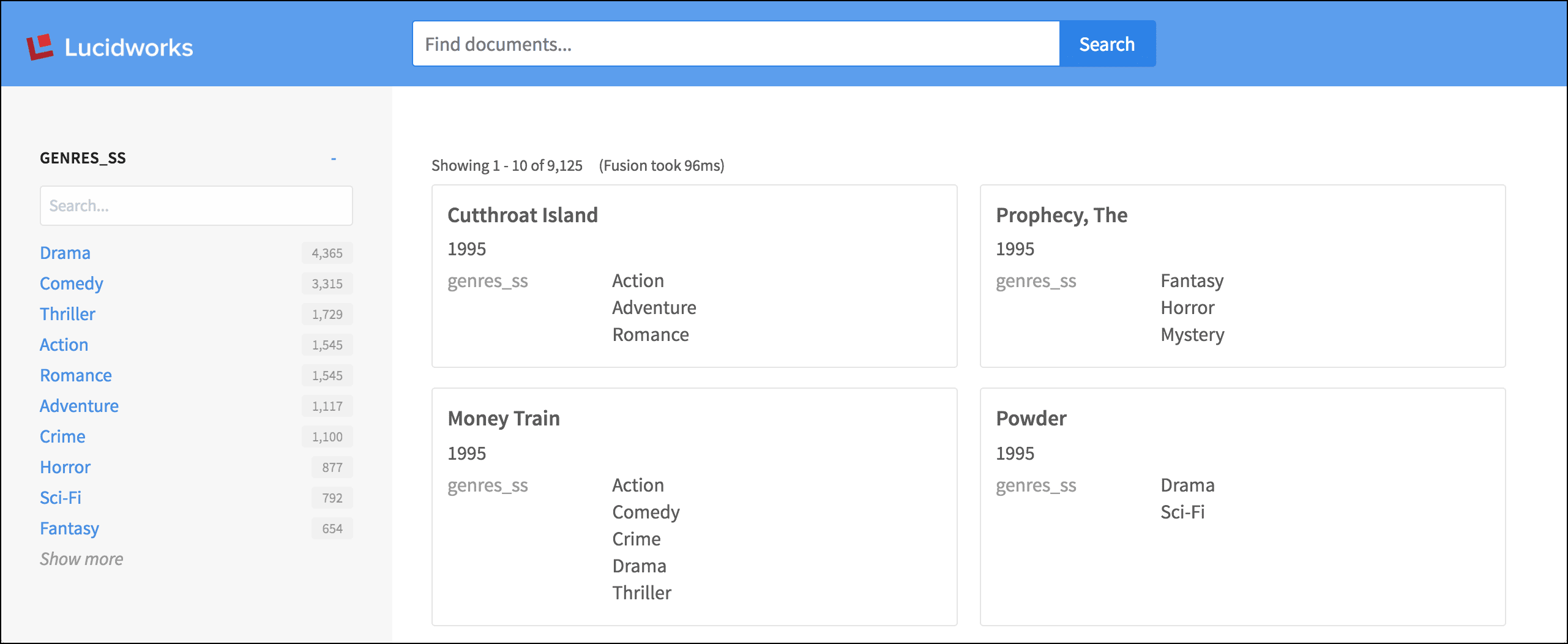
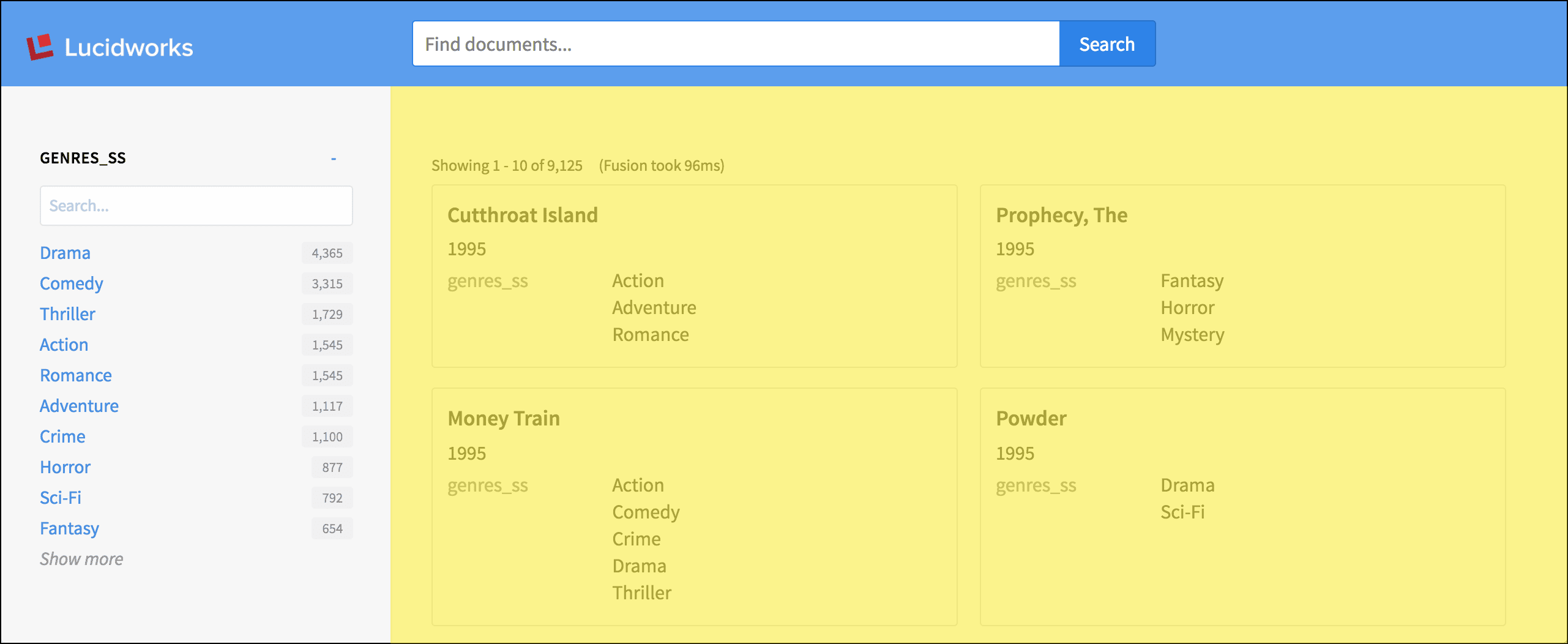
The default view looks like this:
As we explore the components of the page, we will highlight each area in turn.
## Include a partial file
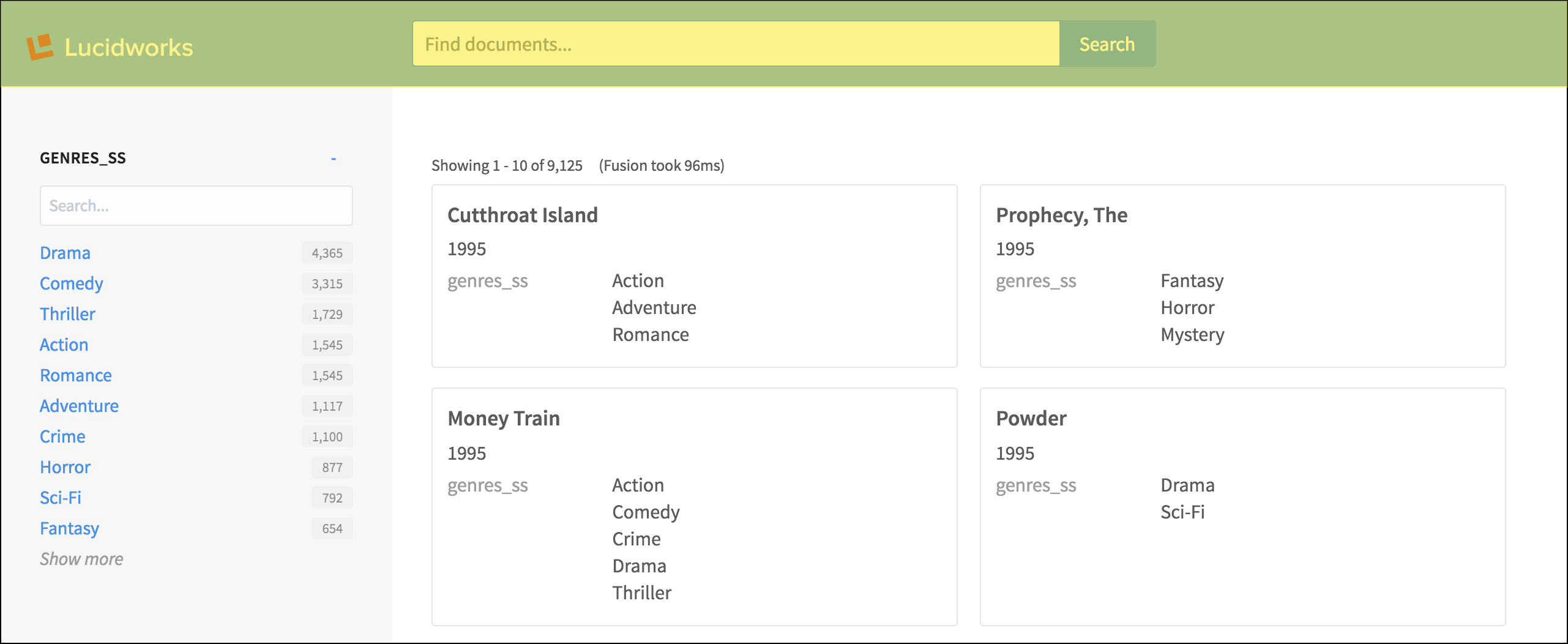
The header of the default view is a partial file that is included with the `layout:include` tag:
```xml wrap theme={"dark"}
```
The `header.tpl.html` file, in turn, contains a number of `layout` tags, plus the important [`search:box`](/docs/4/app-studio/reference/tags/lightning.directive.searchBox) tag.
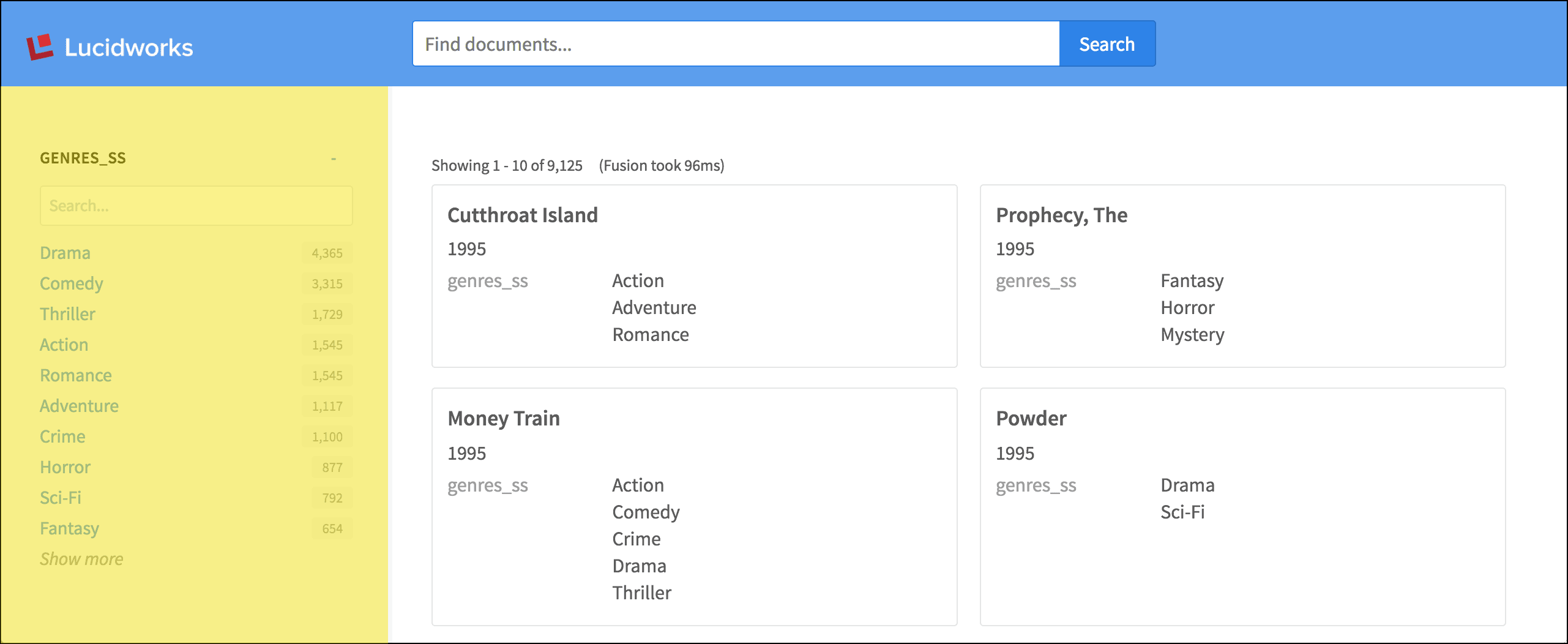
## Sidebar with facet list
The sidebar is rendered using the simple [`layout:sidebar`](/docs/4/app-studio/reference/tags/lightning.directive.layoutSidebar) tag. Within the sidebar, the [`search:facet-list`](/docs/4/app-studio/reference/tags/lightning.directive.searchFacetList) and [`search:facet`](/docs/4/app-studio/reference/tags/lightning.directive.searchFacet) tags contain the parameters that configure the facet fields and their display.
```xml wrap theme={"dark"}
```
## Search statistics and results list
In the content area, `layout` tags are used again to construct the grid layout. For brevity, we will omit those from the code samples below.
The [`search:response-statistics`](/docs/4/app-studio/reference/tags/lightning.directive.searchResponseStatistics) tag displays the number of search results, and a `{{ response.time }}` variable displays the number of milliseconds Fusion took to respond:
```xml wrap theme={"dark"}
(Fusion took {{ response.time }}ms)
```
Then, the [`search:result-list`](/docs/4/app-studio/reference/tags/lightning.directive.searchResultList) tag lays out the grid of search results:
```xml wrap theme={"dark"}
...
```
## Individual results
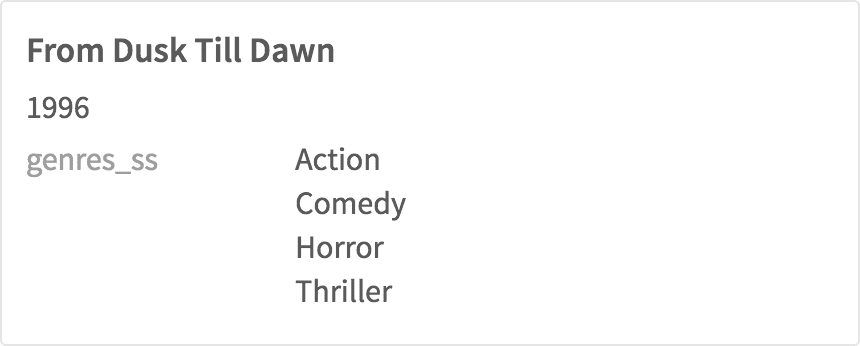
The [`search:result`](/docs/4/app-studio/reference/tags/lightning.directive.searchResult) and [`search:field`](/docs/4/app-studio/reference/tags/lightning.directive.searchField) tags configure which fields are displayed with each individual search result. A field can be styled as the title or description, and any additional fields can have a variety of styles.
```xml wrap theme={"dark"}
```
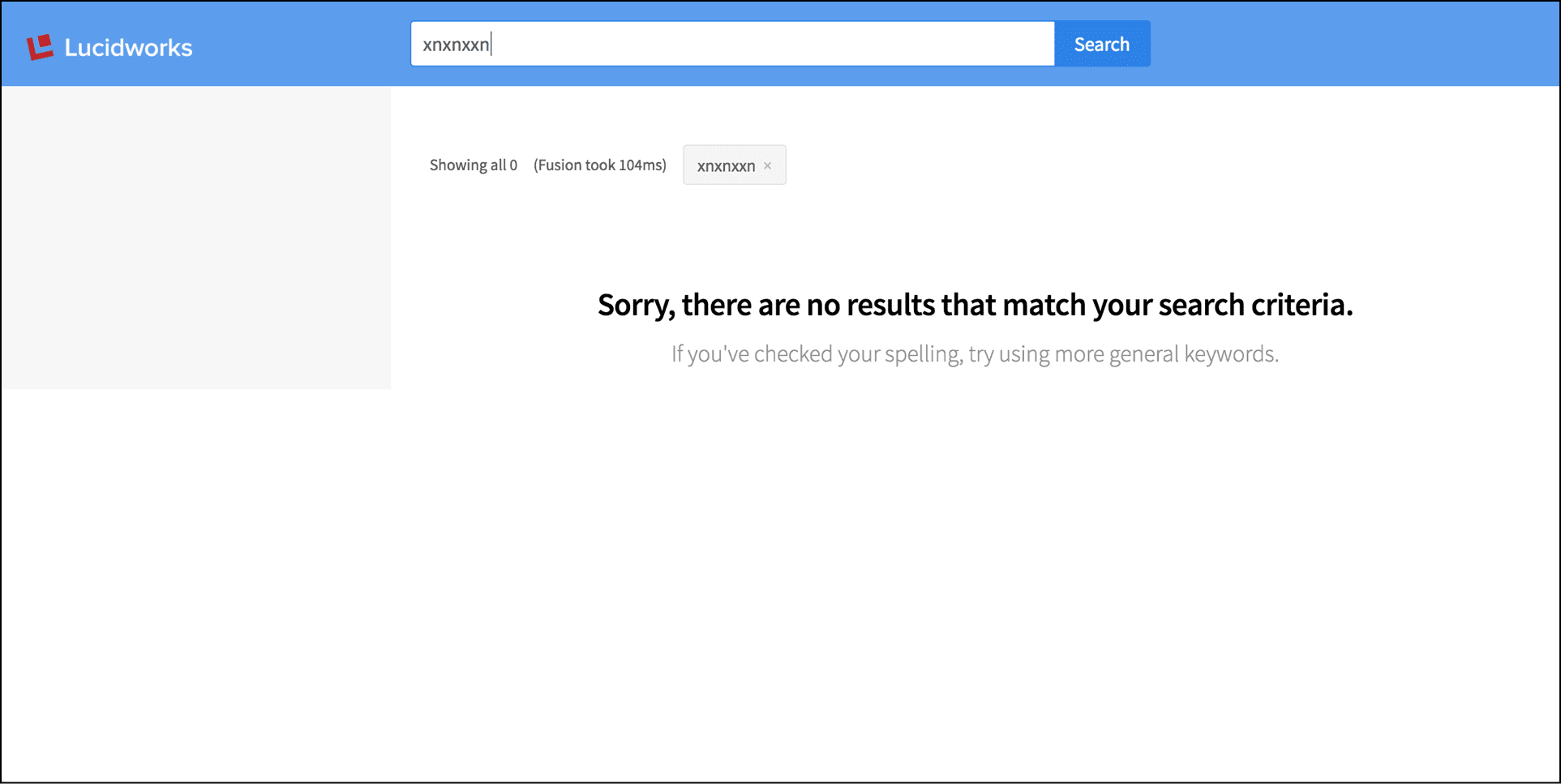
## Null search results
In the case of no search results, the `search:no-results` tag displays a default message:
```xml wrap theme={"dark"}
```
 As we explore the components of the page, we will highlight each area in turn.
 The `header.tpl.html` file, in turn, contains a number of `layout` tags, plus the important [`search:box`](/docs/4/app-studio/reference/tags/lightning.directive.searchBox) tag.
## Sidebar with facet list
The sidebar is rendered using the simple [`layout:sidebar`](/docs/4/app-studio/reference/tags/lightning.directive.layoutSidebar) tag. Within the sidebar, the [`search:facet-list`](/docs/4/app-studio/reference/tags/lightning.directive.searchFacetList) and [`search:facet`](/docs/4/app-studio/reference/tags/lightning.directive.searchFacet) tags contain the parameters that configure the facet fields and their display.
The `header.tpl.html` file, in turn, contains a number of `layout` tags, plus the important [`search:box`](/docs/4/app-studio/reference/tags/lightning.directive.searchBox) tag.
## Sidebar with facet list
The sidebar is rendered using the simple [`layout:sidebar`](/docs/4/app-studio/reference/tags/lightning.directive.layoutSidebar) tag. Within the sidebar, the [`search:facet-list`](/docs/4/app-studio/reference/tags/lightning.directive.searchFacetList) and [`search:facet`](/docs/4/app-studio/reference/tags/lightning.directive.searchFacet) tags contain the parameters that configure the facet fields and their display.
 ```xml wrap theme={"dark"}
 The [`search:response-statistics`](/docs/4/app-studio/reference/tags/lightning.directive.searchResponseStatistics) tag displays the number of search results, and a `{{ response.time }}` variable displays the number of milliseconds Fusion took to respond:
```xml wrap theme={"dark"}
The [`search:response-statistics`](/docs/4/app-studio/reference/tags/lightning.directive.searchResponseStatistics) tag displays the number of search results, and a `{{ response.time }}` variable displays the number of milliseconds Fusion took to respond:
```xml wrap theme={"dark"}
 ```xml wrap theme={"dark"}